

Alternatives to SupaSidebar
SupaSidebar boosts Mac productivity by providing instant keyboard access to links, files, and folders.
Explore 20 alternatives to SupaSidebar. Compare features, pricing, and find the best fit for your needs.

JevModel
Jev turns text or JSON into Choice, Score and Noul answers with probabilities. Build decision flows and call the API.

Panzoe
Panzoe is an all-in-one AI platform for personal productivity, business automation, AI assistants, content creation, and custom AI solutions.

AUTOMATER.ai
A tray helper for every AI coding tool: one searchable library of past sessions, waiting alerts and usage across 9 providers.

AI Email Filter
AI Email Filter sorts incoming mail into folders using plain-language prompts you write. Works with any IMAP mailbox; bring your own LLM if you want.
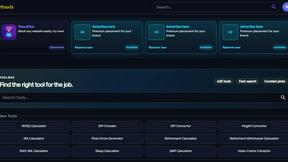
Kody Tools
Free collection of online developer utilities, code formatters, and digital converters designed to streamline your daily workflow.

Forms Plugin
The #1 Native Form Builder Plugin for Framer - No Code, No Embeds, No External Platforms.

Product Launch Checklist
A free launch checklist for SaaS, apps, AI tools and more. Every step says why it matters and when you can skip it.

HomeAnswerBook
Practical, independent guides to home repairs, maintenance, costs, troubleshooting, and everyday fixes.

BlazePDF
Highlight faster. Study in flow with custom shortcuts and a workflow built around you. Print smarter, or turn any page into a tiled poster.


Build Mode for Mac
Build Mode is a Mac app that turns focused sessions into visible progress, so you can see the work adding up before the results arrive.



Efficienco
Efficienco is a free collection of practical online calculators for construction, materials, home improvement, engineering, trades, and business.

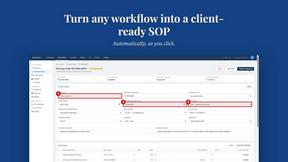
MySOP.guru
Capture any workflow in your browser and export a branded, step-by-step SOP with screenshots. €5 per document, no subscription.

PerPageFax
PerPageFax lets you send a fax online from any browser for a flat $0.50 per page — no account, no subscription, no fax machine.


About SupaSidebar Alternatives
SupaSidebar is a premium Mac productivity application designed to centralize and streamline access to digital resources. It operates within the browser enhancement and workflow management category, helping professionals reduce context-switching and digital clutter by providing instant sidebar access to links, files, and folders from any application. Users may explore alternatives for several strategic reasons. These include budget considerations, specific feature requirements not covered by a single solution, or the need for cross-platform compatibility beyond macOS. Evaluating the total cost of ownership against potential productivity gains is a common driver in this decision-making process. When selecting an alternative, key evaluation criteria should include seamless integration with your existing browser and tool stack, the efficiency of capture and retrieval workflows, and robust organization capabilities. The optimal solution should demonstrably reduce time spent on repetitive navigation tasks, thereby delivering a clear return on investment through recovered productive hours.
FAQs about SupaSidebar Alternatives
What is SupaSidebar?
SupaSidebar is a sophisticated, Arc-inspired sidebar application for Mac that provides instant access to saved links, files, and folders from any browser or application to enhance productivity and organization.
Who is SupaSidebar for?
It is ideal for professionals, researchers, and multitaskers who need to manage digital clutter, maintain focus, and streamline their workflow by keeping essential resources readily accessible.
What are the main features of SupaSidebar?
Key features include a central Command Panel for link management, Live Tabs for viewing open browser tabs in real-time, and a Recents function that tracks visited websites over the last 48 hours.
Why choose SupaSidebar?
SupaSidebar is designed as a productivity companion that integrates with all major browsers, uses intuitive keyboard shortcuts, and helps users stay in their flow to reclaim time and improve efficiency.