

Alternatives to RemoveTexts
RemoveTexts is an AI tool that instantly removes text from images, boosting productivity by eliminating the need for Photoshop.
Explore 20 alternatives to RemoveTexts. Compare features, pricing, and find the best fit for your needs.
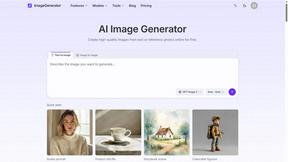
ImageGenerator
Create and edit AI images online with multiple models, text-to-image, image-to-image, background removal, and upscaling.
sakuttoAI
A free suite of online tools for everyday tasks like PDF compression, image conversion, text diff and CSV to Excel.
SightRadar
Face recognition API, a drop-in replacement for AWS Rekognition. Index, search, compare and detect faces, billed per photo with no subscription.
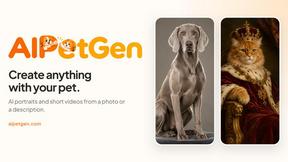
AIPetGen
AIPetGen turns a photo of your dog, cat, or other pet, or a written description, into a new picture or a short animation.

Sprite Sheet Maker
A free browser-based toolkit for creating, cutting, converting, and previewing sprite sheet animations.

Qwen Image Edit
Prompt-based Qwen Image Edit Online for background changes, text edits, product images, posters, outpainting, and creative workflows.

Z Image Turbo
Create photorealistic images, bilingual posters, ecommerce visuals, and social content with Z Image Turbo, flexible prompts, aspect ratios, seeds, and

Seedream 5.0
Create and edit production-ready images with Seedream 5.0 Pro and Lite for ecommerce, marketing, social media, infographics, and branded content.
Nano Editor
NanoEditor is an AI-powered D&D portrait generator that turns character details like ancestry, class and gear into focused fantasy RPG art.

AI Image Editor
Free AI image editor that edits, retouches, and transforms photos with natural-language text prompts.
Imagine2
Private browser-based AI image generation and editing with text-to-image, targeted edits, and multi-image references.
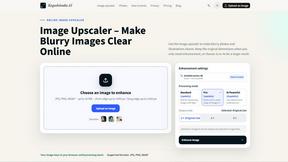
Kogashitsuka AI
An online AI image tool that enhances photos and illustrations at their original size or upscales them by 2x or 4x.

HubVanta
HubVanta is an AI image toolkit for creating, editing, enhancing, and transforming visual assets in the browser.
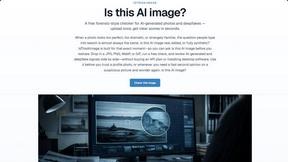
IsThisAIImage
Free online AI image and deepfake checker. Upload a photo for AI-generated and deepfake scores, a clear verdict, and optional generator hints.
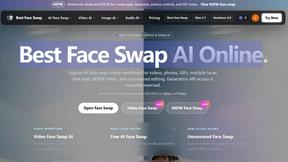
Best Face Swap
Best Face Swap delivers enterprise-grade AI face replacement for photos and videos, enabling high-fidelity, frame-consistent swaps with API access.
SALBCALC Crack Analyzer
Turn a photo of any concrete crack into an instant AI diagnosis with severity score, failure mode, and a clear DIY or engineer recommendation.
Easy Watermark Remover
Remove Gemini watermarks from images with zero signup, offering both AI Smart Removal for full-image preservation and Quick Crop for instant.
About RemoveTexts Alternatives
RemoveTexts is an AI-powered image editing tool specializing in the precise removal of text and objects from any image. It belongs to the category of automated, generative AI photo editors designed for professional workflows. This tool eliminates the need for complex software like Photoshop, delivering clean, reconstructed backgrounds in seconds to enhance productivity. Users often explore alternatives to find a solution that aligns with their specific operational requirements. Common drivers include budget constraints, the need for different feature sets like batch processing or API access, and compatibility with existing enterprise platforms or operating systems. Evaluating total cost of ownership and integration capabilities is crucial for business adoption. When selecting an alternative, key considerations should include the core AI technology's accuracy and output quality, speed of processing to maintain team efficiency, and data security protocols for handling sensitive images. The ideal solution should demonstrably reduce manual editing time, provide a clear return on investment, and scale with organizational needs.
FAQs about RemoveTexts Alternatives
What is RemoveTexts?
RemoveTexts is an AI-powered image editing tool that automatically detects and removes unwanted text, watermarks, and objects from any image, seamlessly reconstructing the background without requiring Photoshop skills.
Who is RemoveTexts for?
It is designed for creators, marketers, and designers worldwide who need to quickly clean images, such as screenshots or marketing assets, to achieve professional, text-free results.
What are the main features of RemoveTexts?
Key features include Paint to Remove for precision, Auto Remove All for full automation, Edit & Replace Text, object removal, and support for over 50 languages, all powered by generative AI for 4K output quality.
Why choose RemoveTexts?
RemoveTexts offers enterprise-grade AI that delivers high-quality results in seconds, significantly boosting productivity and eliminating the need for manual, time-consuming editing with complex software.