

Alternatives to QuickTextTools
QuickTextTools provides 76+ browser-based text utilities that eliminate manual formatting, boosting writing productivity by up to 40% with zero.
Explore 20 alternatives to QuickTextTools. Compare features, pricing, and find the best fit for your needs.

JevModel
Jev turns text or JSON into Choice, Score and Noul answers with probabilities. Build decision flows and call the API.

Panzoe
Panzoe is an all-in-one AI platform for personal productivity, business automation, AI assistants, content creation, and custom AI solutions.

AUTOMATER.ai
A tray helper for every AI coding tool: one searchable library of past sessions, waiting alerts and usage across 9 providers.

AI Email Filter
AI Email Filter sorts incoming mail into folders using plain-language prompts you write. Works with any IMAP mailbox; bring your own LLM if you want.

Kody Tools
Free collection of online developer utilities, code formatters, and digital converters designed to streamline your daily workflow.

Forms Plugin
The #1 Native Form Builder Plugin for Framer - No Code, No Embeds, No External Platforms.

Product Launch Checklist
A free launch checklist for SaaS, apps, AI tools and more. Every step says why it matters and when you can skip it.

HomeAnswerBook
Practical, independent guides to home repairs, maintenance, costs, troubleshooting, and everyday fixes.
BlazePDF
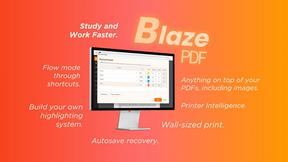
Highlight faster. Study in flow with custom shortcuts and a workflow built around you. Print smarter, or turn any page into a tiled poster.


Build Mode for Mac
Build Mode is a Mac app that turns focused sessions into visible progress, so you can see the work adding up before the results arrive.



Efficienco
Efficienco is a free collection of practical online calculators for construction, materials, home improvement, engineering, trades, and business.

MySOP.guru
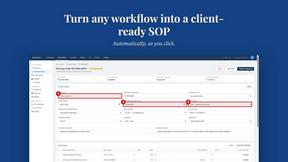
Capture any workflow in your browser and export a branded, step-by-step SOP with screenshots. €5 per document, no subscription.

PerPageFax
PerPageFax lets you send a fax online from any browser for a flat $0.50 per page — no account, no subscription, no fax machine.


About QuickTextTools Alternatives
QuickTextTools is a browser-based productivity platform offering over 76 free utilities designed for writers, marketers, developers, and SEO professionals. It belongs to the broader productivity and management software category, specifically focusing on text manipulation, SEO analysis, and content optimization workflows. While the platform provides substantial value at no cost, users often seek alternatives due to evolving enterprise requirements such as the need for API integration, advanced team collaboration features, higher volume processing limits, or dedicated customer support for mission-critical operations. Additionally, organizations scaling their content operations may require more robust analytics, custom workflow automation, or compliance with specific data governance policies that a free tool may not fully address. When evaluating alternatives to QuickTextTools, enterprises should prioritize solutions that offer measurable ROI through time savings, error reduction, and throughput improvements. Key evaluation criteria include the breadth of available utilities relative to your team’s specific workflows, data security certifications (such as SOC 2 or GDPR compliance), API availability for seamless integration with existing tech stacks, and scalability to handle enterprise-level processing volumes. Cost transparency is also critical—look for tiered pricing models that align with usage patterns rather than flat fees that penalize high-volume users. Finally, consider the availability of onboarding resources, training materials, and responsive technical support to minimize downtime and accelerate adoption across your organization.
FAQs about QuickTextTools Alternatives
What is QuickTextTools?
QuickTextTools is a free, browser-based online platform that provides over 76 utilities designed to enhance productivity for writers, marketers, developers, and SEO professionals. It offers a comprehensive suite of tools for text formatting, SEO analysis, keyword management, writing assistance, and developer utilities, all accessible without any software downloads or complex setups. The platform operates directly in your browser, ensuring fast performance and user-friendly interaction.
Who is QuickTextTools for?
QuickTextTools is built for a broad range of professionals including writers, content creators, SEO specialists, digital marketers, developers, and students who need efficient text and data manipulation tools. It is particularly valuable for individuals and small to medium-sized teams looking to optimize repetitive tasks like keyword list cleaning, text case conversion, and meta tag analysis without investing in expensive software. The platform's simplicity also makes it accessible for users with minimal technical expertise.
Is QuickTextTools free?
Yes, QuickTextTools is completely free to use with no hidden fees or subscription requirements. All 76+ utilities are available at no cost, and the platform does not require any account registration or credit card information to access its features. This makes it an ideal entry-level solution for freelancers, startups, and budget-conscious teams seeking productivity gains without financial commitment.
What are the main features of QuickTextTools?
QuickTextTools offers a diverse range of features including text formatting utilities (such as case converters and whitespace removers), SEO analysis tools (like meta tag inspectors and keyword density checkers), writing assistants (including word counters and readability scorers), and developer utilities (such as JSON formatters and URL encoders). The platform also provides keyword management tools for cleaning and organizing large lists, all designed to streamline workflows and reduce manual effort. These utilities are optimized for speed and privacy, processing data locally within the browser whenever possible.