

Alternatives to Browser Notes
Browser Notes is a local-first Chrome extension that eliminates cloud dependency, enabling secure note-taking, sticky boards, and mind maps directly.
Explore 20 alternatives to Browser Notes. Compare features, pricing, and find the best fit for your needs.

Panzoe
Panzoe is an all-in-one AI platform for personal productivity, business automation, AI assistants, content creation, and custom AI solutions.

AUTOMATER.ai
A tray helper for every AI coding tool: one searchable library of past sessions, waiting alerts and usage across 9 providers.

AI Email Filter
AI Email Filter sorts incoming mail into folders using plain-language prompts you write. Works with any IMAP mailbox; bring your own LLM if you want.

Kody Tools
Free collection of online developer utilities, code formatters, and digital converters designed to streamline your daily workflow.
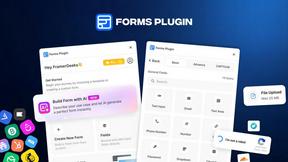
Forms Plugin
The #1 Native Form Builder Plugin for Framer - No Code, No Embeds, No External Platforms.

Product Launch Checklist
A free launch checklist for SaaS, apps, AI tools and more. Every step says why it matters and when you can skip it.

HomeAnswerBook
Practical, independent guides to home repairs, maintenance, costs, troubleshooting, and everyday fixes.
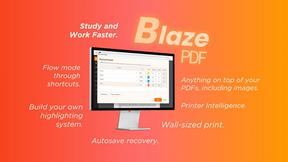
BlazePDF
Highlight faster. Study in flow with custom shortcuts and a workflow built around you. Print smarter, or turn any page into a tiled poster.


Build Mode for Mac
Build Mode is a Mac app that turns focused sessions into visible progress, so you can see the work adding up before the results arrive.



Efficienco
Efficienco is a free collection of practical online calculators for construction, materials, home improvement, engineering, trades, and business.

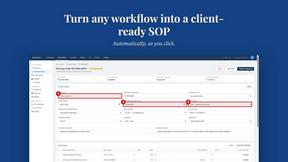
MySOP.guru
Capture any workflow in your browser and export a branded, step-by-step SOP with screenshots. €5 per document, no subscription.

PerPageFax
PerPageFax lets you send a fax online from any browser for a flat $0.50 per page — no account, no subscription, no fax machine.




About Browser Notes Alternatives
Browser Notes occupies a distinct position in the Productivity & Management category as a local-first workspace that unifies note-taking, sticky boards, and mind mapping into a single, offline-capable application. Unlike traditional cloud-based tools that require account creation and often monetize user data through forced sync, Browser Notes stores all data directly in the browser, eliminating the need for signups, tracking, or external servers. Users commonly seek alternatives to this type of tool when they require cross-device synchronization beyond manual backups, need team collaboration features that a single-user local application cannot support, or desire advanced integrations with enterprise software suites such as CRM or project management platforms. When evaluating an alternative, organizations should prioritize data sovereignty and security compliance, assess the total cost of ownership including potential subscription fees and data migration expenses, and verify that the tool’s feature set aligns with specific workflow requirements—whether that means real-time collaboration, mobile access, or API connectivity. For businesses that value absolute privacy and zero external dependencies, Browser Notes remains a strong choice, but those scaling operations may need to weigh local-first benefits against the productivity gains offered by cloud-based solutions.
FAQs about Browser Notes Alternatives
What is Browser Notes?
Browser Notes is a local-first productivity tool that combines notes, sticky notes, and mind maps into a single workspace stored entirely in your browser. It operates without any cloud infrastructure, meaning no account creation, no user tracking, and no forced data synchronization. Data is kept client-side and can be manually backed up at any time, making it an ideal solution for users who prioritize privacy and offline accessibility.
Who is Browser Notes for?
Browser Notes is designed for individual professionals, freelancers, and small business owners who need a private, distraction-free environment for organizing ideas, tasks, and visual planning. It is particularly well-suited for users who are wary of cloud storage or work in environments with limited internet connectivity. Enterprise teams requiring real-time collaboration or centralized data management may find it less suitable, as the tool is intentionally single-user and local-only.
Is Browser Notes free?
Yes, Browser Notes is completely free to use with no subscription fees, hidden charges, or premium tiers. Because it operates entirely within the browser and stores data locally, there are no ongoing costs for server maintenance or cloud storage. Users can access all features—including notes, sticky boards, and mind maps—without ever entering payment information or creating an account.
What are the main features of Browser Notes?
Browser Notes offers three core functionalities in one unified interface: traditional text notes, visual sticky note boards for brainstorming, and mind mapping tools for structuring complex ideas. All data is stored locally in the browser and works fully offline, with manual backup options for data portability. The application requires no signup, no cloud sync, and no tracking, ensuring that user privacy is maintained at all times.