

Alternatives to Tagada
Tagada parses Gmail into clickable sentences for local highlighting and tagging, boosting email response speed and clarity without cloud data risks.
Explore 20 alternatives to Tagada. Compare features, pricing, and find the best fit for your needs.

Uniclip
Clip pages, take full-page screenshots and batch-capture list data to Notion, Feishu, Obsidian, Markdown, CSV or JSON.

TroveKey
Search tabs, Chrome bookmarks and history, run browser commands, and save webpages and social posts locally—no account.

LightScreen
Free light screen tool online. Turn any display into a flashlight, ambient light, or solid-color screen. No download or sign-up.


Kovnerov
Personal site of Vlad Kovnerov: analytics dashboards, web development, Telegram bots and browser tools for sellers and subscription tracking.

Context Board
Context Board brings your numbers, docs, clients, content and day into one workspace that Claude and Codex can read and update.

@fuck.it - email with attitude
Private email. Pure. Secure. Exclusive. No ads, no tracking, no data selling. GDPR compliant, EU-hosted.

sakuttoAI
A free suite of online tools for everyday tasks like PDF compression, image conversion, text diff and CSV to Excel.

JevModel
Jev turns text or JSON into Choice, Score and Noul answers with probabilities. Build decision flows and call the API.

Panzoe
Panzoe is an all-in-one AI platform for personal productivity, business automation, AI assistants, content creation, and custom AI solutions.

AUTOMATER.ai
A tray helper for every AI coding tool: one searchable library of past sessions, waiting alerts and usage across 9 providers.

AI Email Filter
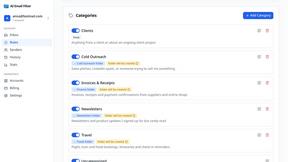
AI Email Filter sorts incoming mail into folders using plain-language prompts you write. Works with any IMAP mailbox; bring your own LLM if you want.

Kody Tools
Free collection of online developer utilities, code formatters, and digital converters designed to streamline your daily workflow.

Forms Plugin
The #1 Native Form Builder Plugin for Framer - No Code, No Embeds, No External Platforms.

Product Launch Checklist
A free launch checklist for SaaS, apps, AI tools and more. Every step says why it matters and when you can skip it.
About Tagada Alternatives
Tagada is a browser extension designed to optimize email productivity within Gmail, falling under the Productivity & Management software category. It differentiates itself by parsing incoming messages into clickable, selectable sentences, allowing users to highlight, tag, and categorize critical data directly within the email interface, all while processing information entirely on the local device. Users commonly seek alternatives due to specific budget constraints, a need for deeper team collaboration features, or compatibility requirements with email platforms beyond Gmail, such as Outlook or mobile clients. When evaluating alternatives, organizations should prioritize solutions that demonstrate a clear return on investment through measurable reductions in email response time and improved message clarity. Key criteria include the robustness of the parsing and categorization engine, the flexibility of template generation, and the level of data security compliance. Additionally, assess whether the tool integrates seamlessly into existing workflows without requiring significant changes to team habits, and verify that it offers the necessary platform support for your specific operating environment and email client. The ideal alternative should provide a structured approach to email management that directly correlates to increased operational efficiency and reduced cognitive load for your team.
FAQs about Tagada Alternatives
What is Tagada?
Tagada is a browser extension that transforms how professionals read and reply to emails directly within Gmail. It parses incoming emails into clickable sentences that users can highlight, tag, and organize by category with a single click. The tool then auto-generates a clean reply template based on the selected points, enabling faster and more structured responses. All processing occurs 100% locally on the user's machine, ensuring no data is sent to the cloud or any third-party servers.
Who is Tagada for?
Tagada is ideal for professionals, support teams, freelancers, consultants, and anyone who regularly manages long email threads. It is specifically designed for users who need to cut response time, structure their replies, and maintain strict data privacy. The tool helps knowledge workers and service providers transform cluttered inboxes into actionable workflows without learning a new platform.
Is Tagada free?
The provided product description does not specify a free tier or pricing model for Tagada. Users should consult the official Tagada website or product listing for the most current information on pricing, trial periods, and subscription plans. As a productivity tool for professionals, it likely operates on a subscription basis, though specific costs are not detailed in the available content.
What are the main features of Tagada?
Tagada's core features include instant parsing of emails into selectable sentences, one-click highlighting and tagging by category, and auto-generated reply templates built from your selections. It operates entirely within the Gmail interface, requiring no new tools to learn, and processes all data locally with no AI, no cloud dependency, and no third-party servers. This ensures data privacy while significantly reducing the time needed to compose clear and structured responses.