

Alternatives to Picture Enhancer
Picture Enhancer deblurs, upscales, and restores photos in your browser with AI intensity tiers, giving you three free guest tries before requiring.
Explore 20 alternatives to Picture Enhancer. Compare features, pricing, and find the best fit for your needs.
ImageGenerator
Create and edit AI images online with multiple models, text-to-image, image-to-image, background removal, and upscaling.
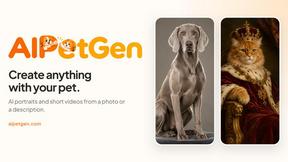
AIPetGen
AIPetGen turns a photo of your dog, cat, or other pet, or a written description, into a new picture or a short animation.

ImageGPT
ImageGPT is an all-in-one AI creative platform for generating, editing and transforming images and videos using AI.

AI Album Cover Maker
Create release-ready album covers from a prompt or photo. Generate, refine, and export art for singles, EPs, mixtapes, and playlists.
Sprite Sheet Maker
A free browser-based toolkit for creating, cutting, converting, and previewing sprite sheet animations.

Qwen Image Edit
Prompt-based Qwen Image Edit Online for background changes, text edits, product images, posters, outpainting, and creative workflows.



Z Image Turbo
Create photorealistic images, bilingual posters, ecommerce visuals, and social content with Z Image Turbo, flexible prompts, aspect ratios, seeds, and

Seedream 5.0
Create and edit production-ready images with Seedream 5.0 Pro and Lite for ecommerce, marketing, social media, infographics, and branded content.

Hailuo AI
Create high-quality Hailuo AI videos from text or images with guided prompts, camera controls, flexible settings, task tracking, and downloads.

Vynzo
AI image and video studio. Generate from a prompt, animate stills, swap faces, restyle clips and edit — one credit pool, no subscription.

TryKlingAI
Kling AI video generator with text, image, motion control, lip sync, and API workflows.
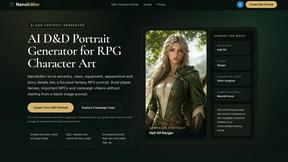
Nano Editor
NanoEditor is an AI-powered D&D portrait generator that turns character details like ancestry, class and gear into focused fantasy RPG art.


Vismuse
Create polished AI images and videos from prompts or references for social posts, ads, flyers, album covers, and campaigns.
Imagine2
Private browser-based AI image generation and editing with text-to-image, targeted edits, and multi-image references.

Kogashitsuka AI
An online AI image tool that enhances photos and illustrations at their original size or upscales them by 2x or 4x.

Trushot AI
TruShot creates ultra-realistic AI dating photos from just 4 selfies. Generate natural-looking, verification-friendly profile pictures for Tinder, Hin

About Picture Enhancer Alternatives
Picture Enhancer is a free, browser-based AI tool that falls under the image generation and enhancement category, specifically designed to deblur, upscale, and restore photos without requiring any software installation. It serves creators, e-commerce sellers, and everyday users by allowing them to upload JPG, PNG, or WebP files, select an enhancement intensity, and download watermark-free results. While the platform offers a generous guest trial and a credit-based system for paid users, many professionals and enterprises seek alternatives due to specific constraints such as limited batch processing for free accounts, the need for higher resolution outputs beyond the Super tier, or integration requirements with existing digital asset management workflows. When evaluating an alternative to Picture Enhancer, organizations should prioritize solutions that align with their volume and quality demands. Key factors include the cost per successful enhancement, the availability of API access for automation, and the ability to handle bulk uploads without per-credit charges. Additionally, consider whether the tool supports advanced features like noise reduction, color correction, or format flexibility, as well as its scalability for team usage. A robust alternative should deliver measurable ROI by reducing manual retouching time, increasing image conversion rates for listings, and maintaining consistent output quality across different input sources, all while offering transparent pricing that avoids hidden fees for failed jobs.
FAQs about Picture Enhancer Alternatives
What is Picture Enhancer?
Picture Enhancer is a free online AI photo enhancer that allows users to deblur, upscale, and restore images directly in their browser without installing any software. It supports JPG, PNG, and WebP formats and offers three enhancement intensities—Standard, Strong, and Super—for varying levels of detail recovery. Users can preview the before-and-after result before downloading a watermark-free file, with credits charged only on successful jobs.
Is Picture Enhancer free?
Yes, Picture Enhancer offers a free tier where guests receive three lifetime tries per IP address with no signup required. New users who create an account receive starter credits to begin enhancing images. Beyond the free trials, credits are consumed per successful enhancement at rates of 2 for Standard, 4 for Strong, and 6 for Super, with paid plans available for additional credits through monthly subscriptions or permanent packs that never expire.
Who is Picture Enhancer for?
Picture Enhancer is designed for creators, e-commerce sellers, and everyday users who need sharper images quickly for social media posts, product listings, screenshots, or family photos. It is ideal for professionals seeking to improve image quality without complex editing software, as well as businesses that require batch processing—up to 10 images at a time—for their paid accounts. The tool’s credit-based model makes it accessible for both occasional users and high-volume workflows.
What are the main features of Picture Enhancer?
Key features include AI-powered deblurring, upscaling, and restoration with three intensity levels: Standard, Strong, and Super. Users can upload JPG, PNG, or WebP files, preview the enhanced result side by side with the original, and download a watermark-free image. Paid accounts unlock Super tier access and batch enhancement for up to 10 images, with credits that are deducted only when a job succeeds, ensuring no wasted costs on failed attempts.