

Alternatives to EditTextImage
EditTextImage lets you replace text in images online in 30 seconds while perfectly preserving font, color, and perspective.
Explore 20 alternatives to EditTextImage. Compare features, pricing, and find the best fit for your needs.

Qwen Image Edit
Prompt-based Qwen Image Edit Online for background changes, text edits, product images, posters, outpainting, and creative workflows.


Z Image Turbo
Create photorealistic images, bilingual posters, ecommerce visuals, and social content with Z Image Turbo, flexible prompts, aspect ratios, seeds, and
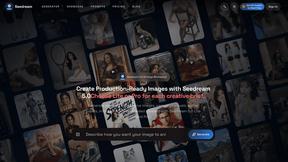
Seedream 5.0
Create and edit production-ready images with Seedream 5.0 Pro and Lite for ecommerce, marketing, social media, infographics, and branded content.
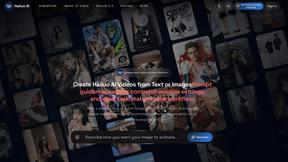
Hailuo AI
Create high-quality Hailuo AI videos from text or images with guided prompts, camera controls, flexible settings, task tracking, and downloads.
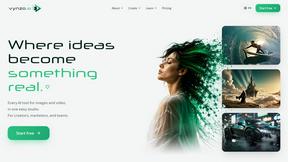
Vynzo
AI image and video studio. Generate from a prompt, animate stills, swap faces, restyle clips and edit — one credit pool, no subscription.

TryKlingAI
Kling AI video generator with text, image, motion control, lip sync, and API workflows.
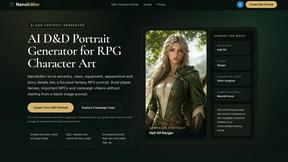
Nano Editor
NanoEditor is an AI-powered D&D portrait generator that turns character details like ancestry, class and gear into focused fantasy RPG art.
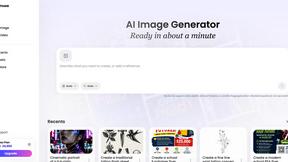
Vismuse
Create polished AI images and videos from prompts or references for social posts, ads, flyers, album covers, and campaigns.
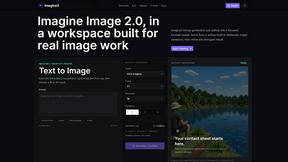
Imagine2
Private browser-based AI image generation and editing with text-to-image, targeted edits, and multi-image references.

Kogashitsuka AI
An online AI image tool that enhances photos and illustrations at their original size or upscales them by 2x or 4x.
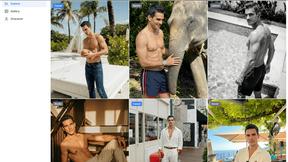
Trushot AI
TruShot creates ultra-realistic AI dating photos from just 4 selfies. Generate natural-looking, verification-friendly profile pictures for Tinder, Hin

UGCad AI
AI UGC video ad Generator which Turn a URL, prompt, or template into a ready video ads
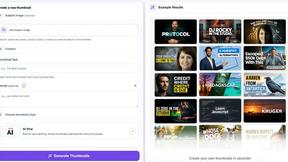
StopScroll
StopScroll helps YouTube creators generate AI thumbnails and improve images for higher-click videos.
HubVanta
HubVanta is an AI image toolkit for creating, editing, enhancing, and transforming visual assets in the browser.

Headshot.ltd AI Headshot Generator
Turn a few phone selfies into professional headshots in ~5 minutes. 200+ backgrounds, one-time payment starting from $8.

Modellix
Modellix unifies top AI image, video, and audio models under one API with transparent pay-as-you-go pricing and full logs to streamline development.
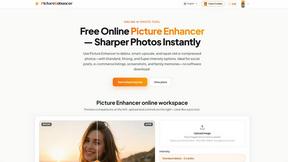
Picture Enhancer
Picture Enhancer deblurs, upscales, and restores photos in your browser with AI intensity tiers, giving you three free guest tries before requiring.
About EditTextImage Alternatives
EditTextImage is a specialized AI-powered tool within the image generation and editing category, designed to solve a singular, high-friction problem: replacing text in existing images without access to the original design files or fonts. It eliminates the traditional workflow bottleneck of needing Photoshop, a graphic designer, or the correct font licenses to correct a typo, update a date, or swap a headline on a finished visual asset. For marketing teams, content managers, and product developers, this capability directly impacts turnaround time and resource allocation, turning a task that could take hours of manual recreation into a 30-second automated process. Users typically explore alternatives to EditTextImage when their volume of edits exceeds the tool’s pricing model, when they require batch processing or API integration for enterprise workflows, or when they need broader image manipulation features beyond text replacement. When evaluating an alternative, key criteria should include the accuracy of font and style replication from pixel data, the maximum output resolution for professional use, the per-edit or subscription cost relative to your monthly editing volume, and whether the platform supports the specific file formats and transparency layers your projects require. The ideal solution will minimize manual retouching, preserve layout integrity, and offer predictable pricing that scales with your team’s productivity needs.
FAQs about EditTextImage Alternatives
What is EditTextImage?
EditTextImage is a specialized online tool that uses AI to replace text within images while preserving the original font, color, layout, and effects like drop shadows and perspective. It eliminates the need for traditional design software such as Photoshop, font installations, or source design files. The process is designed to take approximately 10 seconds per edit, outputting at 2K resolution for professional-grade results.
Who is EditTextImage for?
EditTextImage is built for professionals who frequently need to modify text in final visual assets without access to the original design files. This includes marketing managers correcting ad copy, product developers updating screenshots, social media managers swapping headlines on graphics, and content editors fixing typos in published materials. It is ideal for any business user who values speed and requires pixel-perfect results without relying on a design team.
Is EditTextImage free?
EditTextImage offers a free trial that allows users to perform one edit without requiring a credit card. After the trial, the tool operates on a one-time payment model of $9.90 for 30 edits. This pay-per-edit structure avoids recurring subscription fees, making it a cost-effective solution for teams or individuals with occasional text replacement needs.
What are the main features of EditTextImage?
The core feature is AI-driven text replacement that samples typography directly from the pixels of the uploaded image, ensuring that paid fonts, hand-lettering, and custom styles are replicated accurately. The tool preserves the original color, layout, drop shadows, and perspective of the text. It completes edits in about 10 seconds and delivers the final image at 2K resolution, with no requirement for Photoshop or any font installation.