

Alternatives to Easymotion - AI Motion Graphic Generator
Easymotion turns static images, data, and ideas into professional motion graphics and map animations in minutes, helping teams ship 3x more projects.
Explore 20 alternatives to Easymotion - AI Motion Graphic Generator. Compare features, pricing, and find the best fit for your needs.


GenX
All-in-one AI workspace to generate images, videos, and audio with multiple leading AI models.

Bloom
An adaptive AI tutor that turns topics or your materials into courses, lessons, and answers tailored to how you learn.

AppIconGenerator
Generate iOS and Android app icons from any image and export all platform sizes for free.

PhotoGenerAI
Create images and edit photos with AI using prompts and references for backgrounds, outfits, product photos and social graphics.


Nano AI
Create and edit AI images, generate videos, and compare models in one creative workbench.

ogimagegenerator.dev
Paste a URL and AI designs on-brand Open Graph images from your page's colours, fonts and logo. Free, no sign-up.

Screen Issues
Free Online Screen Test Tool - Instantly diagnose dead pixels, lines, color issues, and flickering. Multiple test modes, no download needed.
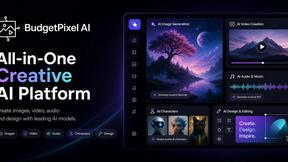
Budgetpixel AI
Create and edit AI images, videos, music, and designs in one workspace, with multiple models, reusable characters, and API access.
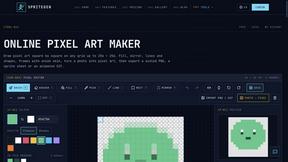
SpriteGen
Create pixel-art sprites and animated sprite sheets from character descriptions, with animation preview and transparent PNG export.

FreeVideoGenerator
Generate watermark-free AI video clips from text prompts and photos using Sora 2, Veo 3.1, Wan and more.

ChatterAPI
One API key and one credit balance for Reddit and X data. REST endpoints and a hosted MCP server, so your code and your agents call the same tools.
BacklinkBot
AI SEO agent that finds pages ranking for your keywords, pitches the people behind them from your inbox, and follows up. You approve every send.

Try OC Maker
Create OCs from text or images, customize their look, and turn them into animated videos with AI.


Leadeon
AI growth tool for X and LinkedIn: write posts in your voice, schedule at your best times, find leads on X and see what works.
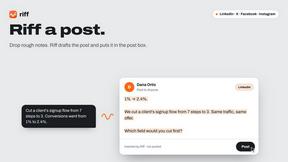
Riff
Free Chrome extension. Paste your rough point and Chrome's built-in AI writes a fresh reply for that post on X, LinkedIn, Facebook or Instagram.

About Easymotion - AI Motion Graphic Generator Alternatives
Easymotion - AI Motion Graphic Generator is an AI-powered platform that streamlines the creation of motion graphics, map animations, and visual storytelling assets directly in the browser. It belongs to the content creation and design tools category, specifically targeting video production and AI-assisted design workflows for business professionals. Organizations often seek alternatives to Easymotion due to specific requirements around pricing models, advanced customization capabilities, integration with existing enterprise software stacks, or the need for more granular control over animation timelines and data visualization parameters. Additionally, teams with high-volume production demands may explore other options if they require different export formats, collaborative editing features, or specialized support for complex geographic information systems. When evaluating alternatives to Easymotion, enterprises should prioritize platforms that demonstrate measurable ROI through reduced production time, typically aiming for a 60-80% decrease in manual animation labor. Critical evaluation criteria include the breadth of export formats and resolution support, the sophistication of AI-driven editing capabilities, template library quality and volume, and the platform’s ability to maintain brand consistency across thousands of assets. Security compliance, particularly SOC 2 or GDPR certifications for handling proprietary business data, should also factor into the decision. Finally, consider scalability—whether the tool can handle growing team sizes, increasing video output volumes, and integration with existing marketing automation or content management systems without sacrificing performance or requiring excessive training overhead.
FAQs about Easymotion - AI Motion Graphic Generator Alternatives
What is Easymotion - AI Motion Graphic Generator?
Easymotion is an AI-powered motion graphics and map animation generator designed for content creators, editors, founders, and marketers. It allows users to transform ideas, files, and static visuals into polished animated videos without requiring complex timeline editing. The platform supports a wide range of motion graphics including SaaS product promos, flowcharts, animated charts, UI explainers, quizzes, and geographic storytelling visuals such as flight routes and location pins. Users can generate animations from prompts, images, spreadsheets, or PDFs, then refine them through conversational AI editing.
Who is Easymotion - AI Motion Graphic Generator for?
Easymotion is built for content creators, editors, founders, and marketers who need to produce professional motion graphics and map animations quickly. It serves business professionals who require faster workflows for product marketing, social media content, presentations, and client deliverables. The platform is particularly valuable for teams that want to avoid traditional video editing software and its steep learning curve, enabling non-designers to create high-quality animated assets directly in the browser.
What are the main features of Easymotion - AI Motion Graphic Generator?
Key features include AI-driven animation generation from prompts or uploaded files including images, spreadsheets, and PDFs. Users can edit animations by chatting with AI to adjust colors, pacing, labels, layout, and visual style. The platform offers a premium template library for starting from proven motion graphics layouts, and supports export in MP4 and MOV formats including transparent backgrounds. Easymotion also provides multiple aspect ratio options: 16:9 for YouTube, 9:16 for TikTok and Instagram Reels, 1:1 for square posts, and 4:5 for vertical feed-friendly formats.
Is Easymotion - AI Motion Graphic Generator secure?
Easymotion is built for enterprise use cases and prioritizes data security for proprietary business content. The platform operates entirely in the browser, reducing local data exposure risks. While specific security certifications are not detailed in the provided information, the platform is designed to handle sensitive client deliverables and campaign materials. Organizations should review Easymotion’s official security documentation and compliance certifications, such as SOC 2 or GDPR, to ensure alignment with their enterprise security requirements before deployment.