

Alternatives to BoltShot
Capture high-quality screenshots from any URL instantly with BoltShot's ultra-fast API, enhancing productivity for developers and marketers alike.
Explore 20 alternatives to BoltShot. Compare features, pricing, and find the best fit for your needs.
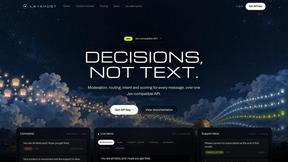
layahost
Moderation, routing, intent and scoring for any text over one Jev-compatible API, hosted in the EU.
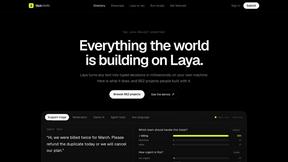
laya.tools
Free directory of 950+ projects built on Laya, the open-source model that turns text into typed decisions in milliseconds.
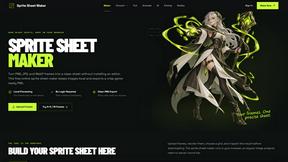
Sprite Sheet Maker
A free browser-based toolkit for creating, cutting, converting, and previewing sprite sheet animations.
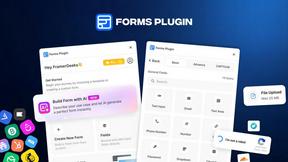
Forms Plugin
The #1 Native Form Builder Plugin for Framer - No Code, No Embeds, No External Platforms.

AkraLabs
Where modern software products get discovered, launched, and distributed. Explore verified AI tools, SaaS startups, and developer software.

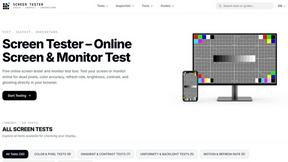
Screen Tester
Free online screen and monitor tester with 28+ display tests for dead pixels, colors, brightness, contrast, gamma, and more.


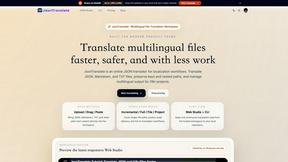
JsonTranslate
Translate JSON, Markdown, and TXT files while preserving keys, paths, and project structure.
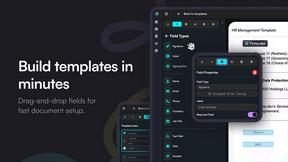
Firma.dev
Pay-as-you-go e-signature API and no-code sending. €0.049 per envelope, no monthly minimums, legally valid in 55+ countries.

ContextBolt
MCP servers that give AI agents the context they're missing: your saved bookmarks, live SEO data, and nightly competitor intelligence.
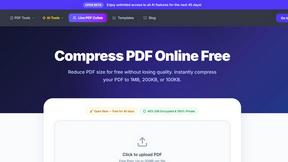
PDF Pro AI
Privacy-first AI document tool — analyze medical reports, bank statements & salary slips 100% in-browser. No uploads, no signup, free.
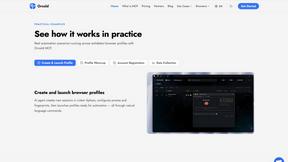
Ornold
Ornold MCP lets AI agents control Chromium and antidetect browsers: click, type, read screens, record workflows, replay profiles without scripts.
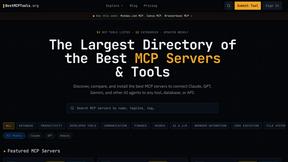
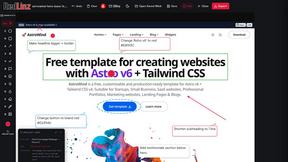
RedLinz
RedLinz turns screenshots into AI prompts by letting you circle and annotate exactly what you want an LLM to change.
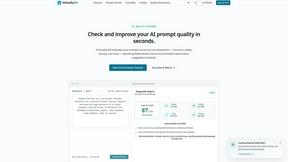
AIQualityHQ
AIQualityHQ instantly scores AI prompts across six dimensions and delivers actionable fixes to reduce risks and improve output consistency.
About BoltShot Alternatives
BoltShot is a sophisticated API designed for capturing high-quality screenshots of web pages without the complexities of browser operations. This tool is categorized under developer tools and caters to a variety of use cases, including automated reporting, e-commerce previews, and compliance monitoring. By offering features such as full-page capture and device emulation, BoltShot streamlines the process of obtaining accurate visual representations of web content, making it an invaluable asset for developers and businesses alike. Users often seek alternatives to BoltShot for a variety of reasons, ranging from pricing models and feature sets to compatibility with specific platforms. It is essential for users to consider their unique requirements when exploring alternatives, such as the need for specific rendering capabilities, integration ease, and scalability options. When selecting a suitable option, factors like customer support, user experience, and overall return on investment should also be evaluated to ensure that the chosen solution aligns with business objectives and enhances productivity.
FAQs about BoltShot Alternatives
What is BoltShot?
BoltShot is a dedicated API that allows users to capture high-quality screenshots from URLs with ease. It provides various image formats such as PNG, JPEG, WebP, and PDF, all through a straightforward API request. This makes it a powerful tool for developers looking to automate the process of obtaining visual content from web pages.
Who is BoltShot for?
BoltShot is tailored for developers and businesses that require efficient and reliable methods for capturing web page screenshots. It is particularly useful for e-commerce platforms, automated reporting services, web archiving, and compliance monitoring. Its robust features make it suitable for users who need accurate visual representation and integration into their workflows.
Is BoltShot free?
BoltShot is not a free service; it operates on a pricing model that reflects the advanced capabilities it offers. Users need to evaluate their usage requirements and consider the value it provides in terms of time saved and enhanced productivity. Pricing details can typically be found on the official BoltShot website.
What are the main features of BoltShot?
BoltShot boasts a range of features including full-page capture, device emulation, CSS selector support for specific page elements, and built-in ad blocking. Additional capabilities such as S3 uploads, geolocation emulation, stealth mode, and custom headers further enhance its flexibility and utility for developers and businesses.