
BoltShot
Capture high-quality screenshots from any URL instantly with BoltShot's ultra-fast API, enhancing productivity for developers and marketers alike.
Visit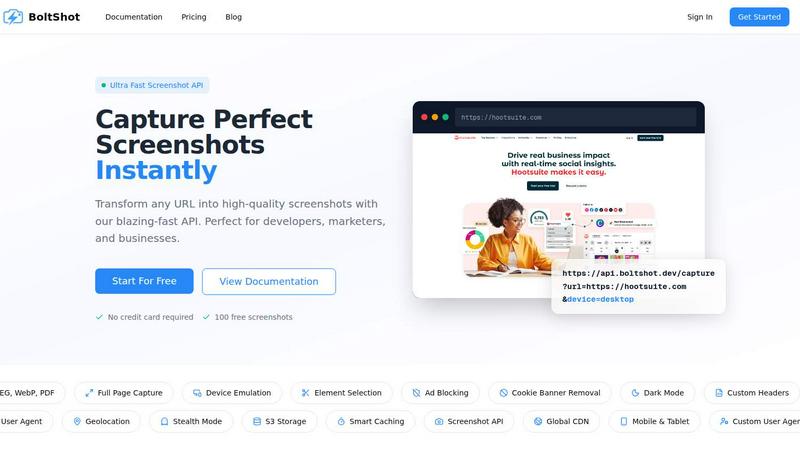
About BoltShot
BoltShot is a cutting-edge website screenshot API designed to empower developers, marketers, and businesses by transforming URLs into high-quality screenshots across various formats, including PNG, JPEG, WebP, and PDF. The API is engineered for speed and efficiency, allowing users to capture entire web pages or specific elements with pixel-perfect precision. Whether you need full-page captures or targeted screenshots using CSS selectors, BoltShot provides the flexibility to meet diverse requirements. Built with advanced features like ad blocking, cookie banner removal, and smart caching, it delivers clean and professional results without the clutter of unwanted distractions. With seamless integration into existing workflows, BoltShot eliminates the complexities of managing browser clusters, making it the ideal solution for tasks like e-commerce previews, automated reporting, and compliance monitoring. Its user-friendly interface and robust capabilities ensure that businesses can achieve their objectives with minimal effort while maintaining high productivity levels.
Features of BoltShot
Full-Page Capture
Capture entire web pages effortlessly with BoltShot’s full-page capture feature. This function automatically scrolls through the page to ensure no content is missed, providing comprehensive screenshots that reflect the entire site layout.
Device Emulation
BoltShot offers device emulation capabilities that allow users to simulate various screen sizes and resolutions, including mobile, tablet, and desktop. This feature is essential for testing responsiveness and ensuring that web applications look great on any device.
Element Selection
Leveraging CSS selectors, users can precisely target and capture specific elements of a webpage, such as images, text blocks, or buttons. This granularity ensures that only relevant content is included in the screenshots, enhancing the overall utility of the output.
Clean Capture Features
BoltShot includes built-in clean capture features that automatically remove distractions such as ads and cookie consent banners. These enhancements ensure that the resulting screenshots are visually appealing and focused on the intended content, making them ideal for professional presentations and reports.
Use Cases of BoltShot
E-Commerce Previews
E-commerce businesses can utilize BoltShot to generate high-quality product previews from their online catalogs. By capturing specific product pages, companies can showcase items effectively without the hassle of manual screen captures.
Automated Reporting
Marketing and analytics teams can automate their reporting processes by integrating BoltShot into their systems. This allows for the generation of timely and accurate visual reports that include screenshots of key metrics or campaign performance.
Web Archiving
Organizations involved in web archiving can leverage BoltShot to create comprehensive records of web pages over time. This is particularly useful for compliance purposes, historical research, or monitoring changes in digital content.
Compliance Monitoring
BoltShot aids in compliance monitoring by allowing businesses to capture and document web content as needed. This is essential for industries that must adhere to strict regulations and require proof of content at specific dates.
Frequently Asked Questions
How does BoltShot ensure high-quality screenshots?
BoltShot uses advanced rendering techniques to deliver high-quality screenshots that accurately reflect the content of the web pages, regardless of the format chosen (PNG, JPEG, WebP, or PDF).
Can I customize the viewport settings for screenshots?
Yes, BoltShot allows users to customize viewport settings, enabling them to capture screenshots in specific sizes and resolutions that meet their unique requirements.
What security measures does BoltShot employ?
BoltShot ensures the security of your data by providing options for S3 storage and CDN delivery, ensuring that your screenshots are stored securely and accessed efficiently.
Is there a free trial available for BoltShot?
Yes, BoltShot offers a free trial that allows users to capture up to 100 screenshots without the need for a credit card, giving them the opportunity to evaluate the service before committing to a paid plan.
Similar to BoltShot

Moderation, routing, intent and scoring for any text over one Jev-compatible API, hosted in the EU.

Free directory of 950+ projects built on Laya, the open-source model that turns text into typed decisions in milliseconds.

A free browser-based toolkit for creating, cutting, converting, and previewing sprite sheet animations.

The #1 Native Form Builder Plugin for Framer - No Code, No Embeds, No External Platforms.

Where modern software products get discovered, launched, and distributed. Explore verified AI tools, SaaS startups, and developer software.


Free online screen and monitor tester with 28+ display tests for dead pixels, colors, brightness, contrast, gamma, and more.