
What Time
What Time eliminates scheduling friction by instantly comparing time zones and planning meetings across global teams, boosting coordination.
Visit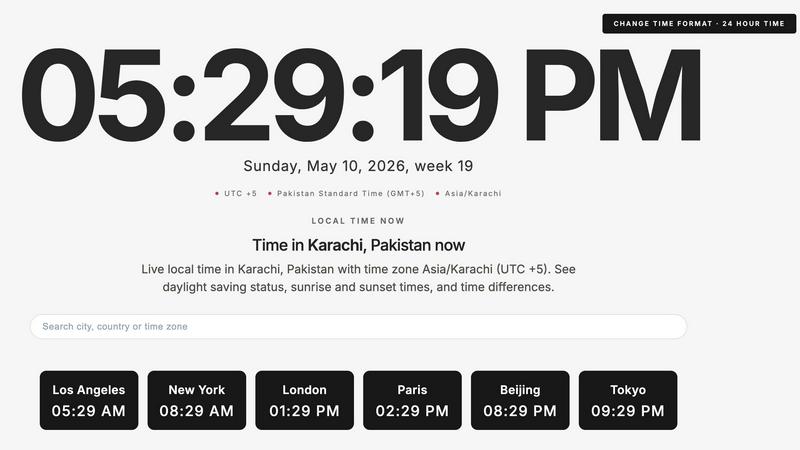
About What Time
What Time is a fast, modern, and enterprise-grade time zone platform designed to eliminate the friction and costly errors associated with coordinating across multiple time zones. Built for remote teams, freelancers, developers, businesses, and global enterprises, it provides a centralized hub for all time-related operations. The platform enables users to instantly compare time zones, check UTC and GMT offsets, view live local times worldwide, and plan meetings across different regions without the confusion of daylight saving changes or manual calculations. Its core value proposition is the significant reduction of scheduling overhead and the elimination of costly miscommunications caused by time zone errors. By offering a powerful meeting planner, a clean and distraction-free interface, and a comprehensive suite of tools including time zone converters, world clocks, and country time converters, What Time directly improves operational efficiency for distributed teams and global collaborators. The platform is optimized for speed and usability across all devices, ensuring that whether you are coordinating with clients, managing remote staff, trading global markets, or simply checking world times, you experience a seamless, accurate, and productive workflow. What Time is not just a clock; it is a strategic tool for global business operations, providing the accuracy and speed required to keep international projects on schedule and within budget.
Features of What Time
Intelligent Meeting Planner
The Meeting Planner is a core productivity feature designed to eliminate the friction of scheduling across time zones. It allows users to quickly input multiple cities or countries and instantly visualize overlapping working hours. This dynamic tool calculates the best times for all participants, automatically accounting for daylight saving time changes and UTC offsets. For enterprise teams and freelancers managing global clients, this feature reduces scheduling time by up to 80%, prevents double-booking, and ensures that critical meetings are held at times that maximize attendance and participation, directly improving collaboration ROI.
Comprehensive Time Zone Converter
This feature provides a powerful, real-time converter for any city, country, or time standard, including UTC, GMT, CET, and major US time zones. Users can input a specific time in one location and instantly see the equivalent time in multiple other locations. The converter handles complex scenarios like half-hour and quarter-hour offsets (e.g., India Standard Time, Nepal Time) and automatically adjusts for daylight saving time. This eliminates the risk of manual calculation errors, which can lead to missed deadlines, delayed project launches, and frustrated international clients, thereby safeguarding project timelines and professional reputation.
Live World Clock and Local Time Display
What Time provides a dynamic, mobile-friendly world clock that displays current local times for hundreds of major cities worldwide, from Abu Dhabi to Yangon. Each city entry includes detailed information such as the IANA time zone identifier, current UTC offset, and whether daylight saving time is observed. For enhanced situational awareness, the platform also integrates live local data including temperature, weather conditions, wind speed, and air quality index (AQI). This comprehensive view enables global professionals to make informed decisions about communication timing and travel planning, all from a single, uncluttered interface.
Comprehensive Time Zone Details and Data
Beyond simple time display, this feature offers deep analytical data for every location. Users can access sunrise and sunset times, day length, and solar noon for any city, with daily updates. The platform also provides critical time zone metadata, such as the IANA time zone identifier (e.g., America/Lima) and a clear indication of daylight saving status. This depth of information is invaluable for logistics, field operations, and global project management, allowing teams to plan activities with full awareness of local conditions, from optimal light for construction to understanding working hours in different regulatory environments.
Use Cases of What Time
Coordinating Global Remote Teams
For engineering managers and team leads overseeing distributed workforces across continents, What Time is an essential operational tool. The Meeting Planner allows a manager in New York to instantly find a 30-minute window that works for developers in London, a product manager in Paris, and a QA lead in Beijing. This eliminates the back-and-forth of "what time is it for you?" emails and calendar invites, reducing scheduling time by hours per week. The result is faster decision-making, improved team cohesion, and a direct reduction in the friction that slows down agile development cycles in global enterprises.
Scheduling International Client Calls
Freelancers, consultants, and sales professionals who work with clients across multiple time zones rely on What Time to project professionalism and reliability. Before sending a meeting invitation, a user can quickly check the current time in the client's city (e.g., Dubai or Sydney) and use the converter to propose a time that respects the client's working hours. This simple act prevents the embarrassing and costly mistake of scheduling a call at 3 AM local time for the client, which can damage trust and lead to lost business. The platform ensures every interaction is timed for maximum impact and courtesy.
Managing Global Market Operations
Traders, financial analysts, and operations managers in global financial markets use What Time to synchronize activities with market openings and closings in New York, London, Tokyo, and Sydney. The platform provides instant access to UTC and GMT offsets and displays live times for all major financial hubs simultaneously. This precision is critical for executing trades, releasing earnings reports, or coordinating cross-border transactions at the exact moment required by regulatory or market conditions. Any error in time calculation can result in significant financial loss, making What Time a risk-mitigation tool as much as a scheduling aid.
Planning International Events and Webinars
Event coordinators and marketing professionals planning webinars, product launches, or virtual conferences for a global audience use What Time to optimize attendance. The Meeting Planner allows them to test different start times and see which one is most accessible for their target regions (e.g., Americas, EMEA, APAC). By selecting a time that maximizes overlapping daylight hours, they can increase registration-to-attendance conversion rates by 15-20%. The platform also helps in clearly communicating time zones to attendees, reducing confusion and last-minute "how to join" support tickets.
Frequently Asked Questions
How does What Time handle Daylight Saving Time (DST) changes?
What Time automatically accounts for all daylight saving time changes globally. The platform uses up-to-date IANA time zone databases to ensure that all displayed times, conversions, and meeting planner slots reflect the correct offset for any given date. Users do not need to manually adjust for DST; the platform handles this transparently. For cities that do not observe DST, such as Lima, Peru, the platform clearly indicates "Daylight saving time: Not observed," providing complete clarity.
Can I use What Time for free without any account or setup?
Yes, What Time is designed to be a zero-friction tool. There is no account creation, login, or setup required to access its core features. Users can immediately start comparing time zones, using the meeting planner, checking UTC/GMT offsets, and viewing live world clocks. The platform is optimized for instant access, making it ideal for quick checks and real-time scheduling without any administrative overhead.
What is the difference between UTC and GMT on the platform?
While often used interchangeably, What Time provides clear definitions for both. UTC (Coordinated Universal Time) is the primary time standard by which the world regulates clocks and time. GMT (Greenwich Mean Time) is a time zone that historically was the basis for the world's timekeeping. In practice, the platform uses both standards to help users who may be more familiar with one or the other, and it accurately displays the current offset for both, ensuring compatibility with all global systems and historical references.
Does the Meeting Planner work for cities in different countries with half-hour offsets?
Yes, the Meeting Planner is fully equipped to handle all global time zone offsets, including the half-hour and quarter-hour offsets used in countries like India (UTC+5:30), Nepal (UTC+5:45), and parts of Australia. The platform accurately calculates and visualizes overlapping working hours regardless of these unique offsets, ensuring that scheduling for global teams is precise and reliable, even for the most complex time zone configurations.
Similar to What Time

Privacy-first AI document tool — analyze medical reports, bank statements & salary slips 100% in-browser. No uploads, no signup, free.

Unifyca centralizes WordPress site documentation, maintenance, and backups into one platform to boost agency productivity and eliminate information.

Open User Map is a WordPress plugin that lets visitors submit locations to your interactive map with approval workflows and no coding required.

Accelerate web app development with production-ready Shadcn UI components and templates for React and Tailwind CSS.

Webleadr enables you to effortlessly find and contact web design leads and businesses without websites in just a few clicks from anywhere.

Formtorch enables developers to manage form submissions effortlessly, eliminating the need for backend setup and streamlining workflow automation.

Idearium builds high-converting websites that drive measurable business growth and ROI.

Effortlessly host and share any file with a secure, shareable link in seconds using FilexHost's intuitive drag-and-drop.