
ProspectBuddy
ProspectBuddy streamlines LinkedIn lead capture to your CRM, ensuring safe, compliant prospecting with one-click data transfer to Airtable or Trello.
Visit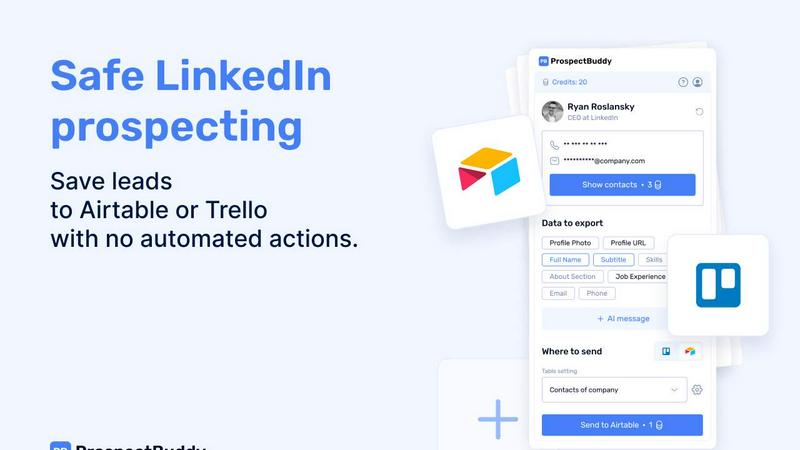
About ProspectBuddy
ProspectBuddy is a cutting-edge LinkedIn prospecting tool that seamlessly integrates with popular workflow management systems like Airtable and Trello. Designed for sales teams, recruiters, founders, and business operators, ProspectBuddy addresses the common pain points of lead management by allowing users to save LinkedIn profiles with a single click. This eliminates the tedious and error-prone process of manual copy-pasting, converting LinkedIn profiles into structured records for easy access and utilization. Unlike many automation tools that execute tasks on behalf of users, ProspectBuddy focuses on manual prospecting, empowering users to maintain complete control over their outreach strategies. This approach ensures compliance with LinkedIn's policies, making it a safer option for enhancing LinkedIn activities. With features such as email and phone number discovery, personalized AI-generated outreach messages, and customizable data capture, ProspectBuddy streamlines the prospecting workflow and keeps it organized and efficient.
Features of ProspectBuddy
One-Click Profile Saving
ProspectBuddy allows users to save LinkedIn profiles directly to Airtable or Trello with just a single click. This feature eliminates the need for manual data entry, ensuring that lead data is captured accurately and efficiently.
Manual Prospecting Compliance
Built for safe, manual prospecting, ProspectBuddy ensures that users remain compliant with LinkedIn's policies. By focusing on manual actions rather than automation, users can confidently engage with prospects while maintaining the integrity of their outreach.
AI-Powered Outreach Messaging
Leveraging AI technology, ProspectBuddy enables users to generate personalized outreach messages based on LinkedIn profile data. This feature allows for quick and tailored communication, enhancing the chances of successful engagement with leads.
Customizable Data Capture
Users can select specific LinkedIn fields to capture and send to their preferred database, whether it be Airtable or Trello. This customization ensures that only the necessary information is collected, streamlining the prospecting process.
Use Cases of ProspectBuddy
Sales Team Efficiency
Sales teams can utilize ProspectBuddy to streamline their lead generation process by quickly saving and organizing potential clients from LinkedIn. This saves time and ensures that their lead data is both clean and structured for further outreach.
Recruitment Pipeline Management
Recruiters can integrate ProspectBuddy into their hiring workflows by saving candidate profiles directly to Trello. Each candidate is added as a structured card, enabling efficient tracking and management of the hiring pipeline without manual entry.
Founders and Entrepreneurs
Founders can leverage ProspectBuddy for targeted lead generation, efficiently capturing potential partners or clients from LinkedIn. This allows them to focus on building relationships rather than being bogged down by administrative tasks.
Marketing Campaigns
Marketing teams can use ProspectBuddy to gather leads for targeted campaigns. By collecting essential LinkedIn data and generating personalized messages, they can optimize outreach efforts and improve campaign effectiveness.
Frequently Asked Questions
How do I connect Airtable?
To connect Airtable, click “Airtable” on the Connect screen or in your Profile. Select the bases or workspaces you want to access and click “Grant access.” The status will appear on your Profile page, and you can disconnect anytime.
How do I send LinkedIn data to Airtable?
Create a new setting in the Settings menu, choose your Airtable base and table, and map LinkedIn fields to Airtable fields. After saving the setting, open a LinkedIn profile, select the fields, and click “Send to Airtable” to add the contact.
Is ProspectBuddy safe to use with LinkedIn?
Yes, ProspectBuddy is specifically designed for safe, manual LinkedIn prospecting. It does not perform automated actions, allowing you to maintain control over your outreach while minimizing compliance risks.
Why don’t I see some Airtable fields?
Only compatible field types are supported in Airtable. If a LinkedIn field type isn’t compatible, it will not appear in the dropdown options when mapping fields. Only supported types like text and email will be visible.
Similar to ProspectBuddy

CleanSmart removes duplicates, fixes formatting, fills gaps, and flags anomalies in one automated pass. No code. No data engineers.

Search 20,000+ open-source and SaaS tools by the job you need done or the app you want to replace.

Peak Answer helps brands understand when AI search engines recommend them, where competitors win, and most importantly, how to close the gap.

Your Social Media Content Engine That Drives Revenue. Distribute your content to every social platform and track it in real time.

The #1 Native Form Builder Plugin for Framer - No Code, No Embeds, No External Platforms.

A GEO SEO platform for creating and publishing multilingual content optimized for AI search visibility.

AI SEO platform for keyword research, content briefs, writing, grading, optimization and publishing.

Create videos from text, images, or references with Happy Horse AI flexible model and API workflows.