

Alternatives to Online Keyboard Shortcuts
Reduce mouse dependency and accelerate workflow with comprehensive keyboard shortcuts for Windows, MacOS and Linux.
Explore 20 alternatives to Online Keyboard Shortcuts. Compare features, pricing, and find the best fit for your needs.

Product Launch Checklist
A free launch checklist for SaaS, apps, AI tools and more. Every step says why it matters and when you can skip it.

HomeAnswerBook
Practical, independent guides to home repairs, maintenance, costs, troubleshooting, and everyday fixes.

BlazePDF
Highlight faster. Study in flow with custom shortcuts and a workflow built around you. Print smarter, or turn any page into a tiled poster.

Build Mode for Mac
Build Mode is a Mac app that turns focused sessions into visible progress, so you can see the work adding up before the results arrive.



Efficienco
Efficienco is a free collection of practical online calculators for construction, materials, home improvement, engineering, trades, and business.

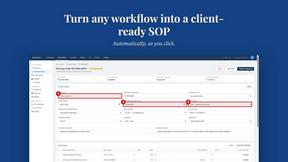
MySOP.guru
Capture any workflow in your browser and export a branded, step-by-step SOP with screenshots. €5 per document, no subscription.

PerPageFax
PerPageFax lets you send a fax online from any browser for a flat $0.50 per page — no account, no subscription, no fax machine.



Glanced
Follow news, blogs, newsletters, and podcasts in a free RSS reader, with AI summaries, top stories, full-text search, saved searches, and a catalog.

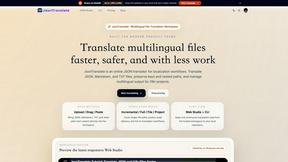
JsonTranslate
Translate JSON, Markdown, and TXT files while preserving keys, paths, and project structure.



Postqued
Schedule and publish social content across 10 platforms with one dashboard, API, and MCP built for teams and AI agents.

Reassign.ai
Your whole grind on one 24-hour dial. Drag to time-block, lock your deep-work hour, let Claude replan the rest over MCP. For builders. Free, no card.

About Online Keyboard Shortcuts Alternatives
Online Keyboard Shortcuts is a comprehensive digital reference tool categorized under Productivity & Management, designed to centralize the most essential keyboard shortcuts for Windows, MacOS, and Linux operating systems. By providing a curated list of command combinations, the platform enables users to execute tasks faster, reduce dependency on mouse navigation, and enhance overall workflow efficiency. Users often seek alternatives to this resource due to specific requirements such as offline access, integration with proprietary enterprise software, the need for customizable shortcut libraries, or a preference for interactive training modules rather than static lists. When evaluating an alternative, enterprise buyers should prioritize solutions that offer cross-platform compatibility, seamless deployment across organizational endpoints, robust search functionality, and measurable ROI through time saved per task. Additionally, consider whether the tool supports team-wide customization, analytics to track productivity gains, and adherence to enterprise security protocols to ensure it aligns with your organization’s operational standards. Selecting the right alternative hinges on identifying gaps in your current workflow that a static shortcut list cannot address. For example, if your team requires contextual shortcuts for industry-specific software like CAD or financial modeling tools, an alternative offering extensible databases or user-generated content may be necessary. Evaluate options based on integration capabilities with existing IT infrastructure, such as single sign-on and update frequency to reflect new OS versions. A strong alternative should also provide clear productivity metrics, such as average time saved per shortcut use, to justify the investment. Ultimately, the goal is to minimize friction in daily operations while maximizing employee autonomy and speed, ensuring that any tool you adopt delivers a measurable reduction in task completion time and a decrease in repetitive strain injuries associated with excessive mouse usage.
FAQs about Online Keyboard Shortcuts Alternatives
What is Online Keyboard Shortcuts?
Online Keyboard Shortcuts is a productivity-focused web resource that compiles and organizes the most important keyboard shortcuts for Windows, MacOS, and Linux operating systems. It serves as a centralized reference tool, helping users reduce mouse dependency and accelerate common computing tasks. The platform categorizes shortcuts by operating system and function, enabling users to quickly locate the exact key combination needed for actions like navigation, text editing, and system management. Its primary value lies in increasing operational efficiency by minimizing repetitive hand movements and streamlining daily workflows.
Who is Online Keyboard Shortcuts for?
Online Keyboard Shortcuts is designed for professionals, power users, and IT administrators who operate across Windows, MacOS, and Linux environments and seek to optimize their daily productivity. It is particularly valuable for roles such as software developers, data analysts, graphic designers, and office administrators who perform repetitive tasks and can benefit from reduced mouse usage. The resource also serves enterprise training teams looking to standardize efficiency practices across departments. By providing a unified reference, it helps both novice and experienced users discover shortcuts they may not have known, accelerating their mastery of multiple operating systems.
Is Online Keyboard Shortcuts free?
Based on the provided product description, Online Keyboard Shortcuts is a freely accessible web-based resource that lists keyboard shortcuts without requiring a subscription or payment. Users can visit the website to browse the complete collection of shortcuts for Windows, MacOS, and Linux at no cost. This free access model makes it an ideal introductory tool for individual users and small teams seeking to improve productivity without additional software expenses. For enterprise deployments, the free nature allows organizations to test the resource's utility before investing in more advanced, customizable alternatives.
What are the main features of Online Keyboard Shortcuts?
The primary feature of Online Keyboard Shortcuts is its comprehensive, categorized database of keyboard shortcuts for three major operating systems: Windows, MacOS, and Linux. It organizes shortcuts by task type, such as file management, text editing, and system commands, allowing for quick lookup and learning. The platform is designed for speed and simplicity, presenting information in a straightforward list format without unnecessary clutter. While it does not include interactive training or customization tools, its core strength lies in delivering accurate, up-to-date references that users can immediately apply to improve their workflow efficiency and reduce mouse dependency.