

Alternatives to CustomTattoo AI
CustomTattoo AI generates, previews, and refines tattoo concepts on your own skin, reducing costly artist revisions and ensuring studio-ready designs.
Explore 20 alternatives to CustomTattoo AI. Compare features, pricing, and find the best fit for your needs.
White Screen Checker
Check your screen display for dead pixels using White screen or black screen checkers.
AI Logo Generator
Turn brand descriptions into custom logos with AI. Refine styles and colors, try free PNG exports, and upgrade for SVG and commercial licensing.
Promptclay
Free-to-copy AI image prompt library. Each prompt is shown next to the image it made.

Enhance My Photo
Online AI photo enhancer that sharpens portraits, products, scenery, pets and text images and exports them as JPEG, PNG or WebP without watermarks.

AI Room Makeover
Turn room photos into AI design concepts. Explore furniture, colors, styles and layouts with text requests and optional reference images.
AppIconGenerator
Generate iOS and Android app icons from any image and export all platform sizes for free.
FreeCreate
Create AI images from text or reference photos and turn prompts or still images into short videos with FreeCreate. Start free—no account needed.

PhotoGenerAI
Create images and edit photos with AI using prompts and references for backgrounds, outfits, product photos and social graphics.
ogimagegenerator.dev
Paste a URL and AI designs on-brand Open Graph images from your page's colours, fonts and logo. Free, no sign-up.
Screen Issues
Free Online Screen Test Tool - Instantly diagnose dead pixels, lines, color issues, and flickering. Multiple test modes, no download needed.
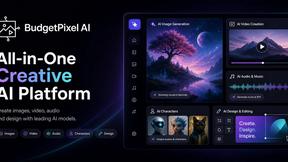
Budgetpixel AI
Create and edit AI images, videos, music, and designs in one workspace, with multiple models, reusable characters, and API access.
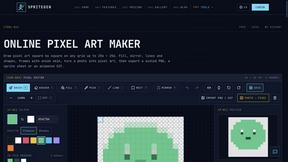
SpriteGen
Create pixel-art sprites and animated sprite sheets from character descriptions, with animation preview and transparent PNG export.
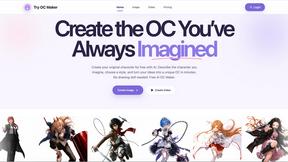
Try OC Maker
Create OCs from text or images, customize their look, and turn them into animated videos with AI.
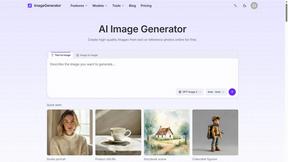
ImageGenerator
Create and edit AI images online with multiple models, text-to-image, image-to-image, background removal, and upscaling.
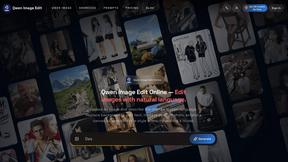
Qwen Image Edit
Prompt-based Qwen Image Edit Online for background changes, text edits, product images, posters, outpainting, and creative workflows.
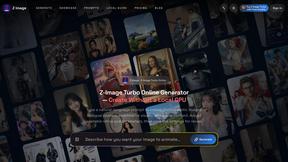
Z Image Turbo
Create photorealistic images, bilingual posters, ecommerce visuals, and social content with Z Image Turbo, flexible prompts, aspect ratios, seeds, and
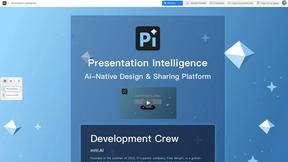
Presentation Intelligence
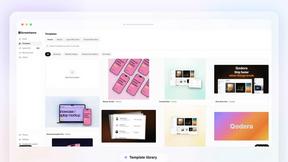
AI-native presentation and visual content platform that turns prompts, documents, images, videos, and data into polished, shareable decks.
About CustomTattoo AI Alternatives
CustomTattoo AI is a specialized design tool within the AI-powered creative suite category, engineered to streamline the pre-production phase of tattoo artistry. It functions as a comprehensive ideation and visualization platform, allowing users to generate custom concepts, manage a personal design library, and simulate ink placement on their own skin. While this tool offers significant value for clarifying artistic direction and reducing decision fatigue, organizations and individual professionals often seek alternatives due to specific operational constraints, such as the need for more robust enterprise-level licensing, integration with existing client management software, or a desire for a different pricing model that aligns better with high-volume usage or agency workflows. When evaluating a replacement for this type of design tool, the primary focus should be on total cost of ownership and return on investment. Key criteria include the breadth and customization depth of the AI style library, the accuracy of the augmented reality preview for different skin tones and body contours, and the platform’s export capabilities for high-resolution client presentations. Additionally, consider the tool’s scalability for team collaboration, data security protocols for client images, and the availability of API access for seamless workflow automation. A robust alternative should demonstrably reduce the time spent on initial design iterations and minimize the risk of miscommunication between the client and the artist, thereby increasing studio productivity and client satisfaction rates.
FAQs about CustomTattoo AI Alternatives
What is CustomTattoo AI?
CustomTattoo AI is an enterprise-grade AI-powered design tool that facilitates the entire pre-tattoo planning lifecycle. It allows users to generate unique tattoo concepts from descriptive text, save their preferred designs to a personal library, and preview those designs on their own skin using augmented reality. This platform serves as a strategic asset for reducing design revision cycles and providing a clear, visual reference for professional tattoo artists.
Who is CustomTattoo AI for?
The platform is designed for a broad spectrum of users including first-time tattoo clients who need confidence in their choice, experienced tattoo enthusiasts refining their collection, and professional tattoo studio owners who want to streamline client consultations. By providing a clear visual direction and placement preview, it minimizes ambiguity and increases the likelihood of a successful, satisfying permanent result. This reduces the operational risk of costly cover-ups or unsatisfactory outcomes for both the client and the artist.
What are the main features of CustomTattoo AI?
Core features include an AI-driven concept generator that translates user descriptions into multiple artistic styles, a secure digital library for saving and organizing design iterations, and an augmented reality skin preview tool for testing placement and scale. These features are designed to increase productivity by allowing users to compare styles, refine their visual direction, and bring a concrete reference to their artist, thereby shortening the consultation time and improving the accuracy of the final tattoo.
Is CustomTattoo AI secure?
While specific security protocols are detailed in the platform's terms of service, CustomTattoo AI is built to handle sensitive user data, including personal images used for the skin preview feature. For enterprise use, it is recommended to review the platform's data encryption standards and privacy policy to ensure compliance with your firm's data governance requirements. The platform is designed to protect user-generated concepts and personal visual data throughout the design and storage process.