
TinyFast
Optimize images, videos, and documents locally on your Mac with TinyFast for fast, secure, and private file compression.
Visit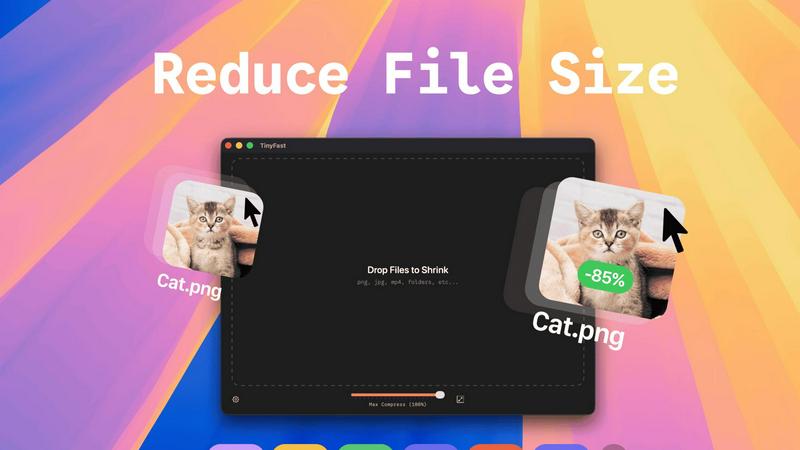
About TinyFast
TinyFast is an innovative macOS application dedicated to providing efficient, local file compression tailored specifically for images, videos, and documents. Designed with developers, designers, and content creators in mind, TinyFast supports an extensive range of file formats, including PNG, JPEG, MP4, MOV, PDF, SVG, WebP, MP3, and GIF. Its core value proposition lies in the ability to perform file compression locally on the user's device, eliminating the need for potentially insecure uploads to external servers. This approach not only enhances user privacy but also significantly boosts efficiency, allowing users to drag and drop files for instant compression without compromising on quality. As a result, TinyFast distinguishes itself in a crowded market of online compression tools by prioritizing speed, security, and user privacy, enabling professionals to focus on their projects with peace of mind regarding data exposure.
Features of TinyFast
Batch & Drag-Drop Shrink
TinyFast enables users to drop entire folders into the application, allowing for the swift and efficient compression of multiple files simultaneously. This batch processing feature significantly reduces the time required for file optimization, making it ideal for users who need to manage large volumes of assets.
Blazing-Fast Compression
With optimized native engines built for speed, TinyFast provides blazing-fast compression capabilities that allow users to shrink large files in mere seconds. By eliminating the tedious waiting times associated with uploads and downloads, the app enhances workflow efficiency and productivity.
Resize Resolution
TinyFast includes an automatic resolution resizing feature for images and videos, allowing users to set specific dimensions for their assets. This functionality is essential for ensuring that files meet the requirements for various platforms and applications while maintaining visual quality.
100% Local & Private
TinyFast guarantees that all files remain on the user's device throughout the compression process, ensuring complete privacy and security. With no uploads to cloud servers, users can compress sensitive documents with confidence, knowing that their data is never exposed to external parties.
Use Cases of TinyFast
Graphic Designers
Graphic designers can leverage TinyFast to compress large image files for web use, ensuring that their visuals load quickly without sacrificing quality. This optimization is crucial for enhancing user experience on websites and reducing bandwidth usage.
Video Editors
Video editors benefit from TinyFast by quickly compressing raw footage and exported videos, making it easier to share large files with clients or collaborators. The instant compression allows editors to maintain a smooth workflow without delays.
Content Creators
Content creators can use TinyFast to optimize images and videos for social media platforms, ensuring that their posts are visually appealing and load efficiently. This capability helps maintain a professional appearance across various channels.
Developers
Developers can integrate TinyFast into their asset management workflows, compressing various file types, including code and documentation. This ensures that applications load faster and consume less storage space, ultimately enhancing application performance.
Frequently Asked Questions
How does TinyFast ensure file privacy?
TinyFast performs all file compressions locally on your device, meaning no files are uploaded to external servers. This design guarantees that your sensitive information remains secure and private.
What file formats does TinyFast support?
TinyFast supports a wide array of file formats, including images (PNG, JPEG, GIF, SVG), videos (MP4, MOV), documents (PDF, DOCX), code files (JS, CSS, JSON), and audio files (MP3), making it a versatile tool for various needs.
Is there a limit to the number of compressions I can perform?
With the free version of TinyFast, users can compress up to 5 files per day. However, with a lifetime plan or monthly subscription, users can enjoy unlimited local compressions, enhancing their productivity.
Can I try TinyFast before committing to a purchase?
Yes, TinyFast offers a 3-day trial period for the monthly subscription plan. This allows users to explore all features and determine if the application meets their needs before making a financial commitment.
Explore more in this category:
Similar to TinyFast

AI Email Filter sorts incoming mail into folders using plain-language prompts you write. Works with any IMAP mailbox; bring your own LLM if you want.

Free collection of online developer utilities, code formatters, and digital converters designed to streamline your daily workflow.

A free browser-based toolkit for creating, cutting, converting, and previewing sprite sheet animations.

The #1 Native Form Builder Plugin for Framer - No Code, No Embeds, No External Platforms.

A free launch checklist for SaaS, apps, AI tools and more. Every step says why it matters and when you can skip it.

Prompt-based Qwen Image Edit Online for background changes, text edits, product images, posters, outpainting, and creative workflows.

Practical, independent guides to home repairs, maintenance, costs, troubleshooting, and everyday fixes.

Highlight faster. Study in flow with custom shortcuts and a workflow built around you. Print smarter, or turn any page into a tiled poster.