
Subclip
Subclip is an AI-driven video editor that streamlines editing, captions, and dubbing, saving creators 80% of their time.
Visit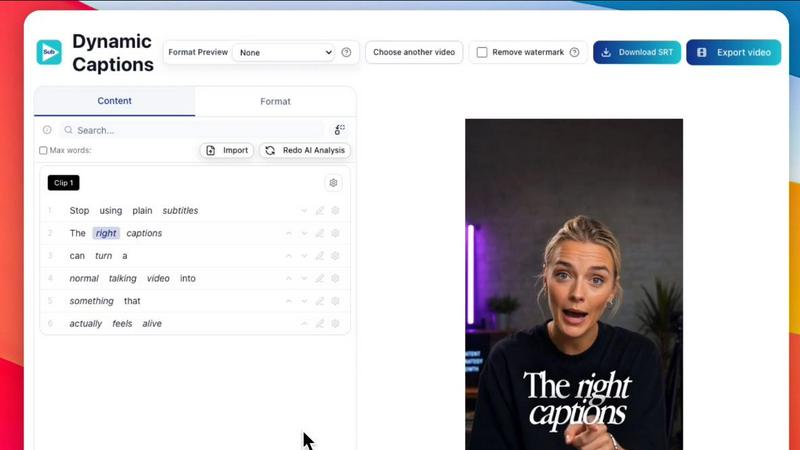
About Subclip
Subclip is an innovative AI-powered video editing platform designed specifically for creators, marketers, and educators. It revolutionizes the video editing process by allowing users to edit videos as easily as editing a document; simply upload a transcript and start making changes. Ideal for YouTubers, podcasters, course creators, and content teams, Subclip streamlines the entire video production workflow. The platform offers features such as voice cloning for re-recording parts of your video, one-click removal of silences and filler words, auto-generation of accurate subtitles, and multi-language dubbing while keeping background music intact. With a focus on speed and simplicity, Subclip eliminates the complexities of traditional video editing tools, utilizing intuitive, AI-driven features that can save users countless hours of work. Its freemium pricing model includes a free tier and affordable paid plans, making it accessible for various budgets.
Features of Subclip
AI Clipping
Subclip's AI Clipping feature automatically identifies high-energy segments, punchlines, and key emotional shifts within your video content. This intelligent scanning ensures that you can quickly find the best moments to highlight, transforming long videos into engaging clips that resonate with your audience.
Voice Cloning
With Subclip's advanced voice cloning technology, users can effortlessly dub their videos into over 21 languages. This feature maintains the original tone and emotion of the speaker, allowing for seamless multilingual content creation that broadens audience reach without the need for re-recording.
Dynamic Auto-Captions
Subclip offers one-click unlimited captions, generating accurate subtitles in over 48 languages. This feature not only saves time but also enhances accessibility for viewers, allowing them to engage with your content regardless of language barriers.
Enhanced Audio Features
The platform includes powerful audio enhancement tools that clean noisy recordings, boost vocal clarity, and remove unwanted silences. With these features, users can ensure that their audio quality is studio-ready, contributing to a more professional final product.
Use Cases of Subclip
For Creators and Podcasters
Subclip is an invaluable tool for creators and podcasters looking to clip long-form content into bite-sized pieces that attract higher viewership. The effortless editing capabilities allow for significant output increases without additional editing hours.
For Coaches and Educators
Coaches can utilize Subclip to dub their recorded courses into more than 20 languages using their own voice. This feature ensures that their educational materials are accessible to a global audience, enhancing engagement and expanding their reach.
For Vloggers
Vloggers benefit from the platform's ability to add captions, B-Roll, and audio enhancements with just a single click. This streamlined process allows for quick video production while maintaining high-quality output that captivates viewers.
For Agencies and Freelancers
Marketing agencies and freelancers can leverage Subclip to increase their content output significantly while reducing editing time and costs. The unlimited transcription, export options, and collaborative features make it an efficient choice for teams looking to optimize their workflow.
Frequently Asked Questions
How does Subclip handle video editing?
Subclip simplifies video editing by allowing users to edit video transcripts directly, similar to how one would use a word processor. This eliminates the need for traditional timeline scrubbing and manual captioning.
What languages does Subclip support for dubbing and subtitles?
Subclip supports dubbing and subtitle generation in over 48 languages, enabling users to create multilingual content effortlessly while maintaining the original voice and tone.
Can I collaborate with my team on Subclip?
Yes, Subclip offers collaborative features that allow users to share projects with their team. Feedback can be collected within the platform, streamlining the editing process and enhancing teamwork.
How long does it take to export videos with Subclip?
Subclip drastically reduces export times compared to traditional video editing tools, allowing users to export their videos in as little as 8 minutes, compared to an average of 45 minutes with other platforms.
Similar to Subclip


Oravaa's human-like Voice AI automates 24/7 customer support, lead qualification, and reminders across 30+ languages to boost your revenue.

Hush Touch offers offline voice-to-text for Mac, learning your vocabulary and enhancing productivity with every use.

Glossa offers real-time AI translation of sermons into 100+ languages, empowering churches to connect globally for just.

Bantr offers unlimited offline text-to-speech for Mac, ensuring privacy and natural voiceovers without subscriptions.

KaiCalls is your 24/7 AI voice agent that captures leads and schedules appointments while delivering instant customer.

Vowen is a voice-first AI that transforms speech into written text and automated actions to accelerate enterprise.

Bargou One is a powerful AI suite that enhances productivity through content creation, translation, and automation.