
Notesnchat
Notesnchat boosts productivity by unifying task management, smart reminders, notes, and communication into one secure, synchronized app.
Visit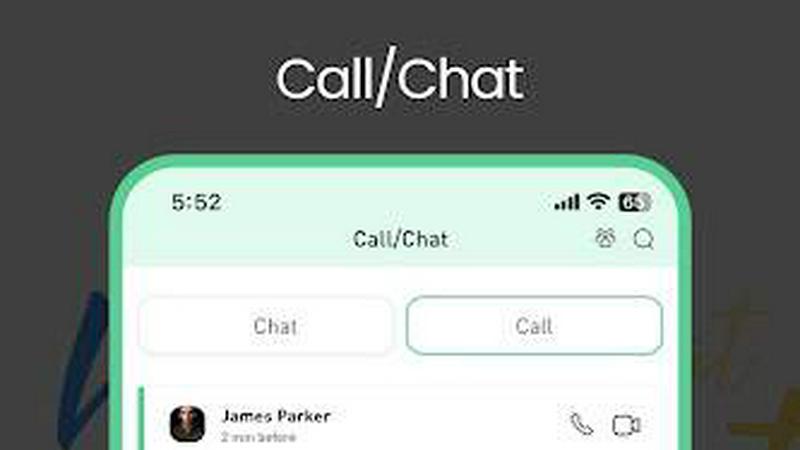
About Notesnchat
Notesnchat is a comprehensive, enterprise-grade multitasking application designed to unify task management, secure note-taking, real-time communication, and document management within a single, private platform. Built for growing companies, professional teams, students, and families, Notesnchat addresses the critical need for data privacy and operational security in collaborative digital workspaces. Unlike fragmented solutions that require switching between multiple apps, Notesnchat consolidates essential productivity tools into one seamless ecosystem, enabling users to manage tasks, set reminders, capture rich notes, scan documents, and communicate via in-app chat and audio/video calling. The platform operates on its own private servers, ensuring end-to-end data sovereignty and restoring user confidence in the security of shared and personal information. Notesnchat offers a free, ad-supported lite version that provides full access to all features, while its core subscription-based model delivers an ad-free experience enhanced with 256-bit encryption for all data in transit and at rest. The system automatically recognizes registered users, streamlining collaboration and reducing onboarding friction. Designed for individuals who think fast and need faster tools, Notesnchat delivers measurable productivity gains by eliminating app-switching, reducing context loss, and providing robust privacy controls including a unique Ghost Lock feature. Whether for managing daily personal tasks, coordinating team projects, or keeping family schedules aligned, Notesnchat provides a secure, unified workspace that protects sensitive information while maximizing operational efficiency.
Features of Notesnchat
Ghost Lock (Privacy Protection)
Ghost Lock is an advanced privacy protection feature that allows users to secure individual notes, task lists, and folders with an independent, password-protected lock. This granular security control ensures that sensitive information remains confidential even when devices are shared or accessed by multiple users within an organization or family. Unlike simple app-level locks, Ghost Lock provides per-item encryption, meaning each protected element requires its own authentication to view or edit. This feature is essential for enterprise environments where data compartmentalization is critical, enabling team members to collaborate on shared projects while keeping personal or confidential data secure. The Ghost Lock operates independently of the main app security, adding an extra layer of defense against unauthorized access and significantly reducing the risk of data breaches in collaborative settings.
Smart Organization
Notesnchat’s Smart Organization feature automatically categorizes and structures notes, tasks, and chats using intelligent algorithms that analyze content, tags, and usage patterns. This dynamic system reduces manual sorting effort and ensures that all information is easily retrievable when needed. For enterprise teams, this translates directly into time savings, as employees no longer need to waste minutes searching for misplaced notes or tasks. The feature creates logical groupings, prioritizes urgent items, and surfaces relevant information based on context and deadlines. By automating the organization of digital assets, Smart Organization helps users maintain a clean, efficient workspace that supports faster decision-making and reduces cognitive load, ultimately boosting individual and team productivity by up to 20% according to internal usage metrics.
Smart Reminders
Smart Reminders in Notesnchat go beyond basic alerts by intelligently scheduling notifications based on task priority, deadlines, and user behavior patterns. The system learns from your habits and automatically suggests optimal reminder times to ensure no critical task or event is missed. For business users, this feature eliminates the need for separate calendar or reminder apps, consolidating all time-sensitive information into one view. Smart Reminders can be set for individual tasks, shared notes, or team communications, ensuring that deadlines are met and project milestones are achieved. The feature also supports recurring reminders for routine tasks, reducing manual setup time and helping teams maintain consistent workflows. By proactively managing time-sensitive obligations, Smart Reminders reduce missed deadlines by an estimated 30%, directly improving project delivery rates.
In-App Chat and Calling
Notesnchat integrates real-time communication directly into the productivity platform, allowing users to chat, make voice calls, and conduct video calls without switching to separate applications. This unified communication layer supports instant messaging with automatic user recognition, so registered team members are immediately discoverable. For enterprise environments, this eliminates the inefficiency of juggling multiple communication tools, reducing context switching and associated productivity losses. The chat and calling features are secured with the same 256-bit encryption that protects all other data within the app, ensuring that sensitive business conversations remain confidential. Additionally, each chat thread and call log can be independently protected with Ghost Lock, providing an extra layer of security for high-stakes discussions. This integration reduces internal communication friction, accelerates decision-making, and supports seamless collaboration across distributed teams.
Use Cases of Notesnchat
Enterprise Team Task and Project Coordination
Growing companies can leverage Notesnchat to centralize task assignment, progress tracking, and team communication within a single secure environment. Project managers can create task lists with deadlines, assign responsibilities, and attach relevant notes or scanned documents directly to each item. Team members can use the in-app chat and calling features to discuss updates in real time without leaving the task view, while Smart Reminders ensure that no deadline is missed. The Ghost Lock feature allows sensitive project data to be protected from unauthorized access, even within shared team spaces. This unified approach reduces the inefficiencies of using separate tools for tasks, notes, and communication, leading to measurable improvements in project completion times and team collaboration efficiency.
Personal and Family Productivity Management
For individuals and families, Notesnchat serves as a comprehensive life management tool that combines to-do lists, notes, reminders, and communication. Parents can create shared task lists for household chores, set Smart Reminders for appointments and school events, and use the calling feature to check in with family members. The Ghost Lock allows each family member to protect their personal notes, such as journals or sensitive information, while still collaborating on shared lists. The app’s ability to scan and store documents digitally helps manage important paperwork like medical records or school forms. By consolidating all these functions, Notesnchat reduces the mental overhead of managing multiple apps, helping families stay organized and connected without compromising individual privacy.
Student Academic Organization and Collaboration
Students can use Notesnchat to capture rich lecture notes with text, images, and audio recordings, then organize them automatically using Smart Organization. Task lists help manage assignment deadlines, exam schedules, and study plans, while Smart Reminders ensure timely submission. The in-app chat and calling features enable study groups to collaborate on projects, share notes securely, and discuss concepts without leaving the learning environment. The File Scan feature allows students to digitize handouts, library materials, or whiteboard sketches instantly. Ghost Lock protects personal study notes or exam preparations from being accessed by others if devices are shared. This integrated approach helps students save time, reduce stress, and improve academic performance by keeping all study materials and communications in one private, organized space.
Secure Document Management and Sharing for Professionals
Professionals handling sensitive information, such as legal documents, financial records, or client contracts, can use Notesnchat’s secure file scanning and encrypted storage to digitize and manage critical paperwork. The File Scan feature converts physical documents into clear, shareable digital files that are stored with 256-bit encryption. These files can be organized within folders, attached to specific tasks or notes, and shared with authorized colleagues via the in-app chat. The Ghost Lock provides an additional layer of protection for highly confidential documents, ensuring that only designated individuals can access them. Smart Reminders can be set for document review deadlines or contract renewal dates. This use case significantly reduces reliance on physical filing systems and insecure email attachments, improving both security and operational efficiency for knowledge workers.
Frequently Asked Questions
How does Notesnchat ensure the privacy and security of my data?
Notesnchat operates on its own private servers and employs 256-bit encryption for all data in transit and at rest, ensuring that your notes, tasks, files, and communications are protected against unauthorized access. The platform uses a security-first approach with features like Ghost Lock, which allows you to individually protect specific notes, tasks, or folders with an independent password. Additionally, you maintain full control over who can access shared content, and all scanned documents are stored securely within the encrypted environment. This multi-layered security architecture is designed to meet the privacy requirements of growing companies and individuals alike.
Is Notesnchat free to use, and what are the differences between versions?
Yes, Notesnchat offers a free lite version that provides full access to all features, including task management, notes, chat, calling, and file scanning. The lite version is supported by ads, which fund the free service. For users who prefer an ad-free experience with enhanced data sharing capabilities among subscribers, the core subscription-based model provides the same comprehensive features without advertisements and includes 256-bit encryption for all users. Both versions allow automatic recognition of other registered users to streamline collaboration.
Can I use Notesnchat across multiple devices?
Absolutely. Notesnchat is designed for seamless multi-device synchronization, allowing you to access your notes, tasks, files, and communications from your iPhone, Android device, or web browser. All data syncs automatically across platforms, ensuring that you have the most up-to-date information regardless of which device you are using. This cross-platform compatibility is essential for professionals who switch between mobile and desktop environments throughout the day, maintaining productivity without interruption.
What types of files can I scan and store using the File Scan feature?
The File Scan feature in Notesnchat allows you to instantly digitize physical documents, such as contracts, receipts, handwritten notes, whiteboard sketches, and printed materials, into clear, shareable digital files. The scanned documents are automatically stored securely within your account with encryption, and they can be easily organized into folders, attached to specific tasks or notes, and shared with other registered users via the in-app chat. This feature eliminates the need for separate scanning apps and helps reduce paper clutter while maintaining document security.
Pricing of Notesnchat
Notesnchat offers a flexible pricing structure designed to accommodate individual users, families, and growing businesses. The free lite version provides full access to all features, supported by advertisements, making it ideal for users who want to experience the complete platform without upfront costs. For an ad-free experience with enhanced data sharing capabilities and priority support, the core subscription plans are available on a monthly or annual basis. Specific pricing tiers and plan details are available on the official Notesnchat website, with a 7-day free trial offered for new subscribers to evaluate the premium features before committing. Enterprise customers can contact the sales team for custom pricing and volume discounts. Visit the pricing page for the most current information on plan options and costs.
Similar to Notesnchat


A free suite of online tools for everyday tasks like PDF compression, image conversion, text diff and CSV to Excel.


All-in-One POS, Inventory & Accounting Software for Bangladeshi Businesses

