

Alternatives to Vivideo
Vivideo turns text or images into professional videos in minutes using 30+ top AI models, free with no watermark.
Explore 20 alternatives to Vivideo. Compare features, pricing, and find the best fit for your needs.
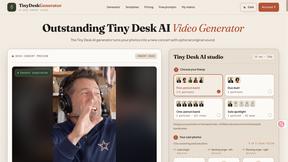
Tiny Desk Generator
Turn consenting adult portraits into original AI desk-band performance videos.

Rhinobird
AI video ads, UGC-style videos, and product visuals for cross-border sellers and e-commerce brands.

GenX
All-in-one AI workspace to generate images, videos, and audio with multiple leading AI models.
FreeCreate
Create AI images from text or reference photos and turn prompts or still images into short videos with FreeCreate. Start free—no account needed.

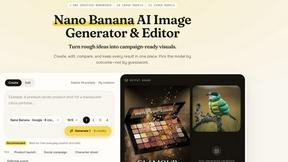
Nano AI
Create and edit AI images, generate videos, and compare models in one creative workbench.
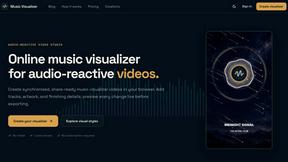
Music Visualizer
MusicVisualizer.net turns music into stunning, beat-synced visuals for musicians, DJs, creators, and brands.
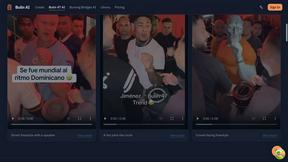
Bulin AI
Upload one portrait. Bulin AI puts you in the official Bulin 47 freestyle. The source video guides the moves and camera. No prompt.
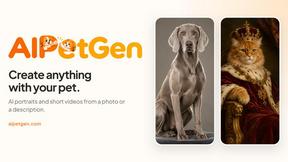
AIPetGen
AIPetGen turns a photo of your dog, cat, or other pet, or a written description, into a new picture or a short animation.

Hotel Lobby AI
Two photos become one hotel lobby video. One person stands on each side of the hanging microphone. No prompt.
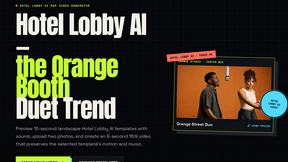

hotel-lobby
Two-person AI video concept in a warm orange recording booth with one shared microphone.

Happy Horse AI
Create videos from text, images, or references with Happy Horse AI flexible model and API workflows.
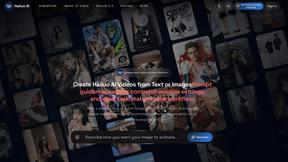
Hailuo AI
Create high-quality Hailuo AI videos from text or images with guided prompts, camera controls, flexible settings, task tracking, and downloads.
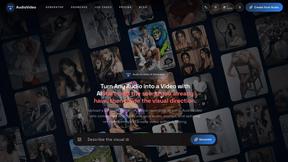
AudioVideo
Turn podcasts, narration, voice recordings, or music into visual content with Audio to Video AI.

TryKlingAI
Kling AI video generator with text, image, motion control, lip sync, and API workflows.

Pixo
Pixo is an AI video director that turns a prompt or script into a storyboard, consistent scenes, voiceover, and an edited final cut.
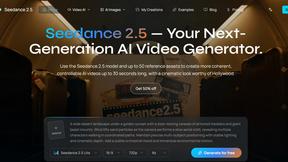
Seedance 2.5
Seedance 2.5 is a multimodal AI video generator by ByteDance for 30-second, high-fidelity cinematic video creation and AI video editing.

About Vivideo Alternatives
Vivideo is an advanced AI-powered video generation platform that falls within the rapidly expanding AI video creation category, enabling users to transform text prompts, scripts, or image uploads into polished, engaging videos with minimal manual effort. The platform automates the entire production pipeline by generating visuals, voiceovers, subtitles, music, and transitions, making it a compelling tool for creators, marketers, and businesses aiming to scale their video output without hiring expensive production teams. However, users often seek alternatives due to specific constraints such as pricing models that may not align with high-volume production budgets, limitations in available AI video models or export resolutions, or a need for deeper integrations with existing enterprise workflows and content management systems. When evaluating an alternative, businesses should prioritize metrics like cost-per-video output, rendering speed, support for multilingual voiceovers, customization depth for brand consistency, and the availability of API access for automated batch processing. The right choice will balance feature richness with measurable ROI, ensuring that the platform reduces production time while maintaining the quality required for professional marketing, training, and social media campaigns.
FAQs about Vivideo Alternatives
What is Vivideo?
Vivideo is an advanced AI video generator that uses artificial intelligence to convert text prompts, scripts, or uploaded images into high-quality videos automatically. It belongs to the AI video creation category, streamlining the entire production process by generating visuals, voiceovers, subtitles, music, and transitions in a single workflow. The platform is designed to help creators, marketers, businesses, and educators produce professional videos at scale without requiring traditional video editing expertise.
Who is Vivideo for?
Vivideo is built for a broad range of users including content creators, digital marketers, business owners, and educators who need to produce engaging video content quickly and efficiently. It is particularly valuable for teams managing high-volume output for social media platforms like TikTok, Instagram Reels, and YouTube Shorts, as well as for marketing campaigns, product promotions, and tutorial creation. The platform democratizes video production, making it accessible to users without technical video editing skills while still delivering enterprise-grade results.
What are the main features of Vivideo?
Vivideo offers text-to-video and image-to-video generation powered by multiple AI video models, supported by millions of stock assets. Key features include multilingual AI voiceovers, automatic caption generation, customizable aspect ratios, and HD/4K export capabilities. The platform also provides an intuitive editing workflow that automates the addition of music, transitions, and subtitles, enabling users to produce polished videos in a fraction of the time required by traditional methods.
Why choose Vivideo for business video production?
Vivideo reduces video production time from hours or days to minutes, directly impacting productivity metrics and lowering per-video production costs. Its automation of voiceovers, captions, and visual generation eliminates the need for multiple software subscriptions and specialized talent. For businesses scaling content across multiple channels, Vivideo’s customizable aspect ratios and HD/4K exports ensure consistent, high-quality output that can be repurposed for marketing, training, and social media campaigns, delivering a measurable return on investment in content velocity.