
Phishly
Phishly leverages AI to swiftly detect phishing emails, enhancing security and productivity for Gmail users.
Visit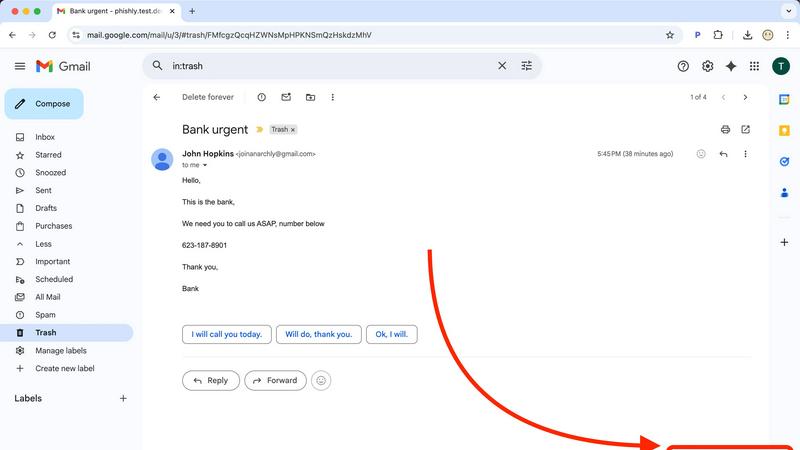
About Phishly
Phishly is an innovative AI-powered phishing detection platform designed specifically to enhance email security for individuals and small businesses. Available as a convenient Chrome extension for Gmail and as a web tool, Phishly simplifies the process of identifying potentially harmful emails. Users can easily scan emails by clicking "Scan with Phishly" in Gmail or by pasting suspicious emails on the Phishly website for immediate analysis. The platform employs advanced artificial intelligence to detect a variety of phishing indicators, including suspicious domains, urgent language, spoofed senders, and social engineering tactics. By providing clear and actionable risk assessments categorized as Safe, Medium Risk, or High Risk, Phishly empowers users to make informed decisions about their email interactions. This user-friendly solution offers a straightforward approach to phishing protection, eliminating the complexities often associated with enterprise-level cybersecurity tools. With a focus on privacy, Phishly only analyzes emails that users explicitly choose to scan, ensuring that sensitive information remains secure. Ideal for those seeking effective phishing protection without requiring technical expertise, Phishly delivers instant answers, thereby significantly enhancing productivity and peace of mind.
Features of Phishly
AI-Powered Phishing Detection
Phishly utilizes cutting-edge artificial intelligence to analyze emails for various phishing indicators. This includes identifying suspicious domains, urgent language, and spoofed sender addresses, ensuring that users receive accurate assessments of potential threats.
Risk Assessment Classification
Upon scanning an email, Phishly provides a clear risk assessment categorized into Safe, Medium Risk, or High Risk. This classification helps users quickly understand the level of risk associated with an email, enabling them to take appropriate action.
User-Friendly Interface
The Phishly Chrome extension and web tool are designed with user experience in mind. With simple navigation and straightforward instructions, users can easily scan emails without needing any technical knowledge, making it accessible for everyone.
Privacy-Focused Analysis
Phishly respects user privacy by only analyzing emails that users explicitly choose to scan. This ensures that sensitive data remains confidential and only relevant information is processed, providing peace of mind for individuals and small businesses alike.
Use Cases of Phishly
Individual Email Safety
Individuals can utilize Phishly to scan their personal emails for phishing attempts. By quickly assessing the safety of emails, users can avoid falling victim to scams and protect their personal information.
Small Business Email Security
Small businesses often face unique cybersecurity threats. Phishly equips small business owners with the necessary tools to detect phishing attempts in their business communications, safeguarding client relationships and company reputation.
Educational Institutions
Educational institutions can benefit from Phishly by training staff and students on identifying phishing emails. With Phishly, they can promote a culture of cybersecurity awareness and reduce the risk of compromised accounts.
Remote Workforce Protection
As remote work becomes increasingly common, Phishly provides an additional layer of security for employees working from home. By scanning emails for phishing indicators, remote workers can confidently navigate their inboxes without jeopardizing company data.
Frequently Asked Questions
How does Phishly detect phishing emails?
Phishly employs advanced artificial intelligence algorithms to analyze email content and identify common phishing indicators, including suspicious domains, urgent wording, and other red flags.
Is Phishly easy to use for non-technical users?
Yes, Phishly is designed with user-friendliness in mind. The interface is intuitive, allowing users with no technical background to easily scan and assess the safety of their emails.
Does Phishly compromise my email privacy?
No, Phishly prioritizes user privacy by only analyzing emails that you explicitly choose to scan. Your personal information remains secure and confidential throughout the scanning process.
Is Phishly free to use?
Phishly is free to use, making it an accessible tool for individuals and small businesses looking to enhance their email security without incurring costs or engaging in complex setups.
Explore more in this category:
Similar to Phishly

Private email. Pure. Secure. Exclusive. No ads, no tracking, no data selling. GDPR compliant, EU-hosted.


A free suite of online tools for everyday tasks like PDF compression, image conversion, text diff and CSV to Excel.

Apps and files on an infinite canvas where people and AI agents work together.

Jev turns text or JSON into Choice, Score and Noul answers with probabilities. Build decision flows and call the API.

Panzoe is an all-in-one AI platform for personal productivity, business automation, AI assistants, content creation, and custom AI solutions.

A tray helper for every AI coding tool: one searchable library of past sessions, waiting alerts and usage across 9 providers.
