
Finsi OS vs Playwriter
Side-by-side comparison to help you choose the right AI tool.

Finsi OS
Finsi OS transforms e-commerce retention with AI insights and automation, maximizing customer lifetime value.
Last updated: February 27, 2026

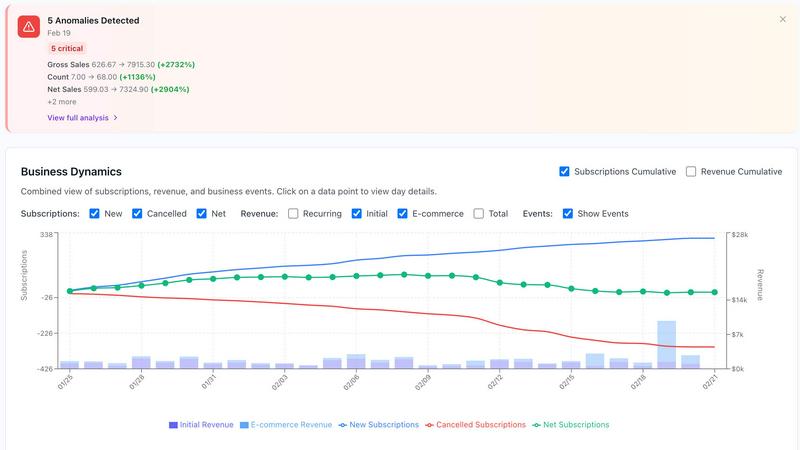
Visual Comparison
Finsi OS
Playwriter

Overview
About Finsi OS
Finsi OS is a cutting-edge AI Revenue Intelligence platform tailored for direct-to-consumer (DTC) brands, particularly in the e-commerce and subscription markets. This innovative solution is designed to optimize customer retention and increase customer lifetime value (LTV) through intelligent automation and actionable insights derived from data. Finsi OS seamlessly integrates with popular tech stacks such as Shopify, Recharge, Klaviyo, Stripe, and Chargebee, allowing brands to pinpoint at-risk customers and take proactive measures to retain them effectively. With AI agents adept at analyzing customer behavior patterns, predicting churn risks, and executing personalized retention strategies automatically, Finsi OS liberates marketing and customer success teams from time-consuming manual tasks. Developed by the visionary team behind Scentbird's growth to millions of subscribers, Finsi OS embodies over 11 years of retention expertise. This robust platform is ideal for businesses of all sizes, from ambitious startups to established enterprises, and has demonstrated proven outcomes, including a remarkable 20% increase in LTV, a 50% reduction in customer acquisition costs (CAC), and significant time savings on labor-intensive reporting processes. By empowering brands to act on insights rather than merely searching for them, Finsi OS transforms the landscape of e-commerce operations.
About Playwriter
AI agents cannot browse the web properly. They either have no browser access, or they get a fresh Chrome with no logins, no extensions, and instant bot detection. Playwriter gives them your actual browser session instead. One Chrome extension, full automation API, everything you are already logged into. Includes accessibility snapshots (5-20KB instead of 100KB+ screenshots), a debugger with breakpoints, live code editing, network interception, and video recording. Works with any MCP client: Cursor, Claude, VS Code, and more. Open source, MIT licensed.