
AI Image Edit vs Nani
Side-by-side comparison to help you choose the right AI tool.

AI Image Edit
Effortlessly enhance and transform your images with AI-powered editing tools for stunning results without the need for Photoshop.
Last updated: March 11, 2026

Nani streamlines AI image generation by organizing prompts and images for efficient, creative workflows without the.
Last updated: February 26, 2026
Visual Comparison
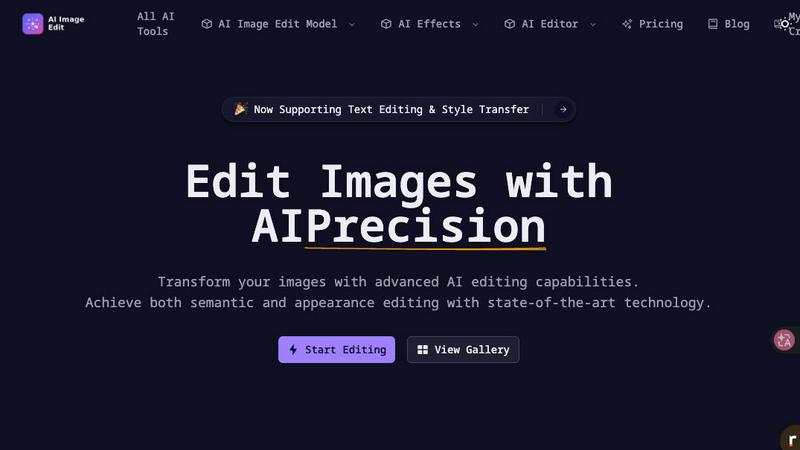
AI Image Edit
Nani

Feature Comparison
AI Image Edit
Automatic Background Removal
AI Image Edit features an automatic background removal tool that allows users to eliminate unwanted backgrounds from their images with just a few clicks. This feature ensures that the main subject remains intact and visually appealing, making it perfect for product photos and professional presentations.
Object Erasure
The object erasure function uses advanced AI technology to intelligently identify and remove unwanted elements from images. This feature is particularly useful for decluttering photos, creating cleaner visuals, and enhancing the overall composition without leaving any trace of the removed objects.
AI-Powered Element Replacement
With AI-powered element replacement, users can seamlessly swap elements in their images. This feature enables the integration of new components while maintaining the image's integrity, allowing for creative modifications and adjustments that align with a brand's vision or personal style.
Image Quality Enhancement
The image quality enhancement feature uses sophisticated algorithms to improve the clarity, color balance, and overall quality of images. This functionality is essential for transforming low-resolution images into high-quality visuals suitable for various applications, from marketing materials to social media posts.
About Nani
Superpowered Image Generation
Nani leverages the cutting-edge Nano Banana Pro technology to deliver rapid image generation capabilities. Users can type a prompt and generate high-quality images within seconds, with no visible watermarks, ensuring that the creative output is professional and ready for use.
Reusable Prompt Sets
One of the standout features of Nani is the ability to group images and save prompts as reusable sets. This functionality allows users to maintain consistent characters, styles, and workflows, significantly enhancing productivity and reducing the time spent on repetitive tasks.
Organized Workflow Management
Nani offers robust organizational tools that enable users to create folders, filter by favorites, and bulk-select images. This feature is essential for keeping a tidy library, especially as projects scale, ensuring that users can easily find and manage their assets without hassle.
Seamless Collaboration and Sharing
Nani facilitates a collaborative environment by allowing users to drag and drop images as references and share their creations via public links. This feature empowers others to recreate work in their own accounts, fostering a community of creators and enhancing teamwork across projects.
Use Cases
AI Image Edit
E-Commerce Product Photography
E-commerce sellers can utilize AI Image Edit to create professional product images that stand out. By removing backgrounds and enhancing image quality, businesses can showcase their products more effectively, leading to higher conversion rates and increased sales.
Social Media Content Creation
Content creators and marketers can enhance their social media visuals using AI Image Edit. Whether it's removing distractions from images or generating unique visuals from prompts, this tool simplifies the content creation process, allowing for more engaging and visually appealing posts.
Marketing Material Development
Marketers can produce high-quality promotional materials by editing images with AI Image Edit. From brochures to online ads, the tool enables quick adjustments and enhancements, ensuring that marketing campaigns are visually compelling and aligned with branding strategies.
Personal Photo Editing
Everyday users can benefit from AI Image Edit for personal photo editing needs. Whether it's cleaning up family pictures, enhancing vacation photos, or creating custom graphics for personal projects, the tool provides an intuitive way to achieve professional-looking results without technical skills.
Nani
Graphic Design Projects
Nani is ideal for graphic designers who require consistent image styles and prompt reuse across multiple projects. The tool helps streamline the design process, enabling quick iterations and faster project completion.
Content Creation for Social Media
Content creators can leverage Nani to produce high-quality images efficiently for social media campaigns. The ability to save reusable prompts and organize content ensures that visuals align with brand guidelines, enhancing overall engagement.
Marketing Materials Development
Marketers can utilize Nani for generating visuals for brochures, advertisements, and other promotional materials. The quick generation feature allows for rapid prototyping and adjustments based on team feedback, significantly speeding up the marketing workflow.
Educational Resource Development
Educators and instructional designers can create visually engaging educational materials using Nani. The tool’s organizational capabilities allow for the efficient management of images across various subjects, making it easier to develop comprehensive resources.
Overview
About AI Image Edit
AI Image Edit is an innovative online tool that leverages artificial intelligence to provide users with advanced image editing capabilities in an accessible and user-friendly interface. Designed for creators, marketers, designers, e-commerce sellers, and everyday users, this powerful platform eliminates the need for extensive design skills by enabling quick and professional edits. Users can easily upload their images and utilize a suite of features, including background removal, object erasure, and AI-powered enhancements. This tool is ideal for anyone looking to elevate their visual content without spending hours mastering complex software like Photoshop. With AI Image Edit, the future of image editing is here, offering efficiency and quality at your fingertips.
About Nani
Nani is an advanced workflow tool specifically designed to optimize the AI image generation process for users engaged in regular and repetitive creative tasks. Unlike traditional AI image generation tools that are often tailored for one-time use, Nani offers a streamlined experience that significantly reduces the time spent on administrative tasks such as rewriting prompts and managing extensive image libraries. Built on Google's state-of-the-art Nano Banana Pro (Gemini) technology, Nani serves a diverse audience, including artists, designers, and content creators who are looking to enhance their creative workflows. The platform's intuitive user interface allows for quick image generation, enabling users to create stunning visuals with customizable aspect ratios and resolutions. With features like reusable prompt sets and organized folders, Nani ensures consistency and efficiency, allowing creatives to focus on their artistic vision rather than the logistics of image generation.
Frequently Asked Questions
AI Image Edit FAQ
How does AI Image Edit work?
AI Image Edit operates directly in your web browser, allowing users to upload images and apply various editing features powered by artificial intelligence. The tool processes images in real-time, providing instant results without the need for complex software downloads.
Is there a learning curve for using AI Image Edit?
No, AI Image Edit is designed to be user-friendly and intuitive. Most features can be accessed with just a few clicks, making it accessible to users with varying levels of design experience, from beginners to professionals.
Can I use AI Image Edit for commercial purposes?
Yes, images edited using AI Image Edit can be used for commercial purposes. However, users should ensure that they have the necessary rights for any original images they upload and any elements they incorporate into their designs.
What file formats does AI Image Edit support?
AI Image Edit supports a variety of file formats, including JPG, PNG, and GIF, making it versatile for different image types. Users can easily upload their preferred formats and edit them according to their needs.
Nani FAQ
How does Nani help improve productivity?
Nani enhances productivity by streamlining the image generation process. With reusable prompt sets and organized folders, users can quickly generate images while minimizing administrative tasks, allowing them to focus on creative output.
Is there a learning curve for using Nani?
Nani is designed with a simple, intuitive interface that eliminates the need for a learning curve. Users can dive right into creating images without extensive training or prior experience, making it accessible for everyone.
What are the costs associated with using Nani?
Nani operates on a credit-based billing system where users pay only for what they generate, with no subscriptions or commitments. This flexible pricing model makes it cost-effective for users who generate images on a pay-as-you-go basis.
Can I collaborate with others using Nani?
Yes, Nani supports collaboration by allowing users to share their creations through public links. Others can access these links to view or recreate images in their own accounts, fostering teamwork and creative exchange.
Alternatives
AI Image Edit Alternatives
AI Image Edit is an innovative online tool that leverages artificial intelligence to facilitate seamless image editing, enhancement, and transformation. Belonging to the image generation category, it allows users to achieve professional-quality results without the steep learning curve associated with traditional software like Photoshop. This accessibility makes it an attractive option for a wide range of users, including creators, marketers, and everyday individuals. Despite its advantages, users often seek alternatives for various reasons, including pricing, specific feature sets, or compatibility with different platforms. When evaluating alternatives to AI Image Edit, it’s essential to consider factors such as ease of use, available features, pricing structures, and the overall value provided, ensuring that the chosen solution aligns with your editing needs.
Nani Alternatives
Nani is an advanced workflow tool that streamlines the AI image generation process, making it particularly beneficial for artists, designers, and content creators who engage in regular and repetitive tasks. By organizing prompts and images into reusable sets, Nani enhances productivity and allows users to focus more on creativity rather than on administrative tasks. This innovative solution is built on Google’s Nano Banana Pro (Gemini), ensuring a robust and efficient platform that meets the needs of modern creators. As users explore alternatives to Nani, they often seek options that better align with their specific requirements, such as pricing, feature sets, or platform compatibility. The search for alternatives might stem from the need for specialized functionalities, budget constraints, or the desire for a more tailored user experience. When evaluating alternatives, it is crucial to consider factors like ease of use, scalability, integration capabilities, and the overall impact on workflow efficiency to ensure that the chosen tool effectively meets creative and operational needs.