
AI Image Edit vs Looktara
Side-by-side comparison to help you choose the right AI tool.

AI Image Edit
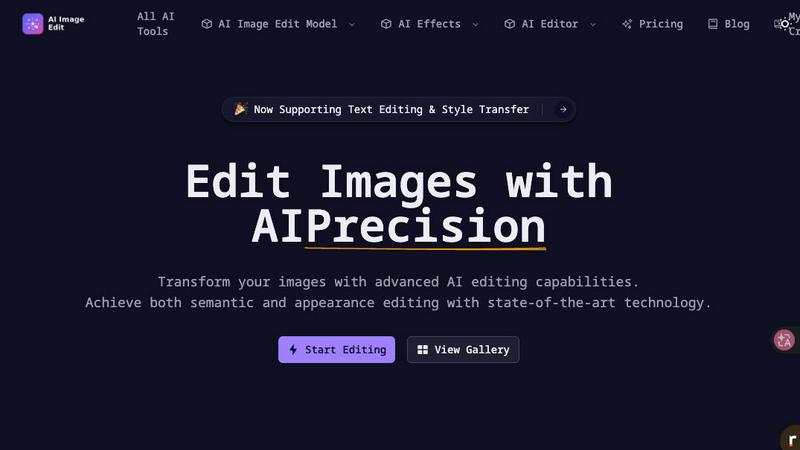
Effortlessly enhance and transform your images with AI-powered editing tools for stunning results without the need for Photoshop.
Last updated: March 11, 2026

Looktara
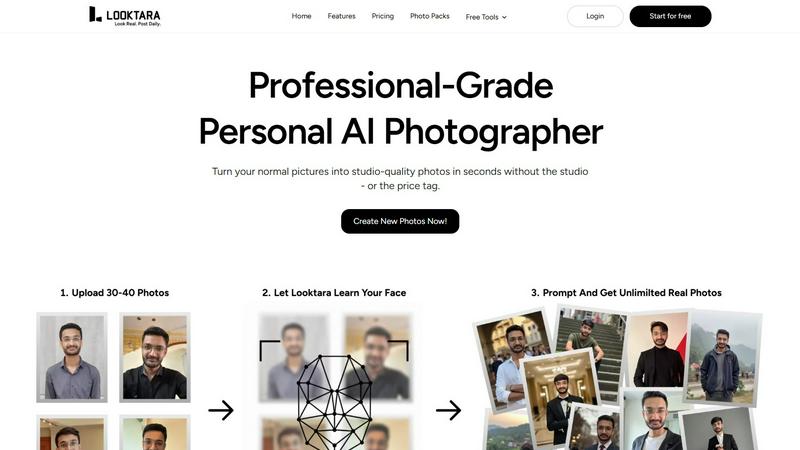
Looktara generates professional AI photos tailored to your brand in just 10 minutes.
Last updated: February 28, 2026
Visual Comparison
AI Image Edit
Looktara
Feature Comparison
AI Image Edit
Automatic Background Removal
AI Image Edit features an automatic background removal tool that allows users to eliminate unwanted backgrounds from their images with just a few clicks. This feature ensures that the main subject remains intact and visually appealing, making it perfect for product photos and professional presentations.
Object Erasure
The object erasure function uses advanced AI technology to intelligently identify and remove unwanted elements from images. This feature is particularly useful for decluttering photos, creating cleaner visuals, and enhancing the overall composition without leaving any trace of the removed objects.
AI-Powered Element Replacement
With AI-powered element replacement, users can seamlessly swap elements in their images. This feature enables the integration of new components while maintaining the image's integrity, allowing for creative modifications and adjustments that align with a brand's vision or personal style.
Image Quality Enhancement
The image quality enhancement feature uses sophisticated algorithms to improve the clarity, color balance, and overall quality of images. This functionality is essential for transforming low-resolution images into high-quality visuals suitable for various applications, from marketing materials to social media posts.
Looktara
Encrypted, Isolated AI Model
Looktara's foundational technology involves creating a secure, encrypted AI model trained solely on your uploaded images. This model operates in an isolated environment, ensuring your biometric data and unique identity are never blended with other datasets or used for general model training. This enterprise-level security and privacy guarantee that your professional likeness remains proprietary and protected, forming the basis for all generated content.
Context-Aware Platform Styling
The platform intelligently tailors output to suit specific professional contexts and social platforms. Whether you require the formal authority suitable for LinkedIn, the approachable warmth for a company "About Us" page, or the casual authenticity for Instagram, Looktara applies nuanced styling cues. This ensures every generated photo aligns perfectly with the intended platform's vibe and audience expectations, maximizing engagement and professional perception.
Rapid Generation & Deployment
From model training to final image delivery, Looktara is built for productivity. The initial AI model is ready in about 10 minutes after photo upload. Subsequently, generating a high-quality, studio-grade image takes approximately 5 seconds. This rapid turnaround enables professionals to deploy fresh, on-brand visual content on-demand, supporting agile marketing campaigns, timely social media updates, and dynamic professional profiling without logistical delays.
Natural Expression & Authenticity Engine
Looktara is specifically engineered to overcome the common pitfalls of AI imagery, such as plastic-like skin, awkward poses, and unnatural expressions. Its advanced algorithms are fine-tuned to capture and replicate authentic human expressions, body language, and subtle nuances. The result is imagery that resonates as genuine and trustworthy, fostering stronger audience connection and enhancing personal brand credibility without appearing artificial or generic.
Use Cases
AI Image Edit
E-Commerce Product Photography
E-commerce sellers can utilize AI Image Edit to create professional product images that stand out. By removing backgrounds and enhancing image quality, businesses can showcase their products more effectively, leading to higher conversion rates and increased sales.
Social Media Content Creation
Content creators and marketers can enhance their social media visuals using AI Image Edit. Whether it's removing distractions from images or generating unique visuals from prompts, this tool simplifies the content creation process, allowing for more engaging and visually appealing posts.
Marketing Material Development
Marketers can produce high-quality promotional materials by editing images with AI Image Edit. From brochures to online ads, the tool enables quick adjustments and enhancements, ensuring that marketing campaigns are visually compelling and aligned with branding strategies.
Personal Photo Editing
Everyday users can benefit from AI Image Edit for personal photo editing needs. Whether it's cleaning up family pictures, enhancing vacation photos, or creating custom graphics for personal projects, the tool provides an intuitive way to achieve professional-looking results without technical skills.
Looktara
Executive Branding & LinkedIn Optimization
Professionals and C-suite executives utilize Looktara to build a powerful and consistent LinkedIn presence. The tool generates a library of authoritative, high-quality headshots and situational photos (e.g., speaking, collaborating) that project leadership and competence. This eliminates the need for repetitive photoshoots and ensures a steady stream of professional visuals for profile updates, articles, and posts, directly enhancing personal influence and network growth.
Marketing & Content Creation at Scale
Marketing teams leverage Looktara to produce authentic imagery of key spokespeople, founders, or team members for diverse campaigns. From website hero images and blog post illustrations to email newsletter headers and social media ad creatives, the platform provides a scalable source of on-brand photos. This drastically reduces dependency on stock photography and external photographers, accelerating content velocity and maintaining narrative consistency across all channels.
Recruitment & Employer Branding
HR and Talent Acquisition departments employ Looktara to visually showcase company culture and team members authentically. New employees can quickly generate professional photos that match the company's branding for internal directories and external "Meet the Team" pages. This creates a cohesive and humanized employer brand, aiding in recruitment efforts by presenting a genuine and attractive workplace environment to potential candidates.
Personal Branding for Consultants & Freelancers
Independent consultants, coaches, and freelancers use Looktara to maintain a polished and reliable personal brand across their digital footprint. The ability to generate context-appropriate photos—from formal client proposal visuals to relaxed, thought-leadership social media content—ensures they present a professional and consistent image. This builds trust with potential clients and differentiates their services in competitive marketplaces without significant investment in photography.
Overview
About AI Image Edit
AI Image Edit is an innovative online tool that leverages artificial intelligence to provide users with advanced image editing capabilities in an accessible and user-friendly interface. Designed for creators, marketers, designers, e-commerce sellers, and everyday users, this powerful platform eliminates the need for extensive design skills by enabling quick and professional edits. Users can easily upload their images and utilize a suite of features, including background removal, object erasure, and AI-powered enhancements. This tool is ideal for anyone looking to elevate their visual content without spending hours mastering complex software like Photoshop. With AI Image Edit, the future of image editing is here, offering efficiency and quality at your fingertips.
About Looktara
Looktara is an enterprise-grade personal AI photography solution engineered to solve the critical business challenge of professional visual identity. It transcends generic AI image generators by creating a secure, isolated AI model trained exclusively on approximately 30 user-uploaded photos. This proprietary process, completed in roughly 10 minutes, yields a personalized photo generator capable of producing studio-grade, context-aware portraits in approximately 5 seconds. Designed for professionals, executives, and brands, Looktara delivers a quantifiable ROI by eliminating costly and time-consuming traditional photoshoots while ensuring brand consistency. Its core value proposition is generating authentic, natural-looking images that accurately reflect an individual's unique identity and professional ethos across all platforms. This enables users to maintain a polished, trustworthy, and cohesive personal brand—whether for authoritative LinkedIn profiles, engaging client storytelling, or authentic behind-the-scenes content—without the uncanny valley effect and lack of control endemic to standard AI tools.
Frequently Asked Questions
AI Image Edit FAQ
How does AI Image Edit work?
AI Image Edit operates directly in your web browser, allowing users to upload images and apply various editing features powered by artificial intelligence. The tool processes images in real-time, providing instant results without the need for complex software downloads.
Is there a learning curve for using AI Image Edit?
No, AI Image Edit is designed to be user-friendly and intuitive. Most features can be accessed with just a few clicks, making it accessible to users with varying levels of design experience, from beginners to professionals.
Can I use AI Image Edit for commercial purposes?
Yes, images edited using AI Image Edit can be used for commercial purposes. However, users should ensure that they have the necessary rights for any original images they upload and any elements they incorporate into their designs.
What file formats does AI Image Edit support?
AI Image Edit supports a variety of file formats, including JPG, PNG, and GIF, making it versatile for different image types. Users can easily upload their preferred formats and edit them according to their needs.
Looktara FAQ
How many photos do I need to upload to get started?
You need to upload approximately 30 photos of yourself to train your personal AI model. These should be clear, well-lit images from various angles and with different expressions to give the AI a comprehensive understanding of your unique features and likeness. This dataset enables the generation of highly accurate and diverse new images.
Is my data and likeness secure with Looktara?
Yes, security is paramount. Looktara creates an encrypted, isolated AI model specifically for you. Your uploaded photos and the resulting model are not used to train any general AI or shared with any third parties. Your biometric data and personal likeness remain private and under your control, adhering to enterprise-grade data protection standards.
How long does it take to generate new photos?
Once your personal AI model is trained—a process that takes about 10 minutes after photo upload—generating a new, high-quality image takes approximately 5 seconds. This allows for rapid iteration and on-demand creation of professional photos tailored to your immediate needs.
Can I control the style and setting of the generated photos?
Absolutely. Unlike generic AI generators, Looktara provides context-aware styling. You can specify the desired vibe or platform (e.g., professional/LinkedIn, casual/Instagram), and the AI will generate images with appropriate attire, expressions, and contextual cues. This ensures every photo aligns with your specific use-case and personal brand guidelines.
Alternatives
AI Image Edit Alternatives
AI Image Edit is an innovative online tool that leverages artificial intelligence to facilitate seamless image editing, enhancement, and transformation. Belonging to the image generation category, it allows users to achieve professional-quality results without the steep learning curve associated with traditional software like Photoshop. This accessibility makes it an attractive option for a wide range of users, including creators, marketers, and everyday individuals. Despite its advantages, users often seek alternatives for various reasons, including pricing, specific feature sets, or compatibility with different platforms. When evaluating alternatives to AI Image Edit, it’s essential to consider factors such as ease of use, available features, pricing structures, and the overall value provided, ensuring that the chosen solution aligns with your editing needs.
Looktara Alternatives
Looktara is a generative AI photography platform that creates personalized, professional-grade images tailored to an individual's unique style and brand identity. It operates by building a secure, private AI model from user-uploaded photos to generate consistent, authentic visuals in seconds. Businesses and professionals may explore alternatives for various strategic reasons. Common drivers include budget considerations, the need for different feature sets like team collaboration tools, or integration requirements with existing marketing and CRM platforms. Evaluating total cost of ownership against specific workflow needs is a standard part of the procurement process. When assessing solutions in this category, key evaluation criteria should include the authenticity and consistency of output, data security and privacy protocols, generation speed and volume allowances, and the overall return on investment through time saved and enhanced brand representation. The core objective is to secure a tool that delivers professional visual assets without the logistical overhead of traditional photoshoots.