
CleanPaste.org vs Hush Touch | Voice-to-Text for MacOS
Side-by-side comparison to help you choose the right AI tool.
CleanPaste.org
CleanPaste.org instantly removes invisible characters and AI watermarks to ensure professional, clean text.
Last updated: February 28, 2026

Hush Touch | Voice-to-Text for MacOS
Hush Touch offers offline voice-to-text for Mac, learning your vocabulary and enhancing productivity with every use.
Last updated: February 26, 2026
Visual Comparison
CleanPaste.org
Hush Touch | Voice-to-Text for MacOS

Feature Comparison
CleanPaste.org
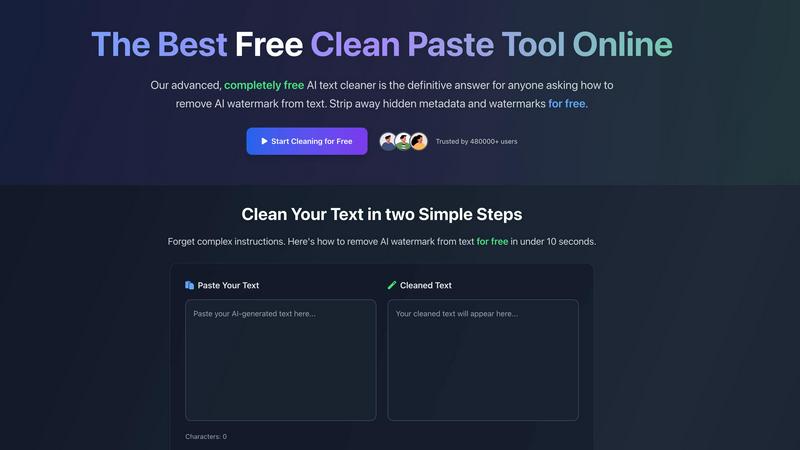
Advanced AI Watermark Removal
This proprietary feature employs sophisticated algorithms to detect and strip AI-specific watermarks and patterns embedded by large language models. It ensures the cleaned text bypasses common AI detection tools while meticulously preserving the original meaning, structure, and factual content. This process is essential for maintaining content authenticity and avoiding penalties in SEO or academic submission environments.
Deep-Scan Metadata & Invisible Character Stripping
Going beyond surface-level cleaning, the tool performs a deep scan to identify and eliminate all non-visible elements, including zero-width spaces, hidden formatting codes, and proprietary metadata. This comprehensive cleansing ensures text is technically clean for any platform or content management system, preventing formatting corruption and guaranteeing consistent presentation across all digital channels.
Real-Time Processing with Instant Results
Engineered for maximum productivity, CleanPaste.org delivers processed results in under 10 seconds. The intuitive interface requires only two steps: paste and clean. This instant processing eliminates workflow bottlenecks, allowing professionals to integrate text cleaning seamlessly into their drafting and editing processes without sacrificing time or momentum.
Zero-Cost Enterprise Accessibility
A defining feature is its complete lack of financial barrier. The platform offers full, unrestricted access to all its advanced features without sign-up, subscription, or usage caps. This model provides organizations with a reliable, scalable utility at zero operational cost, delivering immediate ROI by replacing potential paid services and streamlining content preparation workflows.
Hush Touch | Voice-to-Text for MacOS
Dual-Engine Recognition
Hush Touch employs a dual-engine recognition system that combines DictationTranscriber and SFSpeechRecognizer. This innovative approach ensures that natural flow and punctuation are accurately captured while boosting recognition of custom vocabulary, enhancing overall transcription accuracy.
Custom Vocabulary
With the ability to store up to 500 custom vocabulary terms and an auto-learning feature, Hush Touch excels in recognizing technical jargon, brand names, and medical terms. This ensures that the app understands and accurately transcribes what users actually say, significantly reducing frustration and errors.
Smart Text Processing
Hush Touch incorporates intelligent text processing capabilities that include filler word removal, auto-correction, and formatted lists. By processing these elements in real-time on-device, users enjoy a polished and professional output without the hassle of manual editing.
Context Modes & Hands-Free Operation
The app offers four distinct context modes—General, Email, Code, and Notes—allowing users to switch seamlessly according to their dictation needs. Moreover, with hands-free operation activated by Siri, users can dictate messages effortlessly, with automatic text insertion after a brief pause.
Use Cases
CleanPaste.org
Academic Integrity Assurance for Students & Institutions
Students leveraging AI for research and drafting use CleanPaste.org to remove hidden artifacts before submission, ensuring their work is not flagged by academic integrity software. Educational institutions can recommend it as a tool for final draft polishing, upholding standards of originality while acknowledging the role of AI as a drafting assistant, thereby protecting student investment and institutional reputation.
Content Marketing & SEO Optimization
Marketing agencies and SEO specialists utilize the tool to purify AI-generated blog posts, articles, and web copy. By removing detectable traces, they safeguard website content from potential search engine de-prioritization for AI-generated material and ensure the brand's voice remains consistent and human-centric, which is critical for audience engagement and trust-building.
Professional Communications & Report Generation
Business professionals, consultants, and analysts use AI to draft reports, client communications, and internal documents. CleanPaste.org allows them to refine this output, stripping invisible formatting and AI signatures to produce polished, professional documents that carry the weight of human authorship, enhancing credibility in stakeholder and client interactions.
Software Development & Technical Documentation
Developers and technical writers often use AI to generate code comments, API documentation, and procedural guides. This tool cleans the text of invisible characters that can cause parsing errors in code environments and ensures documentation reads as naturally written, improving clarity for end-users and maintaining professional standards in software deliverables.
Hush Touch | Voice-to-Text for MacOS
Efficient Email Drafting
Hush Touch streamlines the email drafting process, allowing users to compose messages swiftly and hands-free. This is particularly beneficial for busy professionals who need to manage communications efficiently without interrupting their workflow.
Medical Documentation
For healthcare professionals, Hush Touch serves as an invaluable tool for dictating medical notes. The app's ability to recognize complex medical terminology ensures accurate documentation, saving time and reducing administrative burdens.
Coding and Technical Writing
Software engineers and technical writers can leverage Hush Touch to dictate code comments and technical documentation. The app's dual-engine recognition and custom vocabulary capabilities ensure that specialized terms are accurately transcribed, enhancing productivity in technical fields.
Note-Taking in Meetings
Hush Touch facilitates seamless note-taking during meetings and lectures by allowing users to dictate their thoughts in real-time. This hands-free approach enables participants to focus on discussions without the distraction of manual note-taking.
Overview
About CleanPaste.org
CleanPaste.org is an enterprise-grade, web-based text purification platform engineered to eliminate AI-generated artifacts and hidden formatting that compromise content integrity. The tool specializes in the systematic removal of AI watermarks, invisible characters (such as zero-width spaces), and embedded metadata, transforming AI-assisted drafts into text that presents as authentically human-written. It serves a critical need for professionals, content teams, and organizations that utilize AI for scale but require output that passes stringent authenticity checks and maintains a natural voice. The core value proposition is its powerful, instant processing capability offered as a completely free service with no usage limits, sign-up barriers, or tiered pricing, ensuring 100% accessibility. This commitment to a frictionless, high-ROI solution has established CleanPaste.org as a trusted utility, relied upon by over 480,000 users to protect brand voice, ensure academic integrity, and enhance the credibility of all written communications.
About Hush Touch | Voice-to-Text for MacOS
Hush Touch is an innovative voice-to-text application specifically designed for macOS users seeking a seamless dictation experience. By utilizing advanced on-device processing, Hush Touch ensures that your voice data remains private and secure, eliminating the need for cloud dependency. The app combines two powerful Apple transcription engines with a final pass from Apple Intelligence, resulting in cleaner and more accurate text output. Lightweight at just 5.5 MB, Hush Touch integrates effortlessly into daily writing workflows, allowing users to draft emails, messages, and documents hands-free. Designed for professionals who prioritize privacy and efficiency, Hush Touch learns your unique vocabulary and adapts over time, ultimately enhancing productivity. For a one-time cost of $20, you gain a lifetime license to a robust dictation tool that operates offline, making Hush Touch an invaluable addition to any macOS user's toolkit.
Frequently Asked Questions
CleanPaste.org FAQ
How does CleanPaste.org ensure text remains high-quality after processing?
The platform utilizes precision algorithms designed to target only invisible characters, metadata, and AI watermarking patterns. It does not engage in uncontrolled paraphrasing or content alteration. The primary content—word choice, sentence structure, and factual information—remains intact, ensuring the output retains its original quality and intent while shedding detectable AI fingerprints.
Is there a risk of my data being stored or misused?
CleanPaste.org is built with a commitment to user privacy. The processing occurs in real-time within your browser session. The company's policy, aligned with its free and open model, states that it does not store, log, or mine the text content submitted for cleaning, ensuring complete confidentiality for sensitive business, academic, or personal documents.
What specific AI detectors is the cleaned text designed to bypass?
While no tool can guarantee 100% evasion against all detectors, CleanPaste.org is engineered to effectively remove the common statistical and syntactic patterns targeted by leading AI detection services such as Originality.ai, GPTZero, Copyleaks, and Turnitin. The goal is to significantly reduce the likelihood of your content being flagged as AI-generated.
Can it handle large volumes of text, such as full-length reports or manuscripts?
Yes, the tool is engineered for enterprise-scale use without arbitrary limits. Users can process large documents, including lengthy reports, chapters, or extensive articles, in a single operation. The instant processing architecture ensures that document length does not hinder performance, making it viable for high-volume content production workflows.
Hush Touch | Voice-to-Text for MacOS FAQ
Is Hush Touch fully offline?
Yes, Hush Touch operates entirely on-device, ensuring that all voice data is processed offline without any cloud dependency. This guarantees privacy and security for users.
How does Hush Touch learn my vocabulary?
Hush Touch features an adaptive learning system that detects corrections made during dictation. It automatically updates your custom vocabulary based on these corrections, allowing the app to better understand your unique language and terminology over time.
What is the cost of Hush Touch?
Hush Touch is available for a one-time purchase of $20, granting users a lifetime license with no subscription fees. This cost-effective model makes it an attractive option for anyone seeking dictation software.
Can I use Hush Touch for different types of writing?
Absolutely! Hush Touch includes various context modes, such as General, Email, Code, and Notes, allowing users to tailor their dictation experience according to their specific writing needs.
Alternatives
CleanPaste.org Alternatives
CleanPaste.org is a leading free online tool in the AI text processing category, specifically designed to remove AI watermarks, hidden metadata, and invisible characters. It serves a critical function for professionals and creators who utilize AI drafting tools but require final output that is polished, authentic, and free of detectable machine-generated traces. Users may seek alternatives for various strategic reasons, including the need for integrated platform solutions, advanced enterprise-grade features like API access or batch processing, or different pricing models that align with organizational budgets and scalability requirements. The core need often extends beyond simple cleaning to include workflow automation and compliance assurances. When evaluating an alternative, key considerations should include the tool's efficacy in humanizing text to pass advanced detection algorithms, its data security and privacy protocols, and the total cost of ownership relative to productivity gains. The optimal solution should demonstrably enhance content integrity while seamlessly integrating into existing digital workflows to maximize team efficiency and project ROI.
Hush Touch | Voice-to-Text for MacOS Alternatives
Hush Touch | Voice-to-Text for MacOS is an innovative offline dictation tool specifically designed for macOS users. It leverages advanced Apple transcription engines to offer a seamless, natural dictation experience while maintaining user privacy through on-device processing. As part of the AI Assistants category, Hush Touch stands out by allowing users to create text hands-free, making it an efficient choice for drafting emails, messages, and documents. Users often seek alternatives to Hush Touch due to various factors, including pricing, feature sets, and platform compatibility. When searching for a suitable replacement, it’s essential to consider aspects like ease of use, transcription accuracy, and the level of offline functionality. Additionally, examining the app's ability to integrate into existing workflows and its privacy features can significantly influence the decision-making process.