
AIPhotoTalk vs Ray3
Side-by-side comparison to help you choose the right AI tool.

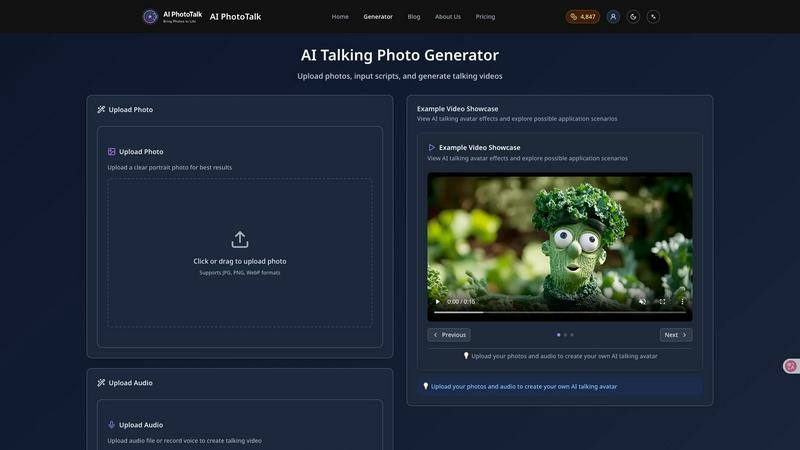
AI PhotoTalk transforms any photo into a professional talking video with perfect lip sync and 4K quality in 30 seconds.
Last updated: March 11, 2026
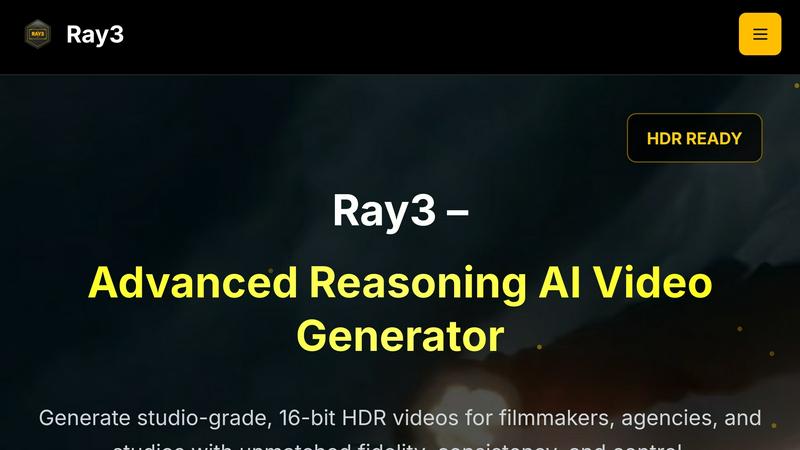
Ray3 generates studio-grade 16-bit HDR videos with advanced AI for exceptional quality and faster production efficiency.
Last updated: March 1, 2026
Visual Comparison
AIPhotoTalk
Ray3
Feature Comparison
AIPhotoTalk
Professional Lip Sync Technology
Powered by sophisticated deep learning models, this feature analyzes audio phonetics and facial geometry to generate perfectly synchronized lip movements and subtle, natural expressions. This ensures the animated photo delivers a convincing and professional talking head video, crucial for maintaining credibility in corporate presentations, training modules, and customer-facing marketing content.
Multi-Language Voice Synthesis
The platform includes a professional-grade text-to-speech engine supporting over 30 languages and various accents. This allows global enterprises to create localized video content for different markets instantly, from sales pitches to internal communications, without hiring multilingual voice actors, thereby slashing localization costs and timelines significantly.
4K Professional Video Output
AIPhotoTalk renders final videos in ultra-high-definition 4K resolution, ensuring output is suitable for professional applications including website hero videos, conference presentations, and high-fidelity social media ads. This feature guarantees that content maintains a premium, polished quality that reflects positively on your brand identity across all channels.
Cloud-Based Enterprise Platform
Requiring no software installation, the entire workflow is accessible directly via a web browser. This cloud-based architecture facilitates seamless team collaboration, easy asset management, and integration into professional workflows. It ensures security, scalability, and accessibility from any device, maximizing operational efficiency for distributed teams.
Ray3
High-Fidelity HDR
Ray3 offers unparalleled visual fidelity with 10/12/16-bit HDR output. This feature ensures that videos have professional-grade color depth and dynamic range, meeting industry standards for cinematic production.
Reasoning Intelligence
The advanced reasoning engine of Ray3 enables smarter, consistent, and physically accurate video generation. It understands scene context, maintains logical consistency, and ensures that objects behave realistically across frames.
Draft Mode
With Draft Mode, Ray3 allows creators to iterate and experiment with their ideas five times faster than traditional methods. This feature provides quick previews for creative exploration, making it cost-effective for testing concepts before final renders.
Workflow Integration
Ray3 integrates seamlessly with popular tools like Adobe Premiere Pro and supports ACES color workflows. This compatibility streamlines the editing process, allowing professionals to maintain their existing workflows while enhancing their creative output.
Use Cases
AIPhotoTalk
Corporate Training & Onboarding
HR and L&D departments can animate photos of company leaders or subject matter experts to create consistent, engaging, and scalable training videos. This personalizes the learning experience for new hires across global offices, improves knowledge retention, and reduces the recurring cost and logistical complexity of live training sessions.
Automated Marketing & Sales Enablement
Marketing teams can generate a library of spokesperson videos for product launches, email campaigns, and social media ads. Sales representatives can personalize prospect outreach by creating quick videos with their own photo, leading to higher engagement rates and shorter sales cycles compared to traditional text-based communication.
Educational Content & E-Learning
Educators and ed-tech companies can bring historical figures, authors, or scientific concepts to life by animating relevant portraits. This creates captivating explainer videos and interactive learning modules that boost student engagement and comprehension, transforming static educational materials into dynamic visual experiences.
Customer Support & Communication
Businesses can enhance customer touchpoints by creating friendly AI spokesperson videos for FAQ sections, product update announcements, or personalized service messages. This humanizes digital interactions, improves clarity, and can reduce inbound support tickets by proactively addressing common queries in an engaging format.
Ray3
Commercial Production
Ray3 is perfect for creating high-quality commercials that require stunning visuals and rapid iteration. Its HDR capabilities ensure that product showcases are visually striking and impactful.
Cinematic Storytelling
Filmmakers can utilize Ray3 for complex cinematic sequences, where its reasoning intelligence ensures logical consistency and realistic character interactions, elevating storytelling to new heights.
Architectural Visualization
Architects and designers can leverage Ray3 to produce realistic architectural visualizations. The tool’s HDR output and accurate lighting capabilities allow for compelling presentations of design concepts.
Fashion Editorials
Fashion agencies benefit from Ray3’s ability to generate high-end fashion shoots with dramatic lighting and aesthetics. The tool enables rapid experimentation with styles and settings, essential for staying ahead in the fast-paced fashion industry.
Overview
About AIPhotoTalk
AIPhotoTalk is an enterprise-grade, AI-powered platform that transforms static portrait photographs into professional, realistic talking videos in under 30 seconds. It leverages advanced deep learning algorithms to achieve perfect lip synchronization and natural facial expressions, eliminating the need for complex video editing, expensive production crews, or actor fees. The platform is engineered for business productivity, supporting over 30 languages with high-quality voice synthesis and delivering broadcast-ready 4K video output. Its core value proposition lies in democratizing high-impact video creation, enabling organizations to scale personalized communication, enhance training materials, and accelerate marketing campaign production with unprecedented speed and cost-efficiency. Trusted by over 10,000 business users worldwide, AIPhotoTalk is designed for marketers, educators, corporate trainers, and content creators who require a reliable, scalable solution to produce engaging spokesperson videos, explainer content, and personalized communications that drive measurable ROI through increased engagement and reduced production overhead.
About Ray3
Ray3 is an innovative reasoning-based AI video generation tool tailored for professional creators, including filmmakers, creative agencies, and production studios. It stands out in the market by delivering cinematic-quality 10/12/16-bit HDR video output, ensuring exceptional visual fidelity and logical coherence in every frame. Its advanced temporal reasoning engine enables realistic motion and comprehensive understanding of multi-character scenes, making it ideal for intricate storytelling and complex visual narratives. The unique Draft Mode accelerates the creative process, allowing creators to explore concepts at five times the usual speed, ensuring ideas can be tested and refined swiftly. Ray3 integrates seamlessly into existing workflows, particularly with Adobe Premiere Pro and ACES color workflows, enhancing productivity and creativity. Whether producing commercials, cinematic sequences, architectural visualizations, or fashion editorials, Ray3 empowers creators to generate high-quality videos efficiently, delivering both reliability and artistic expression.
Frequently Asked Questions
AIPhotoTalk FAQ
What is the quality of the lip-syncing in the generated videos?
AIPhotoTalk utilizes state-of-the-art deep learning algorithms specifically trained for facial animation. The technology ensures high-fidelity lip synchronization that matches the phonetic timing of the provided audio or script, resulting in realistic and natural-looking mouth movements that are suitable for professional business applications.
Can I use the videos generated with AIPhotoTalk for commercial purposes?
Yes. AIPhotoTalk includes a full commercial use license with its plans. This means businesses and creators are authorized to use the generated talking videos in marketing campaigns, client projects, paid advertising, online courses, and other commercial applications without requiring additional rights or clearances.
How many languages does the voice synthesis support?
The platform's advanced voice synthesis engine supports over 30 languages, including major global languages like English, Spanish, Mandarin, French, German, and Japanese. It also offers a selection of voice styles (e.g., professional, friendly, authoritative) within many languages to match the desired tone of your content.
What are the technical requirements to use AIPhotoTalk?
There are no specific hardware requirements as AIPhotoTalk is a fully cloud-based SaaS platform. You only need a modern web browser and an internet connection. The process is designed to be beginner-friendly: upload a high-quality frontal portrait photo, input your text script or audio file, and the AI generates your video on its servers.
Ray3 FAQ
What is Ray3?
Ray3 is a reasoning-based AI video generation tool that allows professional creators to produce high-quality HDR videos with exceptional fidelity and logical consistency.
How does Draft Mode work?
Draft Mode enables users to generate video concepts at five times the usual speed, allowing for rapid iteration and testing of ideas before committing to high-fidelity renders.
Is Ray3 compatible with Adobe Premiere Pro?
Yes, Ray3 integrates seamlessly with Adobe Premiere Pro and supports ACES color workflows, making it easy for professionals to incorporate it into their existing editing processes.
What types of projects can I create with Ray3?
Ray3 is versatile and can be used for various projects, including commercials, cinematic sequences, architectural visualizations, and fashion editorials, catering to a wide range of creative needs.
Alternatives
AIPhotoTalk Alternatives
AIPhotoTalk is an AI-powered video generation platform that specializes in transforming static portrait photos into realistic, lip-synced talking videos. This places it within the rapidly growing category of AI video synthesis and avatar creation tools, designed to streamline content production for professional and marketing use cases. Users often evaluate alternatives to such platforms for several strategic reasons. These can include budget constraints, specific feature requirements like advanced voice cloning or multi-language support, integration needs with existing marketing stacks, or a preference for downloadable software versus a browser-based service. The need for higher output resolution, more nuanced emotional controls, or different commercial licensing terms also drives the search for comparable solutions. When assessing an alternative, key considerations should focus on the total cost of ownership, the realism and quality of the generated video output, and the tool's ability to integrate into your existing workflow. Prioritize solutions that offer clear productivity gains, measurable ROI through time savings, and robust security protocols for handling proprietary images and scripts. The ideal platform will align with both your immediate creative needs and long-term scalability requirements.
Ray3 Alternatives
Ray3 is an innovative AI video generation model tailored for professional creators, enabling the production of studio-grade 16-bit HDR videos with remarkable efficiency and quality. As a solution designed to enhance creative workflows, it leverages advanced reasoning intelligence to deliver coherent and visually stunning video outputs. Users often seek alternatives due to various factors such as pricing, feature sets, and compatibility with existing platforms. As the market for video generation tools expands, creators may look for options that better meet their specific needs, whether it be enhanced features, different pricing structures, or better integration with their preferred software. When choosing an alternative, it is essential to consider the overall value it brings to your production process. Look for features that align with your creative requirements, such as output quality, ease of use, and compatibility with other tools in your workflow. Additionally, evaluate the pricing to ensure it fits within your budget while still offering the necessary capabilities to enhance productivity and creativity in video production.