
AIPhotoTalk vs BlitzCut
Side-by-side comparison to help you choose the right AI tool.


BlitzCut
BlitzCut is an AI video editor that quickly removes silence and adds captions, turning raw footage into engaging posts.
Last updated: February 26, 2026
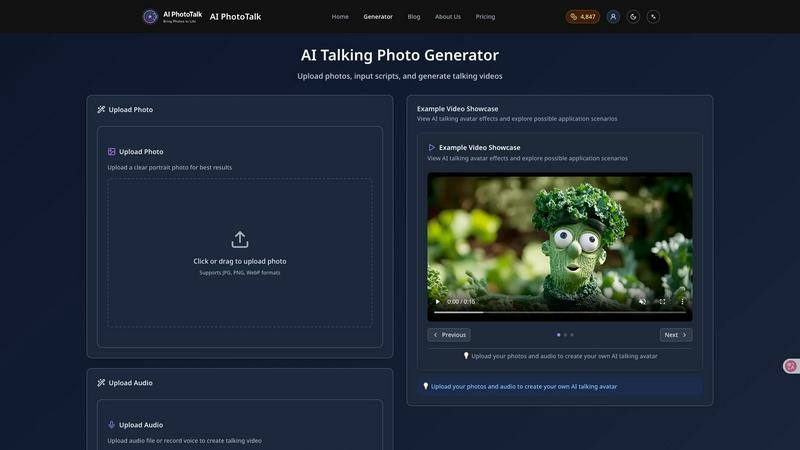
Visual Comparison
AIPhotoTalk
BlitzCut

Overview
About AIPhotoTalk
AIPhotoTalk is an AI-powered tool that turns static photos into realistic talking videos in seconds.
Upload a portrait photo, type your script, and generate a lip-synced AI talking video instantly — no editing skills required.
What you can create:
• Talking social media videos
• AI spokesperson clips
• Educational explainer videos
• Animated historical characters
• Marketing and promo videos
Why AIPhotoTalk?
• No complicated video editing
• Fast AI rendering
• Works directly in your browser
• Beginner-friendly interface
• Perfect for creators, marketers & educators
Whether you're creating TikTok content, YouTube Shorts, ads, or fun AI videos — AIPhotoTalk makes photo animation simple and accessible.
About BlitzCut
BlitzCut is an innovative AI-driven video editing tool that revolutionizes the way content creators produce and share their videos. Designed with a focus on speed and efficiency, BlitzCut enables users to transform raw video clips into polished, shareable content for platforms such as TikTok, Instagram Reels, and YouTube Shorts in a matter of minutes. The app employs advanced artificial intelligence to automate tedious editing tasks, allowing creators to concentrate on their craft rather than the intricacies of editing. With features like automatic silence removal and AI-generated captions, BlitzCut is tailored for modern content creators who need to keep pace with the fast-moving digital landscape. Whether you are a social media influencer, a business marketer, or a casual creator, BlitzCut delivers a user-friendly experience that enhances productivity and streamlines the editing workflow.