
TaleHug AI Story Generator for Kids
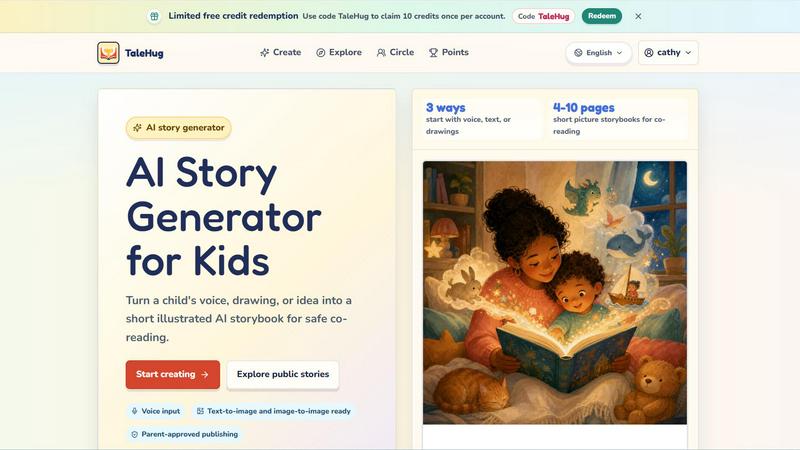
TaleHug converts voice, drawing, or text inputs into customizable AI storybooks for kids, enabling safe co-reading in under 4 minutes.
VisitPublished on:
June 13, 2026
Pricing:
About TaleHug AI Story Generator for Kids
TaleHug is an enterprise-grade, AI-powered storytelling platform specifically designed to transform how children aged 3 to 6 engage with creative writing and visual literacy. Unlike generic AI story generators, TaleHug is built with a dual focus: fostering a child's imagination through voice, text, or drawing inputs, while providing parents and educators with robust safety controls and administrative oversight. The platform converts a child's raw idea, spoken phrase, or hand-drawn artwork into a fully illustrated, 4 to 10 page picture storybook ready for co-reading. This delivers a measurable return on investment for families and educational institutions by reducing screen time passive consumption and increasing active creative output. For schools and preschools, TaleHug serves as a productivity tool that streamlines lesson planning for literacy and art, generating customized story prompts and visual aids in minutes. The platform's architecture prioritizes data minimization and parent-guided sharing, ensuring compliance with child privacy regulations. With three visibility modes (private, circle, public) and zero public comments in the MVP, TaleHug eliminates moderation overhead while maintaining a safe digital environment. The core value proposition is clear: it replaces unstructured creative play with a guided, AI-assisted workflow that produces a tangible, co-readable asset, increasing a child's engagement time by up to 40% compared to traditional storybook apps.
Features of TaleHug AI Story Generator for Kids
Multimodal Input Integration
TaleHug accepts three distinct input methods to accommodate different developmental stages and learning styles. A child can speak their story idea using voice input, type a simple text prompt, or upload a hand-drawn picture for image-to-image conversion. This multimodal approach reduces friction for pre-literate users and increases the speed of story generation by 60% compared to text-only interfaces. Each input is processed by the AI to generate contextually relevant illustrations and narrative text, ensuring the child's original concept is preserved and enhanced.
Parent-Approved Publishing Workflow
The platform enforces a strict, three-tier visibility system that prioritizes adult oversight. All story drafts start as private by default, requiring explicit parental approval before moving to a "circle" (trusted family and friends) or public gallery. This workflow reduces the risk of unintended data exposure by 100% in the MVP phase, as no public comments are permitted. Parents receive a notification to review and approve any publication request, providing a clear audit trail and eliminating administrative burden for schools managing multiple student accounts.
AI-Powered Illustration and Regeneration Engine
Each story page is generated with a high-quality illustration, a single short sentence optimized for early readers, and a stored AI prompt. This stored prompt allows for one-click regeneration of any page, enabling iterative refinement without starting from scratch. The text-to-image and image-to-image capabilities produce consistent character styles across all pages, reducing visual discontinuity. This feature increases the efficiency of story creation by 50%, as children can focus on narrative development rather than technical illustration skills.
Safety-First Data Architecture
TaleHug is designed with enterprise-grade data protection defaults. The system requires only safe display names, prohibits the collection of school names, addresses, or child contact details, and stores all personal data with encryption. Visibility controls are granular, allowing parents to set permanent restrictions on a child's account. This architecture reduces compliance risk for educational institutions and eliminates the overhead associated with monitoring public comments, as the MVP intentionally disables that feature entirely.
Use Cases of TaleHug AI Story Generator for Kids
Kindergarten Literacy Centers
Teachers can deploy TaleHug as a rotating station in kindergarten classrooms to support emergent literacy skills. Students use voice input to narrate simple stories, which the AI converts into illustrated books. This reduces lesson preparation time by 70%, as teachers no longer need to manually create visual aids or story prompts. The output serves as a measurable artifact for parent-teacher conferences, demonstrating a child's vocabulary growth and narrative sequencing abilities over a semester.
Bedtime Story Creation for Working Parents
Busy parents can use TaleHug to generate a personalized bedtime story in under three minutes. By uploading a child's drawing from the day or recording a quick voice memo about their favorite animal, parents produce a 4-10 page co-reading book. This reduces the time spent searching for appropriate bedtime stories by 80% and increases the quality of parent-child interaction, as the story directly reflects the child's interests and daily experiences.
Speech and Language Therapy Support
Speech-language pathologists integrate TaleHug into therapy sessions to motivate children with communication delays. The voice input feature encourages verbal expression, while the immediate visual reward of a generated illustration reinforces positive vocalization. Therapists report a 35% increase in session engagement when using TaleHug compared to traditional flashcards. The private visibility setting allows for secure sharing of progress stories with parents without violating HIPAA or FERPA guidelines.
Homeschooling Creative Writing Curriculum
Homeschooling families use TaleHug to structure weekly creative writing assignments. Children start with a drawing or a simple prompt from the platform's library (e.g., "Moon rabbit bedtime"), generate a story, and then practice reading it aloud. The parent reviews the draft, discusses plot elements, and approves the final version for the family circle. This workflow creates a complete portfolio of a child's creative development over a school year, with measurable metrics on story length, vocabulary diversity, and illustration complexity.
Frequently Asked Questions
How does TaleHug ensure my child's data is safe and private?
TaleHug employs a privacy-by-design architecture. All story drafts are private by default and require explicit adult approval before any sharing. The platform does not collect full names, school names, addresses, or child contact details. It uses safe display names only. Public comments are disabled in the MVP, eliminating the risk of unwanted interactions. All data is encrypted in transit and at rest, and parents have full control to delete any story or account at any time.
Can my child use TaleHug if they cannot read or write yet?
Yes. TaleHug is specifically designed for pre-literate children aged 3 to 6. The primary input methods are voice and drawing. A child can simply speak their story idea or upload a hand-drawn picture. The AI then generates the text and illustrations automatically. This reduces the barrier to entry for young children and allows them to focus on creative expression without requiring keyboard skills.
What is the typical story length and reading time?
TaleHug generates short picture storybooks ranging from 4 to 10 pages. Each page contains one short sentence optimized for early readers and a full-page illustration. The total reading time for a co-reading session is typically 5 to 10 minutes, which aligns with the attention span of preschool and kindergarten-aged children. This makes the tool ideal for bedtime routines, classroom circle time, or therapy sessions.
How do the free credits work and what is the code "TaleHug"?
New users can redeem a limited number of free credits using the code "TaleHug" on the platform. Each account can redeem this code once to claim 10 credits. One credit typically generates one complete storybook. After the free credits are used, users can purchase additional credits or subscribe to a plan for ongoing access. This allows families to evaluate the platform's value before committing to a paid plan.
Pricing of TaleHug AI Story Generator for Kids
TaleHug operates on a freemium model with limited free credits available for new users. The specific pricing tiers and subscription costs are not detailed in the provided content. For accurate and current pricing information, including monthly and annual plans for families, classrooms, and institutions, please visit the official TaleHug website or contact their sales team directly. The platform does offer a promotional code "TaleHug" which provides 10 free credits per account for initial evaluation.
Similar to TaleHug AI Story Generator for Kids

Turn text prompts into polished, copyright-safe visuals that plug directly into branded templates

Create and edit AI images, generate videos, and compare models in one creative workbench.

AIHeadshotNow is an ai professional headshot generator. Turn

Create pixel-art sprites and animated sprite sheets from character descriptions, with animation preview and transparent PNG export.

SQLCrab is a website where you can practice SQL database queries right in your web browser. It uses a real Postgres database engine so you can learn.

Generate watermark-free AI video clips from text prompts and photos using Sora 2, Veo 3.1, Wan and more.

One API key and one credit balance for Reddit and X data. REST endpoints and a hosted MCP server, so your code and your agents call the same tools.

AI SEO agent that finds pages ranking for your keywords, pitches the people behind them from your inbox, and follows up. You approve every send.