

DemoVexa
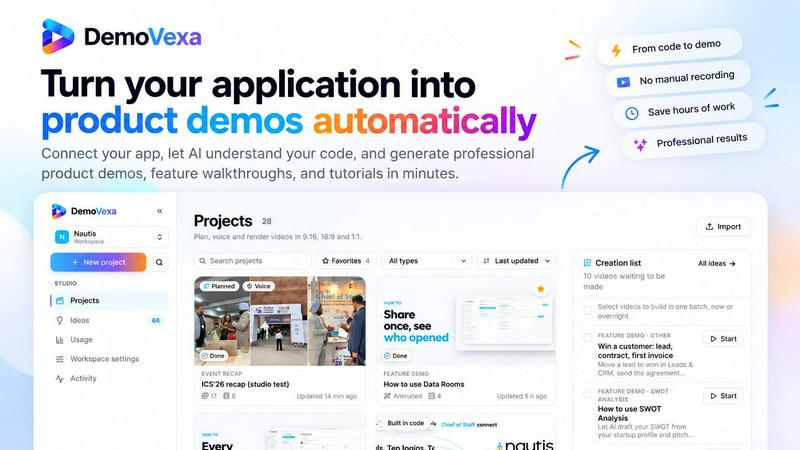
DemoVexa transforms product code into animated demos, with optional voiceover and exports for landscape, portrait, and square video.
About DemoVexa
DemoVexa gives software teams a code-based way to make product videos. It reads the application and supporting docs to understand the interface, then rebuilds screens as animated scenes. A team can provide a brief, review a scene-by-scene script, choose a narration option, and render a finished video without recording a live session.
This can be useful for teams that publish product explanations in several places. From one project, DemoVexa exports 16:9, 9:16, and square versions, and it can produce covers and tailored publishing copy. The project can also be copied into another language and revoiced with a compatible provider. As the software changes, users can rebuild from current code or ask for a focused revision.
The main operational trade-off is that DemoVexa’s output depends on connected AI tools for scripting and building, and compatible voice providers for narration. Those providers bill their own accounts. The desktop app is described as running on the user’s computer, while relevant code and documentation are sent to the chosen AI provider for processing. Teams should review both source access and provider setup before adopting the workflow.
Features
- Reconstructs product screens as animated interfaces from code
- Produces versions in landscape, portrait, and square formats
- Supports translated scripts and compatible voice choices
- Offers covers, publishing copy, and project export/import
Use cases
- Publish a product walkthrough across social channels
- Make tutorials and help-center explanations
- Produce localized product announcements
- Refresh videos after a software update
Pricing
A free plan includes 3 videos and 15 renders per month. Solo starts at $19 per month and Agency at $129 per month; annual and lifetime options are also listed.
Frequently asked questions
Does DemoVexa work with a product’s existing brand?
It can apply a workspace brand kit containing the logo, colours, fonts, and call to action.
Does it support translation?
Yes. The evidence describes translating scripts and on-screen text, choosing a compatible voice, and retiming scenes.
Where is code processed?
DemoVexa says it runs on the user’s computer and does not upload code to its own servers; relevant material is sent to the selected AI provider for writing and building.
Similar AI tools
Compare alternatives
FoxyLab
FoxyLab helps small marketing teams create product videos and banners from chat prompts, with a weekly usage allowance.

Goshortsai
Goshortsai makes short AI videos from text or images, with motion transfer, preset effects, and daily free credits for experimentation.

LobbyClip
Make Hotel Lobby style duo videos from two photos, with scene choices, flexible formats and one-time credit purchases.

VidSyndicate
VidSyndicate helps creators prepare, schedule, and publish platform-specific content across connected social channels from one AI-assisted workspace.

Vidyst Studio

Bicep Heart
Make a seven-second bicep-heart clip from an adult photo, then download a silent vertical MP4 to share with your own sound.

VD6S.online
Extract audio or save a public YouTube video as MP4 in available resolutions with a free browser tool that needs no account.
