
Quickfix AI vs Receipt Generator
Side-by-side comparison to help you choose the right AI tool.

Quickfix AI
Quickfix AI instantly diagnoses system issues and boosts productivity with clear, AI-powered insights.
Last updated: February 28, 2026

Receipt Generator
Create customized, realistic receipts in seconds with 400+ templates for business, creative, and personal use—all for free.
Last updated: April 4, 2026
Visual Comparison
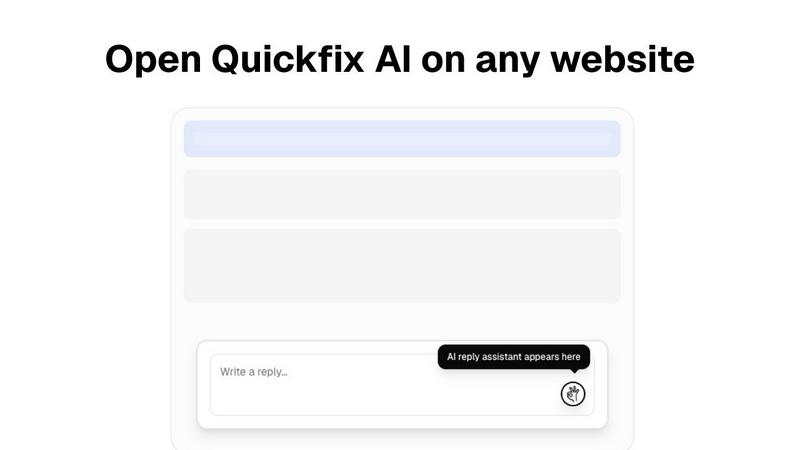
Quickfix AI
Receipt Generator

Feature Comparison
Quickfix AI
Comprehensive One-Click System Scan
Quickfix AI performs a full, non-intrusive diagnostic scan of your system in under 60 seconds. It aggregates and analyzes data across all critical subsystems including real-time CPU load, memory pressure, GPU utilization, disk health and capacity, battery degradation cycles, network upload/download speeds, and core security statuses like firewall and encryption. This provides a holistic, real-time snapshot of device health from a single action.
AI-Powered Analysis & Plain-English Explanations
The platform's integrated AI assistant reads the full diagnostic report and allows users to ask questions about their system in natural language. It delivers clear, concise explanations of technical metrics and provides tailored, actionable recommendations. This feature democratizes system understanding, enabling all employees to participate in maintenance without requiring deep technical expertise.
Secure Remote Diagnostics via Sharing Code
IT support teams can initiate diagnostics on any remote or employee-owned device without physical access. By generating a secure, one-time sharing code, a technician can send a scan link to an end-user. Once the user runs the scan, the results are instantly available to the technician via the code, streamlining remote troubleshooting and support workflows dramatically.
Performance & Health Dashboards
Quickfix AI presents all diagnostic data in a clear, visual dashboard with percentage-based metrics and status indicators. Users can instantly gauge system performance with at-a-glance views of CPU, Memory, and GPU usage, storage allocation, battery health ratings, and network connection stability. This enables proactive monitoring and data-driven decisions for hardware refreshes and upgrades.
Receipt Generator
Extensive Template Library
Receipt Generator boasts a vast collection of over 400 professionally designed templates tailored to specific stores and industries. This feature enables users to select the perfect template that aligns with their brand and business needs, saving time and effort in the receipt creation process.
Full Customization Options
Users can personalize every aspect of their receipts, including item descriptions, prices, tax calculations, payment methods, and more. This level of customization ensures that receipts are not only accurate but also reflect the unique aspects of the transaction, promoting authenticity and professionalism.
AI "Place in Scene" Feature
This innovative feature uses artificial intelligence to generate photorealistic images of receipts positioned on various surfaces, such as desks or wallets. This capability eliminates the need for printing and allows for visually appealing presentations in marketing materials, making it ideal for content creators and businesses needing visual documentation.
Instant Download Capability
Receipt Generator offers users the ability to download their completed receipts in high-resolution PNG or PDF formats instantly. This quick turnaround time enhances productivity, allowing users to focus on their core business activities without unnecessary delays.
Use Cases
Quickfix AI
Enterprise IT Support & Helpdesk
IT departments and MSPs use Quickfix AI to rapidly diagnose employee-reported issues remotely. The sharing code functionality allows technicians to gain immediate insight into any machine, reducing troubleshooting calls from hours to minutes. This leads to faster ticket resolution, lower operational costs, and improved employee satisfaction by minimizing downtime.
Proactive Device Lifecycle Management
Organizations leverage Quickfix AI to audit their entire hardware fleet's health and performance. By regularly scanning devices, IT managers can identify aging hardware, failing batteries, or storage constraints before they cause productivity loss. This data supports justified, budget-efficient refresh cycles and maximizes the return on investment from capital expenditures.
Security Posture Verification
Quickfix AI provides a quick audit of fundamental security settings on endpoints, such as firewall status and disk encryption. IT security teams can use it for compliance spot-checks and to ensure baseline security policies are active on all devices, especially remote ones, thereby mitigating potential vulnerabilities and reinforcing corporate security posture.
Technical Support for Non-Technical Staff
Employees experiencing system slowdowns or issues can run Quickfix AI themselves. By asking the AI chat questions like "Why is my computer slow?", they receive specific, understandable answers (e.g., "Chrome is using 45% of your CPU") and direct steps to resolve the issue. This empowers employees and defers simple issues away from the helpdesk.
Receipt Generator
Freelance Invoicing
Freelancers can utilize Receipt Generator to create professional invoices resembling receipts, helping them streamline their billing process while maintaining a polished appearance for their clients.
Expense Reporting
Small business owners can generate detailed receipts for expenses incurred during business operations. This feature aids in expense tracking and supports the accurate filing of tax returns, ensuring compliance with financial regulations.
Content Creation
Content creators can leverage the AI "Place in Scene" feature to produce realistic images of receipts that enhance their visual storytelling. These receipts can be integrated into blogs, social media posts, or marketing materials to add authenticity and detail.
Inventory Documentation
Retailers and resellers can use Receipt Generator to document inventory transactions by creating receipts for products sold. This process simplifies inventory management and provides clear records for auditing purposes.
Overview
About Quickfix AI
Quickfix AI is an enterprise-grade, AI-powered system diagnostics platform engineered to deliver immediate clarity on device performance, health, and security. It transforms complex technical data into actionable business intelligence, enabling organizations to preemptively address IT issues, optimize hardware investments, and maximize workforce productivity. The tool conducts a comprehensive scan in under a minute, analyzing critical components including CPU, memory, storage, battery, network, and security posture. Its core value proposition lies in translating this diagnostics report into plain-English insights and specific recommendations via an integrated AI chat, eliminating the need for specialized technical knowledge. Designed for IT support teams, managed service providers, and performance-conscious enterprises, Quickfix AI reduces mean time to resolution (MTTR), lowers support ticket volume, and provides a clear ROI by extending device lifespans and ensuring optimal employee efficiency.
About Receipt Generator
Receipt Generator is a premier online tool designed for the effortless creation of customized receipts, catering to various business, creative, and personal needs. With an extensive library of over 400 store-specific templates, users can quickly generate receipts for popular retailers such as Walmart, Target, Starbucks, CVS, and many more. The platform allows complete customization of receipt details, including item descriptions, prices, dates, and payment methods, ensuring that every receipt meets specific requirements. No account setup is necessary, making it accessible for small business owners, freelancers, content creators, and resellers globally. The standout feature, the AI "Place in Scene," allows users to generate photorealistic images of their receipts on various surfaces without needing a printer. This feature is particularly beneficial for content creators, enhancing visual projects and inventory documentation. With lightning-fast performance and instant downloads, Receipt Generator is an essential tool for anyone needing professional-looking receipts quickly and efficiently.
Frequently Asked Questions
Quickfix AI FAQ
Is my data secure with Quickfix AI?
Yes. Quickfix AI is built with enterprise-grade security and privacy. The diagnostic scan runs locally on your device, and the report is processed securely. When using a sharing code, data is transmitted with encryption. We do not sell your personal data. Detailed information is available in our Privacy Policy and Data Processing Agreement (DPA).
Do I need technical knowledge to use Quickfix AI?
No technical knowledge is required. Quickfix AI is designed for users of all skill levels. The comprehensive dashboard presents data visually, and the integrated AI assistant explains findings and recommendations in plain, easy-to-understand English, allowing anyone to understand their system's status and necessary actions.
What platforms are supported by Quickfix AI?
Quickfix AI currently offers native applications for both Windows and macOS operating systems. This covers the vast majority of enterprise and personal computing environments, ensuring consistent diagnostic capabilities across your organization's primary hardware platforms.
How does the sharing code work for remote support?
The sharing code enables secure remote diagnostics. A support technician generates a unique code within their Quickfix AI dashboard and shares the download link with the end-user. The user downloads the agent, runs the scan, and enters the code. The results are then instantly and securely visible in the technician's dashboard, facilitating remote troubleshooting without complex configuration.
Receipt Generator FAQ
How many templates does Receipt Generator offer?
Receipt Generator provides over 400 templates covering various stores and industries, ensuring users can find the right fit for their specific needs.
Is an account required to use Receipt Generator?
No account is required to start using Receipt Generator. Users can create and download receipts instantly without signing up, making it convenient and accessible.
Can I customize the receipts I create?
Absolutely. Receipt Generator allows users to customize every detail of their receipts, including items, prices, payment methods, and even design elements like fonts and colors.
What formats can I download my receipts in?
Users can download their receipts in high-resolution PNG or PDF formats, providing flexibility depending on their needs, whether for digital use or printing.
Alternatives
Quickfix AI Alternatives
Quickfix AI is a browser extension in the productivity and management category, designed to generate AI-driven replies and diagnostics across websites. It streamlines communication by providing instant, context-aware responses on platforms like Gmail, LinkedIn, and customer support tools. Users may explore alternatives for various strategic reasons. Common drivers include budget constraints, the need for different feature sets like advanced analytics or team collaboration, or specific platform compatibility requirements beyond a browser extension. Enterprise teams often seek solutions that integrate more deeply with their existing tech stack. When evaluating an alternative, key considerations should include the total cost of ownership, the accuracy and contextual intelligence of the AI, security and data privacy protocols, and the breadth of platform integration. The goal is to select a tool that maximizes team productivity and delivers a measurable return on investment through time savings and improved response quality.
Receipt Generator Alternatives
Receipt Generator is a leading online tool in the productivity and management category, designed to create custom receipts effortlessly. With an extensive library of over 400 store-specific templates, users can easily customize details to suit their needs. However, individuals often seek alternatives for a variety of reasons, including pricing structures, specific feature sets, or compatibility with their preferred platforms. When evaluating alternatives, it’s essential to consider factors such as usability, customization options, performance speed, and any additional features that enhance the overall user experience. Assessing these elements will help users find a tool that aligns closely with their requirements and enhances their productivity.