
LuxSign vs Quickfix AI
Side-by-side comparison to help you choose the right AI tool.

LuxSign enables fast, secure electronic signatures for documents, ensuring compliance and efficiency across the EU.
Last updated: February 26, 2026

Quickfix AI
Quickfix AI instantly diagnoses system issues and boosts productivity with clear, AI-powered insights.
Last updated: February 28, 2026
Visual Comparison
LuxSign

Quickfix AI
Feature Comparison
LuxSign
Multiple Signature Methods
LuxSign provides various methods for signing documents, allowing users to draw their signature, type their name, or upload an image. This flexibility ensures a user-friendly experience and quick document signing, catering to diverse preferences.
Advanced Security
The platform employs industry-standard encryption protocols to protect documents during upload, storage, and transmission. Coupled with secure storage in EU data centers, LuxSign guarantees that sensitive information remains safeguarded against unauthorized access.
Complete Audit Trail
LuxSign offers detailed audit trails that log every action taken within the platform. These logs include timestamps, IP addresses, and signer information, ensuring compliance and providing transparency for all document-related activities.
Collaboration Workspaces
Teams can create shared workspaces within LuxSign, allowing for organized document management. Members can collaborate seamlessly on signing workflows, manage access permissions, and store documents in structured folders, fostering teamwork and efficiency.
Quickfix AI
Comprehensive One-Click System Scan
Quickfix AI performs a full, non-intrusive diagnostic scan of your system in under 60 seconds. It aggregates and analyzes data across all critical subsystems including real-time CPU load, memory pressure, GPU utilization, disk health and capacity, battery degradation cycles, network upload/download speeds, and core security statuses like firewall and encryption. This provides a holistic, real-time snapshot of device health from a single action.
AI-Powered Analysis & Plain-English Explanations
The platform's integrated AI assistant reads the full diagnostic report and allows users to ask questions about their system in natural language. It delivers clear, concise explanations of technical metrics and provides tailored, actionable recommendations. This feature democratizes system understanding, enabling all employees to participate in maintenance without requiring deep technical expertise.
Secure Remote Diagnostics via Sharing Code
IT support teams can initiate diagnostics on any remote or employee-owned device without physical access. By generating a secure, one-time sharing code, a technician can send a scan link to an end-user. Once the user runs the scan, the results are instantly available to the technician via the code, streamlining remote troubleshooting and support workflows dramatically.
Performance & Health Dashboards
Quickfix AI presents all diagnostic data in a clear, visual dashboard with percentage-based metrics and status indicators. Users can instantly gauge system performance with at-a-glance views of CPU, Memory, and GPU usage, storage allocation, battery health ratings, and network connection stability. This enables proactive monitoring and data-driven decisions for hardware refreshes and upgrades.
Use Cases
LuxSign
Streamlining Contract Signing
Businesses can utilize LuxSign to expedite the contract signing process. By allowing multiple signers to access documents simultaneously, organizations can significantly reduce turnaround times, enabling faster decision-making and project initiation.
Enhancing Compliance in Legal Transactions
LuxSign's compliance with eIDAS SES standards makes it an ideal solution for legal firms that require secure and legally binding signatures on documents. This enhances the legitimacy of transactions and minimizes the risk of legal disputes.
Facilitating Remote Work
As remote work becomes increasingly prevalent, LuxSign provides an efficient solution for teams spread across different locations. Employees can sign documents from anywhere, ensuring business continuity and operational efficiency without the need for physical presence.
Improving Document Management for HR
Human resource departments can leverage LuxSign for managing employee contracts, onboarding documents, and policy agreements. The platform simplifies the signing process, reduces paperwork, and ensures all documents are securely stored and easily retrievable.
Quickfix AI
Enterprise IT Support & Helpdesk
IT departments and MSPs use Quickfix AI to rapidly diagnose employee-reported issues remotely. The sharing code functionality allows technicians to gain immediate insight into any machine, reducing troubleshooting calls from hours to minutes. This leads to faster ticket resolution, lower operational costs, and improved employee satisfaction by minimizing downtime.
Proactive Device Lifecycle Management
Organizations leverage Quickfix AI to audit their entire hardware fleet's health and performance. By regularly scanning devices, IT managers can identify aging hardware, failing batteries, or storage constraints before they cause productivity loss. This data supports justified, budget-efficient refresh cycles and maximizes the return on investment from capital expenditures.
Security Posture Verification
Quickfix AI provides a quick audit of fundamental security settings on endpoints, such as firewall status and disk encryption. IT security teams can use it for compliance spot-checks and to ensure baseline security policies are active on all devices, especially remote ones, thereby mitigating potential vulnerabilities and reinforcing corporate security posture.
Technical Support for Non-Technical Staff
Employees experiencing system slowdowns or issues can run Quickfix AI themselves. By asking the AI chat questions like "Why is my computer slow?", they receive specific, understandable answers (e.g., "Chrome is using 45% of your CPU") and direct steps to resolve the issue. This empowers employees and defers simple issues away from the helpdesk.
Overview
About LuxSign
LuxSign is a cutting-edge electronic signature platform designed for businesses that require stringent compliance and security in document management. Developed in Luxembourg, LuxSign offers a fully cloud-based solution that ensures all documents are encrypted end-to-end and stored exclusively within Luxembourg's secure data centers. This guarantees adherence to GDPR regulations, making LuxSign a reliable choice for organizations concerned about data protection. The platform is compliant with eIDAS SES standards, allowing for legally binding signatures on contracts across the European Union. With user-friendly features such as drag-and-drop signature field placement, automated notifications, and flexible signing workflows, LuxSign empowers businesses to streamline their document signing processes. It caters to various industries, enhancing productivity by reducing the time and effort required to obtain signatures.
About Quickfix AI
Quickfix AI is an enterprise-grade, AI-powered system diagnostics platform engineered to deliver immediate clarity on device performance, health, and security. It transforms complex technical data into actionable business intelligence, enabling organizations to preemptively address IT issues, optimize hardware investments, and maximize workforce productivity. The tool conducts a comprehensive scan in under a minute, analyzing critical components including CPU, memory, storage, battery, network, and security posture. Its core value proposition lies in translating this diagnostics report into plain-English insights and specific recommendations via an integrated AI chat, eliminating the need for specialized technical knowledge. Designed for IT support teams, managed service providers, and performance-conscious enterprises, Quickfix AI reduces mean time to resolution (MTTR), lowers support ticket volume, and provides a clear ROI by extending device lifespans and ensuring optimal employee efficiency.
Frequently Asked Questions
LuxSign FAQ
What types of documents can I sign with LuxSign?
You can sign a variety of document formats including PDF, DOC, and DOCX. LuxSign also supports automatic conversion for easy handling of different file types.
How does LuxSign ensure document security?
LuxSign employs end-to-end encryption, ensuring that all documents are secured during upload, storage, and transmission. Additionally, documents are stored on secure servers located in Luxembourg, complying with EU data protection regulations.
Can I track the signing progress of my documents?
Yes, LuxSign provides real-time tracking of document status. You will receive automatic email notifications when documents are sent, viewed, and signed, keeping you informed throughout the process.
Is LuxSign compliant with GDPR?
Absolutely. LuxSign is fully compliant with GDPR and Luxembourg data protection laws, ensuring that your documents and personal information are handled with the highest levels of privacy and security.
Quickfix AI FAQ
Is my data secure with Quickfix AI?
Yes. Quickfix AI is built with enterprise-grade security and privacy. The diagnostic scan runs locally on your device, and the report is processed securely. When using a sharing code, data is transmitted with encryption. We do not sell your personal data. Detailed information is available in our Privacy Policy and Data Processing Agreement (DPA).
Do I need technical knowledge to use Quickfix AI?
No technical knowledge is required. Quickfix AI is designed for users of all skill levels. The comprehensive dashboard presents data visually, and the integrated AI assistant explains findings and recommendations in plain, easy-to-understand English, allowing anyone to understand their system's status and necessary actions.
What platforms are supported by Quickfix AI?
Quickfix AI currently offers native applications for both Windows and macOS operating systems. This covers the vast majority of enterprise and personal computing environments, ensuring consistent diagnostic capabilities across your organization's primary hardware platforms.
How does the sharing code work for remote support?
The sharing code enables secure remote diagnostics. A support technician generates a unique code within their Quickfix AI dashboard and shares the download link with the end-user. The user downloads the agent, runs the scan, and enters the code. The results are then instantly and securely visible in the technician's dashboard, facilitating remote troubleshooting without complex configuration.
Alternatives
LuxSign Alternatives
LuxSign is a sophisticated electronic signature platform designed for businesses that demand stringent compliance and security. Built in Luxembourg, it adheres to eIDAS SES standards, ensuring that signatures are legally recognized across all EU member states. As a cloud-based solution, LuxSign emphasizes end-to-end encryption and GDPR compliance, making it a reliable choice for organizations handling sensitive documents. Users often seek alternatives to LuxSign for various reasons, including pricing constraints, specific feature requirements, or the need for integration with existing systems. When evaluating alternatives, it's crucial to consider factors such as compliance with legal standards, ease of use, scalability, and the ability to customize workflows and branding. These elements can significantly impact productivity and return on investment for businesses relying on electronic signature solutions.
Quickfix AI Alternatives
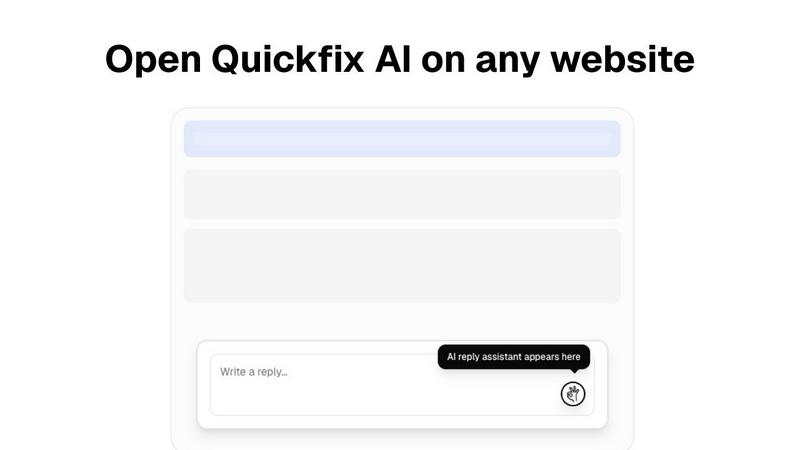
Quickfix AI is a browser extension in the productivity and management category, designed to generate AI-driven replies and diagnostics across websites. It streamlines communication by providing instant, context-aware responses on platforms like Gmail, LinkedIn, and customer support tools. Users may explore alternatives for various strategic reasons. Common drivers include budget constraints, the need for different feature sets like advanced analytics or team collaboration, or specific platform compatibility requirements beyond a browser extension. Enterprise teams often seek solutions that integrate more deeply with their existing tech stack. When evaluating an alternative, key considerations should include the total cost of ownership, the accuracy and contextual intelligence of the AI, security and data privacy protocols, and the breadth of platform integration. The goal is to select a tool that maximizes team productivity and delivers a measurable return on investment through time savings and improved response quality.