
LinkedInPro vs Proofapp
Side-by-side comparison to help you choose the right AI tool.
Effortlessly create professional LinkedIn headshots from casual photos in seconds, enhancing your online presence.
Last updated: February 28, 2026

Proofapp
Proofapp streamlines feedback by allowing visual comments directly on webpages, reducing revisions and enhancing.
Last updated: March 4, 2026
Visual Comparison
LinkedInPro
Proofapp

Feature Comparison
LinkedInPro
AI-Driven Image Enhancement
LinkedInPro utilizes cutting-edge AI algorithms to analyze uploaded photos, automatically enhancing them to meet professional standards. This feature ensures that every headshot produced is optimized for clarity, lighting, and overall aesthetic appeal, making it suitable for various professional contexts.
Customizable Backgrounds and Styles
Users can select from a wide range of backgrounds and styles, allowing them to tailor their headshot to reflect their unique professional identity. This feature empowers individuals to create a visual representation that resonates with their industry and personal brand, increasing the likelihood of making a positive impression.
Fast and User-Friendly Interface
The platform is designed with user experience in mind, featuring a straightforward interface that allows users to upload their photos quickly. With just a few clicks, individuals can transform their images into professional headshots, saving both time and effort while maximizing productivity.
High-Resolution Outputs
LinkedInPro ensures that all generated headshots are delivered in high resolution, making them suitable for various online platforms, including LinkedIn, personal websites, and digital portfolios. This feature guarantees that users present themselves in the best possible light, enhancing their credibility and professionalism in the digital realm.
Proofapp
Visual Commenting
With Proofapp's visual commenting feature, users can click anywhere on a screenshot to provide contextual feedback. This eliminates ambiguity associated with vague descriptions like "top left" or "under the nav," ensuring clarity in communication and reducing the number of revision rounds.
Multi-Breakpoint Testing
Proofapp automatically captures screenshots at multiple breakpoints, including desktop and mobile views. This enables users to review their designs comprehensively, ensuring that feedback is relevant and applicable across all devices.
Real-time Collaboration
The platform supports real-time collaboration, allowing team members to see comments as they are made. This feature facilitates immediate responses, resolutions, and tracking of progress, making it easier to keep all stakeholders aligned.
Secure Share Links
To maintain privacy and security, Proofapp allows users to generate secure, expirable links for sharing projects with clients. This feature ensures that only authorized individuals can view and comment on the designs, adding an extra layer of security to your workflow.
Use Cases
LinkedInPro
Job Seekers
Job seekers can leverage LinkedInPro to create a striking headshot that enhances their LinkedIn profiles, increasing their visibility to potential employers. A professional image can significantly improve the chances of attracting attention in a crowded job market.
Entrepreneurs
Entrepreneurs looking to establish a strong personal brand can use LinkedInPro to generate professional headshots that reflect their business ethos. A polished image can help convey trust and competence to clients, partners, and investors, facilitating business growth.
Professionals in Transition
Individuals transitioning between jobs or career paths can benefit from LinkedInPro by updating their headshots to align with their new professional identities. This is crucial for making a strong first impression in networking events and interviews.
Online Networking
In an era where digital networking is paramount, professionals can utilize LinkedInPro to ensure their online profiles are represented accurately and attractively. A high-quality headshot can enhance engagement and foster connections in professional communities.
Proofapp
Freelancers
Freelancers can utilize Proofapp to streamline their client feedback process, making it easy to gather precise input on design elements. By visualizing feedback, freelancers save hours on revisions and enhance their professionalism.
Small Development Teams
Small dev teams can leverage Proofapp to improve client approval processes without incurring the overhead costs typically associated with enterprise tools. The platform simplifies communication, allowing teams to focus on delivering quality work efficiently.
Design Teams
Design teams can benefit from Proofapp's visual feedback capabilities by receiving targeted comments directly on their designs. This helps reduce miscommunication and fosters a more efficient design iteration process, leading to faster project completions.
Marketing Teams
Marketing teams can use Proofapp to review landing pages and digital campaigns collaboratively. The platform allows for immediate visual feedback, enabling teams to make quick adjustments and optimize performance effectively.
Overview
About LinkedInPro
LinkedInPro is an advanced AI-driven platform that revolutionizes the creation of professional headshots, enabling users to transform everyday photos into high-quality images in just seconds. This innovative tool is specifically designed for job seekers, entrepreneurs, and professionals who wish to enhance their LinkedIn profiles and overall online presence without incurring the costs associated with hiring a professional photographer. The primary value proposition of LinkedInPro lies in its ability to deliver authentic, polished images while preserving the natural features of the individual. Users can choose from a variety of styles, backgrounds, and attire options to ensure their headshot aligns with their professional persona. In today's digital networking landscape, where first impressions matter, LinkedInPro makes it accessible, efficient, and affordable for individuals to invest in a compelling headshot that stands out in a competitive job market.
About Proofapp
Proofapp is a cutting-edge visual feedback and website review platform designed to enhance collaboration between designers, developers, and their clients. By addressing the common pain points of miscommunication and scattered feedback, Proofapp streamlines the review process for any website by automatically capturing screenshots of both desktop and mobile versions. Users can efficiently pin comments directly onto the design elements, engage in threaded discussions, attach relevant files, and resolve feedback—all without the need for an account. This platform is particularly beneficial for freelancers and agencies managing multiple projects, providing an organized and visual approach to feedback that eliminates the confusion of traditional email threads. With features such as real-time notifications, Slack integration, customizable accent colors, and a generous free tier, Proofapp is an indispensable tool for anyone looking to optimize their design and review workflows.
Frequently Asked Questions
LinkedInPro FAQ
What type of photos should I upload for the best results?
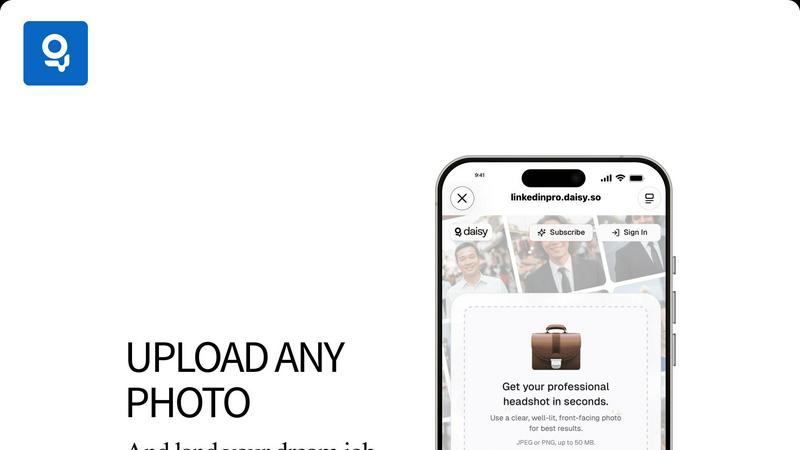
For optimal results, it is recommended to upload a clear, well-lit, front-facing photo. This will enable LinkedInPro to analyze and enhance your image effectively, producing a professional headshot that meets your needs.
What file formats are supported for uploads?
LinkedInPro supports JPEG and PNG file formats for photo uploads, with a size limit of up to 50 MB. This ensures that users can easily upload their images without compatibility issues.
Can I customize my headshot after it is generated?
Yes, LinkedInPro offers various customization options for backgrounds, styles, and attire, allowing you to tailor your headshot to reflect your professional persona. This customization is an essential aspect of creating a unique and impactful image.
Is my data safe when using LinkedInPro?
LinkedInPro prioritizes user privacy and data security. The platform adheres to strict security protocols and has a comprehensive privacy policy in place to protect user information during the upload and processing of photos.
Proofapp FAQ
What types of projects can I use Proofapp for?
Proofapp is versatile and can be used for any web-based project, including websites, landing pages, and web applications. Its visual feedback capabilities make it suitable for all design and development teams.
Do clients need an account to leave feedback?
No, clients can leave feedback without needing an account. They can access projects via secure links generated by Proofapp, making it easy for anyone to provide input.
How does Proofapp handle security?
Proofapp prioritizes security with features such as role-based permissions, secure share links, and audit logs. This ensures that sensitive data is managed carefully and only accessed by authorized users.
Can I integrate Proofapp with other tools?
Yes, Proofapp offers integration with Slack, allowing users to receive real-time notifications and updates within their preferred communication channels, enhancing team collaboration.
Alternatives
LinkedInPro Alternatives
LinkedInPro is an innovative AI-powered tool designed to convert everyday photos into professional headshots, specifically catering to job seekers, entrepreneurs, and professionals who seek to enhance their online presence. This service falls under the productivity and management category, focusing on improving one's visual representation on platforms like LinkedIn. Users often explore alternatives to LinkedInPro for various reasons, including pricing, desired features, and specific platform requirements. When choosing an alternative, it's essential to consider factors such as ease of use, the quality of output, available styles, and whether the service aligns with individual branding needs. An effective alternative should not only meet budget constraints but also deliver authentic, high-quality results that resonate with the target audience.
Proofapp Alternatives
Proofapp is a visual feedback and website review platform tailored for designers, developers, and their clients. It streamlines collaboration by allowing users to upload any website URL, automatically capturing screenshots for efficient feedback. Users can pin comments on designs, engage in threaded discussions, attach files, and resolve feedback, all while avoiding the hassle of account creation. Commonly, users seek alternatives to Proofapp due to varying reasons such as pricing structures, feature sets, or specific platform compatibility that better suits their workflow. When evaluating alternatives, it's crucial to consider factors like the ease of use, integration capabilities with existing tools, and the overall impact on productivity and collaboration efficiency. A well-rounded alternative should enhance the feedback process while addressing any unique needs your team may have.