
Image3D AI vs SimpleDraw
Side-by-side comparison to help you choose the right AI tool.

Image3D AI
Image3D AI instantly converts 2D images into production-ready 3D models, accelerating asset creation for enterprise.
Last updated: March 1, 2026

SimpleDraw
SimpleDraw is a free browser based tool that creates precise floor plans and scale drawings to streamline project.
Last updated: March 1, 2026
Visual Comparison
Image3D AI
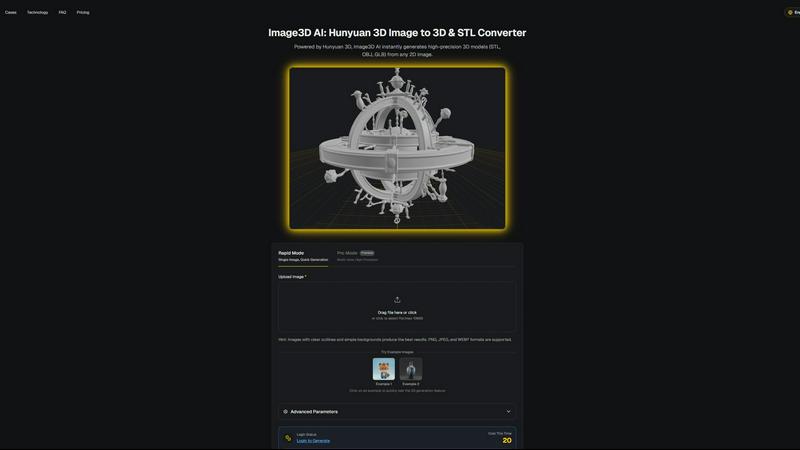
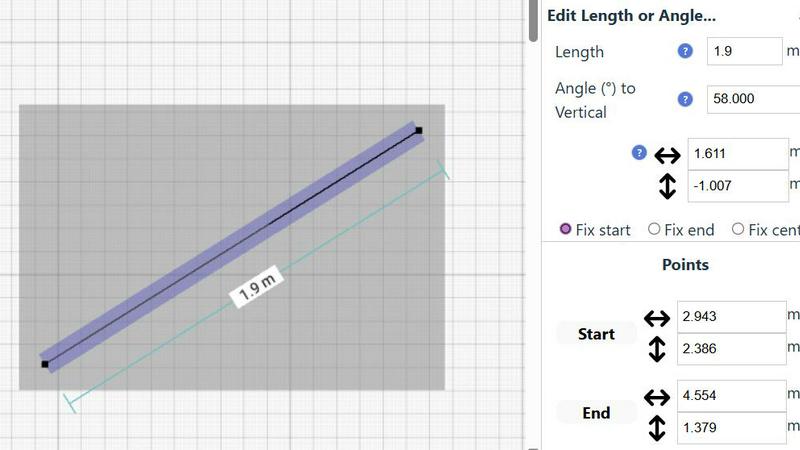
SimpleDraw
Feature Comparison
Image3D AI
Hunyuan 3D-Powered Engine
At its core, Image3D AI is powered by Tencent's proprietary Hunyuan 3D engine, a cutting-edge AI technology designed for high-precision 3D reconstruction. This engine performs sophisticated inference from 2D data, enabling the generation of detailed geometry and textures without requiring complex manual modeling. It ensures professional-grade output suitable for demanding applications like 3D printing and game asset development, setting it apart from basic conversion tools.
Dual Generation Modes (Rapid & Pro)
The platform offers two distinct operational modes to match project requirements and resource constraints. Rapid Mode allows for quick generation from a single image, ideal for initial concepts or assets with less geometric complexity. Pro Mode utilizes multi-view images to perform a physically accurate reconstruction, delivering superior precision and detail for complex objects like real-world products, maximizing the quality of the final 3D model.
Multi-Format Export for Professional Workflows
Image3D AI seamlessly integrates into existing professional pipelines by exporting models in industry-standard formats. Users can download assets as STL files for immediate 3D printing, OBJ files for further editing in software like Maya or Blender, or GLB files for web, AR, and real-time applications. This flexibility ensures the generated assets are immediately usable, eliminating post-conversion format barriers.
Optimized Input Guidance & Best Practices
To guarantee optimal results and user success, the platform provides clear, actionable guidance. This includes recommendations for source image selection (high-contrast, clear outlines), explanations of different generation modes, and a comprehensive best practices guide. This proactive support minimizes trial and error, ensuring users achieve high-quality conversions efficiently, which is critical for business productivity.
SimpleDraw
Specialized Floor Plan Creator
This dedicated mode is optimized for architectural drafting, allowing users to construct detailed floor plans with single-click placement of walls, doors, and windows. It includes a comprehensive library of standardized interior fixtures for kitchens, bathrooms, and living spaces. Real-time measurement display during adjustments ensures every element is placed to exact specifications, enabling the creation of professional-grade plans for renovations, space planning, and property listings without any CAD expertise required.
Smart Alignment & Precision Control
The integrated Smart Alignment System assists users in placing points and lines with exactitude by providing clear visual cues and snapping to intended points. Precision adapts dynamically based on zoom level, and users can lock movements to vertical or horizontal axes using keyboard shortcuts. This feature drastically reduces manual adjustment time and eliminates measurement errors, ensuring technical drawings are accurate and aligned to professional standards from the outset.
Non-Destructive Editing & Complete Control
Every element within a SimpleDraw project remains fully editable at any stage, providing 100% non-destructive workflow. Users can leverage unlimited undo/redo functions, group and manipulate multiple objects simultaneously, and input precise dimensions, lengths, and angles directly via keyboard. This level of control streamlines iterative design processes, such as optimizing kitchen layouts or office plans, allowing for rapid experimentation and refinement without starting over.
Comprehensive Measurement System
The platform supports a robust and flexible measurement framework, allowing users to toggle displayed measurements and switch seamlessly between metric and standard US (feet/inches) units. Contextual measurements update dynamically as users draw, providing immediate feedback. This system ensures all drawings are created to a consistent, accurate scale, which is critical for generating reliable quotes, ordering materials, and communicating clear specifications to stakeholders and contractors.
Use Cases
Image3D AI
E-commerce & Product Visualization
Online retailers and brands can instantly convert 2D product photos into interactive 3D models. These models can be used for AR previews, 360-degree viewers, or online 3D showcases, significantly enhancing customer engagement, reducing return rates by providing accurate product representation, and driving sales conversions in a competitive digital marketplace.
Game Development & Interactive Media
Game studios and indie developers can rapidly prototype and generate game-ready 3D assets directly from concept art, sketches, or reference images. The support for PBR materials and standard export formats allows for direct import into engines like Unity or Unreal Engine, dramatically accelerating the asset creation pipeline and reducing dependency on specialized 3D modelers.
3D Printing & Rapid Prototyping
For engineers, product designers, and 3D printing enthusiasts, Image3D AI acts as a powerful image-to-STL converter. It transforms logos, sketches, or photographs of objects into high-precision, watertight mesh files ready for slicing and printing. This streamlines the process of creating physical prototypes, custom parts, and artistic pieces from digital inspiration.
Architectural Visualization & Design
Architects and interior designers can quickly generate basic 3D forms of buildings, furniture, or design elements from sketches or reference images. While not a replacement for detailed CAD work, it provides a rapid starting point for conceptual models, client presentations, and spatial studies, saving valuable time in the early design phases.
SimpleDraw
Home Renovation & Contractor Planning
Contractors and renovation specialists use SimpleDraw to create precise floor plans and elevations for client projects. By visualizing kitchen and bathroom layouts with accurate measurements before demolition begins, professionals can identify potential issues, provide accurate material estimates, and set clear client expectations, thereby reducing costly change orders and improving project profitability and client satisfaction.
Real Estate & Property Management
Real estate agents and property managers utilize the tool to generate accurate floor plans for rental listings and property portfolios. These scale drawings provide prospective tenants and buyers with a reliable sense of space and layout, enhancing listing quality. This leads to more qualified inquiries, reduced vacancy rates, and more efficient space planning for multi-unit buildings.
Facility Management & Office Design
Facility managers and office planners employ SimpleDraw to design efficient workspace layouts, plan departmental moves, and manage office assets. The ability to experiment with furniture placement and workstation configurations in a scaled environment ensures optimal use of space, improves employee workflow, and supports data-driven decisions for capital planning and interior fit-outs.
Retail & Commercial Space Planning
Retail managers and small business owners leverage the platform to plan store layouts, product placement, and customer flow. Creating a scaled drawing of the commercial space allows for the strategic positioning of fixtures, shelves, and checkout areas to maximize sales floor efficiency and enhance the customer experience before physically rearranging the store, minimizing operational downtime.
Overview
About Image3D AI
Image3D AI is a professional-grade, AI-powered platform that transforms 2D images into production-ready 3D assets within seconds. It directly addresses the significant time and resource investment traditionally required for 3D modeling, offering a strategic solution for businesses and professionals seeking to accelerate digital content creation. By leveraging Tencent's advanced Hunyuan 3D engine, the platform enables users of any skill level to generate high-fidelity 3D models from a single photo or a series of multi-view images. This eliminates the steep learning curve and expensive licensing associated with conventional 3D software like Blender or Maya. The core value proposition lies in its ability to streamline workflows, drastically reduce project timelines from hours to minutes, and unlock new creative and commercial opportunities. Image3D AI is engineered for a diverse enterprise audience, including game developers, e-commerce platforms, 3D printing services, and architectural visualization firms, providing them with a tangible ROI through enhanced productivity and the rapid conversion of visual concepts into tangible, usable 3D assets in formats like STL, OBJ, and GLB.
About SimpleDraw
SimpleDraw is an enterprise-grade, browser-based platform engineered to transform the creation of precise scale drawings from a complex, specialized task into a streamlined, universally accessible business process. It serves as a powerful yet intuitive alternative to traditional CAD software, eliminating the steep learning curve and high licensing costs. The platform is designed for a broad professional audience, including facility managers, real estate professionals, interior designers, renovation contractors, and DIY project leads who require accurate spatial planning without the overhead of professional architectural software. Its core value proposition lies in maximizing productivity and return on investment by delivering professional-grade precision through a zero-friction, no-cost entry point. Requiring no software installation, user login, or registration, SimpleDrive enables immediate deployment across teams, ensuring projects can commence without delay. By combining a specialized Floor Plan Mode, a Smart Alignment System, and non-destructive editing with a community-driven development roadmap, SimpleDraw provides a scalable tool that enhances planning accuracy, reduces material and labor waste, and accelerates project timelines from initial concept to final execution.
Frequently Asked Questions
Image3D AI FAQ
What image formats are supported for upload?
Image3D AI supports common web image formats including PNG, JPEG, and WEBP. For the best AI processing results, ensure your uploaded file is clear, has a high resolution, and is under the maximum file size limit of 10MB. Images with strong contrast and simple backgrounds typically yield the highest quality 3D conversions.
What is the difference between Rapid Mode and Pro Mode?
Rapid Mode is designed for speed and convenience, generating a 3D model from a single uploaded image in approximately 60 seconds. Pro Mode is for high-precision requirements; it uses multiple images of an object from different angles (multi-view) to create a more accurate and detailed 3D reconstruction, which is essential for complex or symmetrical objects.
Which 3D file format should I download for my project?
The optimal format depends on your intended use. Choose .STL for 3D printing, as it is the standard format for slicer software. Select .OBJ if you plan to edit the model further in traditional 3D software applications. Use .GLB for web, mobile, or augmented reality (AR) applications, as it is a compact, modern format containing both model and texture data.
Do I need any prior 3D modeling experience to use this tool?
No, one of the primary advantages of Image3D AI is that it requires no prior 3D modeling skills. The platform is built to be intuitive and accessible. The AI handles the complex reconstruction process, allowing anyone from entrepreneurs to marketing professionals to generate 3D assets by simply uploading an image and selecting their desired output parameters.
SimpleDraw FAQ
Is SimpleDraw truly free to use for commercial purposes?
Yes, SimpleDraw is completely free to use for both personal and commercial projects. There is no tiered pricing, subscription fee, or hidden cost. The platform operates on a community-driven model and is accessible directly through a web browser with no login or registration required, making it a cost-effective solution for businesses of all sizes to integrate into their planning workflows.
What file formats can I export my drawings in?
While the provided context does not specify export formats, the platform's focus on browser-based operation and community-driven development suggests that core functionality prioritizes creation and editing within the tool. For sharing, users can typically utilize browser functions to print or save drawings as PDFs or image files. For specific vector export capabilities, users are encouraged to join the Discord community to request or stay updated on future feature developments.
How does SimpleDraw ensure the accuracy of scale drawings?
Accuracy is ensured through a combination of the Smart Alignment System, which provides precise snapping and alignment cues, and the Comprehensive Measurement System, which allows for direct numerical input of dimensions. Drawings are built to a user-defined scale, and all measurements are displayed and calculated within that scale, providing the same foundational precision as professional tools for reliable planning and execution.
Can multiple team members collaborate on the same drawing?
The current implementation of SimpleDraw, as described, is a browser-based tool that does not require an account, which typically indicates that real-time multi-user collaboration on a single document is not a native feature. Drawings are likely saved locally to the user's device. For team collaboration, drawings can be shared as exported files. The community-driven roadmap may include collaborative features based on user feedback from the Discord community.
Alternatives
Image3D AI Alternatives
Image3D AI is a professional-grade AI-powered 3D modeling tool within the Design Tools category. It specializes in converting 2D images into high-fidelity, production-ready 3D models, significantly accelerating workflows for 3D printing, game development, and digital content creation. Businesses and professionals often evaluate alternatives to optimize their technology stack. Common drivers include budget constraints, specific feature requirements not covered by a single platform, or the need for integration with existing enterprise software ecosystems. A thorough assessment of total cost of ownership, output quality, and scalability is crucial. When selecting an alternative solution, key considerations should include the accuracy and quality of the generated 3D geometry, the range of supported export formats for downstream use, and the tool's ability to handle complex textures and materials. The ideal platform should demonstrably reduce project timelines and lower the skill barrier for creating viable 3D assets, delivering a clear return on investment.
SimpleDraw Alternatives
SimpleDraw is a free, web-based application for creating precise scale drawings and floor plans, falling under the category of design tools. It is engineered for accessibility and productivity, requiring no installation or registration, which makes it a valuable asset for both individual projects and business workflows. Users may evaluate alternatives to SimpleDraw for several strategic reasons. These include the need for advanced, industry-specific features, integration with other enterprise software ecosystems, or different commercial licensing models. The decision often hinges on aligning tool capabilities with specific project complexity, team collaboration requirements, and long-term operational budgets. When selecting an alternative solution, key considerations should include the total cost of ownership, the tool's ability to enhance team productivity and reduce project timelines, and its scalability. Evaluating the precision of measurement systems, data security protocols, and the potential for a strong return on investment through streamlined design processes is crucial for business adoption.