
FilexHost vs Quickfix AI
Side-by-side comparison to help you choose the right AI tool.

FilexHost
Effortlessly host and share any file with a secure, shareable link in seconds using FilexHost's intuitive drag-and-drop.
Last updated: February 26, 2026

Quickfix AI
Quickfix AI instantly diagnoses system issues and boosts productivity with clear, AI-powered insights.
Last updated: February 28, 2026
Visual Comparison
FilexHost

Quickfix AI
Feature Comparison
FilexHost
Instant Subdomains
FilexHost provides instant subdomains (your-file.filex.host) with zero setup required, allowing users to share files quickly and effortlessly. This feature streamlines the sharing process, ensuring that files are accessible via unique, clean URLs without additional configuration.
Free SSL Encryption
Security is paramount at FilexHost, which is why every hosted link comes with free SSL encryption. This ensures that all file transfers are secure, protecting sensitive information from unauthorized access and providing peace of mind for users sharing confidential data.
Smart View Modes
The platform offers smart view modes that allow users to choose between direct rendering of files or a download page. This flexibility ensures that recipients can view documents, spreadsheets, and media in the most suitable format for their needs, enhancing overall usability.
Optional Password Protection
FilexHost includes optional password protection and expiry settings, giving users control over file access. Users can set links to expire anywhere from 24 hours to indefinitely, ensuring that files remain secure and accessible only to intended recipients.
Quickfix AI
Comprehensive One-Click System Scan
Quickfix AI performs a full, non-intrusive diagnostic scan of your system in under 60 seconds. It aggregates and analyzes data across all critical subsystems including real-time CPU load, memory pressure, GPU utilization, disk health and capacity, battery degradation cycles, network upload/download speeds, and core security statuses like firewall and encryption. This provides a holistic, real-time snapshot of device health from a single action.
AI-Powered Analysis & Plain-English Explanations
The platform's integrated AI assistant reads the full diagnostic report and allows users to ask questions about their system in natural language. It delivers clear, concise explanations of technical metrics and provides tailored, actionable recommendations. This feature democratizes system understanding, enabling all employees to participate in maintenance without requiring deep technical expertise.
Secure Remote Diagnostics via Sharing Code
IT support teams can initiate diagnostics on any remote or employee-owned device without physical access. By generating a secure, one-time sharing code, a technician can send a scan link to an end-user. Once the user runs the scan, the results are instantly available to the technician via the code, streamlining remote troubleshooting and support workflows dramatically.
Performance & Health Dashboards
Quickfix AI presents all diagnostic data in a clear, visual dashboard with percentage-based metrics and status indicators. Users can instantly gauge system performance with at-a-glance views of CPU, Memory, and GPU usage, storage allocation, battery health ratings, and network connection stability. This enables proactive monitoring and data-driven decisions for hardware refreshes and upgrades.
Use Cases
FilexHost
Professional Reports Sharing
Professionals can utilize FilexHost to easily share client reports and presentations without the hassle of email attachments. The platform’s quick sharing capabilities ensure that stakeholders receive important documents promptly, enhancing collaboration and productivity.
Developer Hosting Solutions
Developers can host landing pages, mock APIs, and other web projects effortlessly. With the ability to drag and drop website files, they can create a live demo environment in seconds, facilitating better client presentations and testing.
Digital Product Distribution
Creators and artists can distribute digital products—such as eBooks, music, or software—using FilexHost. The platform's ease of use and secure sharing options allow them to focus on their craft while ensuring their work reaches audiences without barriers.
Frictionless File Transfers
Any individual needing to share large files quickly and efficiently can benefit from FilexHost. The absence of "request access" emails and attachment limits means users can send files with minimal friction, improving communication and workflow.
Quickfix AI
Enterprise IT Support & Helpdesk
IT departments and MSPs use Quickfix AI to rapidly diagnose employee-reported issues remotely. The sharing code functionality allows technicians to gain immediate insight into any machine, reducing troubleshooting calls from hours to minutes. This leads to faster ticket resolution, lower operational costs, and improved employee satisfaction by minimizing downtime.
Proactive Device Lifecycle Management
Organizations leverage Quickfix AI to audit their entire hardware fleet's health and performance. By regularly scanning devices, IT managers can identify aging hardware, failing batteries, or storage constraints before they cause productivity loss. This data supports justified, budget-efficient refresh cycles and maximizes the return on investment from capital expenditures.
Security Posture Verification
Quickfix AI provides a quick audit of fundamental security settings on endpoints, such as firewall status and disk encryption. IT security teams can use it for compliance spot-checks and to ensure baseline security policies are active on all devices, especially remote ones, thereby mitigating potential vulnerabilities and reinforcing corporate security posture.
Technical Support for Non-Technical Staff
Employees experiencing system slowdowns or issues can run Quickfix AI themselves. By asking the AI chat questions like "Why is my computer slow?", they receive specific, understandable answers (e.g., "Chrome is using 45% of your CPU") and direct steps to resolve the issue. This empowers employees and defers simple issues away from the helpdesk.
Overview
About FilexHost
FilexHost is a revolutionary file hosting and sharing platform designed to facilitate seamless file management for individuals and organizations. Offering universal file support, it allows users to host any type of file—be it documents, images, media, or entire websites—without the need for complex setup procedures. The unique "Drop & Share" functionality empowers users to simply drag and drop their files, instantly generating a secure URL for sharing. With no server configurations or login requirements for recipients, FilexHost caters to professionals seeking efficient file delivery, developers hosting web projects, and creators distributing digital content. By prioritizing user experience, it ensures that files are presented beautifully and interactively, eliminating the hassle of downloads and plugins. The platform's commitment to security, with free SSL encryption on every link, further enhances its appeal, making it a trustworthy solution for sensitive data sharing.
About Quickfix AI
Quickfix AI is an enterprise-grade, AI-powered system diagnostics platform engineered to deliver immediate clarity on device performance, health, and security. It transforms complex technical data into actionable business intelligence, enabling organizations to preemptively address IT issues, optimize hardware investments, and maximize workforce productivity. The tool conducts a comprehensive scan in under a minute, analyzing critical components including CPU, memory, storage, battery, network, and security posture. Its core value proposition lies in translating this diagnostics report into plain-English insights and specific recommendations via an integrated AI chat, eliminating the need for specialized technical knowledge. Designed for IT support teams, managed service providers, and performance-conscious enterprises, Quickfix AI reduces mean time to resolution (MTTR), lowers support ticket volume, and provides a clear ROI by extending device lifespans and ensuring optimal employee efficiency.
Frequently Asked Questions
FilexHost FAQ
What is FilexHost?
FilexHost is an online file hosting and sharing platform that allows users to upload and share any file type, providing instant secure URLs for easy sharing without the need for complex setups.
Is it really free?
Yes, FilexHost offers a free plan that allows users to host up to 1,000 files with a maximum size of 25MB each. However, this plan includes ads and has a 7-day expiry for hosted files.
What file types are supported?
FilexHost supports a wide range of file types including PDFs, images, audio, video, spreadsheets, and HTML projects, ensuring that users can host virtually any file they need.
How do I update my site?
To update your hosted site, simply upload your new or modified files again using the drag-and-drop feature. FilexHost will generate a new secure URL for easy sharing of the updated content.
Quickfix AI FAQ
Is my data secure with Quickfix AI?
Yes. Quickfix AI is built with enterprise-grade security and privacy. The diagnostic scan runs locally on your device, and the report is processed securely. When using a sharing code, data is transmitted with encryption. We do not sell your personal data. Detailed information is available in our Privacy Policy and Data Processing Agreement (DPA).
Do I need technical knowledge to use Quickfix AI?
No technical knowledge is required. Quickfix AI is designed for users of all skill levels. The comprehensive dashboard presents data visually, and the integrated AI assistant explains findings and recommendations in plain, easy-to-understand English, allowing anyone to understand their system's status and necessary actions.
What platforms are supported by Quickfix AI?
Quickfix AI currently offers native applications for both Windows and macOS operating systems. This covers the vast majority of enterprise and personal computing environments, ensuring consistent diagnostic capabilities across your organization's primary hardware platforms.
How does the sharing code work for remote support?
The sharing code enables secure remote diagnostics. A support technician generates a unique code within their Quickfix AI dashboard and shares the download link with the end-user. The user downloads the agent, runs the scan, and enters the code. The results are then instantly and securely visible in the technician's dashboard, facilitating remote troubleshooting without complex configuration.
Alternatives
FilexHost Alternatives
FileXHost is an intuitive file hosting and sharing platform designed to facilitate seamless file transfer and accessibility. It enables users to upload a variety of file types, including documents, media, and websites, offering an uncomplicated "drag and drop" experience that generates shareable URLs instantly. As a solution within the productivity and management category, it caters to professionals and creators who require effective file delivery without the hassle of traditional file-sharing methods. Users often seek alternatives to FileXHost for various reasons, including pricing structures, specific feature sets, or compatibility with different platforms. When exploring alternatives, it’s essential to consider factors such as storage capacity, security features, user experience, and the availability of customized options that align with organizational needs. Evaluating these aspects will help users find a solution that not only meets their operational requirements but also enhances productivity and efficiency.
Quickfix AI Alternatives
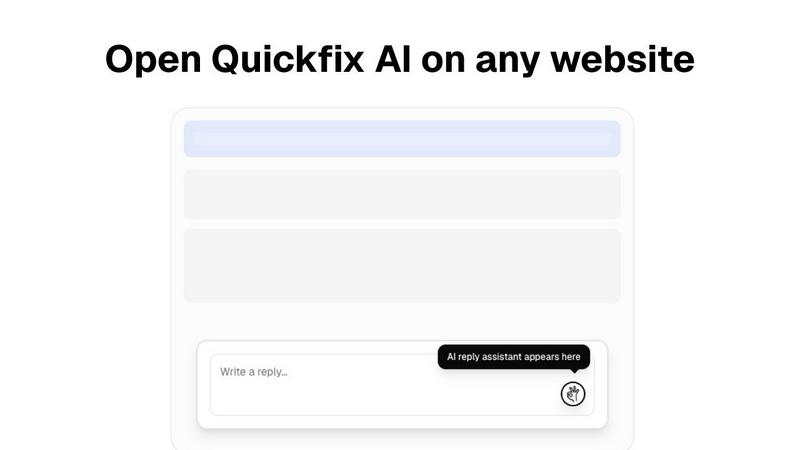
Quickfix AI is a browser extension in the productivity and management category, designed to generate AI-driven replies and diagnostics across websites. It streamlines communication by providing instant, context-aware responses on platforms like Gmail, LinkedIn, and customer support tools. Users may explore alternatives for various strategic reasons. Common drivers include budget constraints, the need for different feature sets like advanced analytics or team collaboration, or specific platform compatibility requirements beyond a browser extension. Enterprise teams often seek solutions that integrate more deeply with their existing tech stack. When evaluating an alternative, key considerations should include the total cost of ownership, the accuracy and contextual intelligence of the AI, security and data privacy protocols, and the breadth of platform integration. The goal is to select a tool that maximizes team productivity and delivers a measurable return on investment through time savings and improved response quality.