
CalcFi vs ConvertBankToExcel
Side-by-side comparison to help you choose the right AI tool.

CalcFi
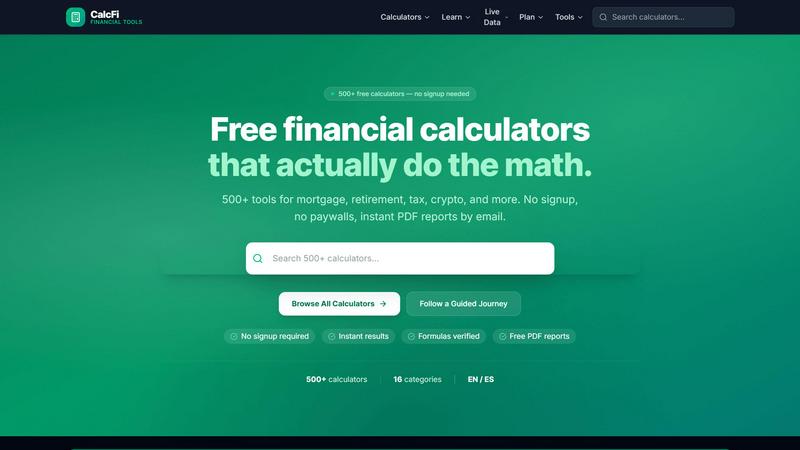
500+ free financial calculators — mortgage, compound interest, retirement, salary, tax, debt, investing & more. No signup, instant results.

ConvertBankToExcel
ConvertBankToExcel quickly transforms PDF bank statements into accurate Excel, CSV, QBO, and OFX formats in under 30.
Last updated: February 26, 2026
Visual Comparison
CalcFi
ConvertBankToExcel

Overview
About CalcFi
CalcFi is a free, no-signup financial calculator platform with 500+ tools covering mortgage payments, compound interest, retirement savings, salary/paycheck, tax brackets, debt payoff, investment returns, budgeting, net worth, and more. State-specific data for all 50 US states. Dark-mode UI, mobile-first, instant results. Built with Next.js, deployed on Vercel.
About ConvertBankToExcel
ConvertBankToExcel is an advanced AI-driven platform specifically designed for accounting professionals seeking to streamline the process of converting bank statements into usable formats. By leveraging cutting-edge technology, ConvertBankToExcel eliminates the tedious task of manual data entry, automatically extracting essential transaction data from PDF bank statements. This innovative solution converts financial documents into multiple formats, including Excel, CSV, and QuickBooks, within seconds, ensuring that users save time and increase productivity. Trusted by over 50,000 CPAs, bookkeepers, and financial experts, ConvertBankToExcel has successfully processed over a million bank statements, showcasing its reliability and efficiency in the accounting landscape. With a free tier allowing for the conversion of up to seven pages daily without requiring a credit card, professionals can experience the benefits of this tool firsthand. The platform is an invaluable resource for anyone looking to optimize their accounting processes, reduce errors, and enhance operational efficiency.