
Ultimate Forms
Ultimate Forms accelerates SharePoint projects with no-code forms, automation, and reporting for faster ROI.
Visit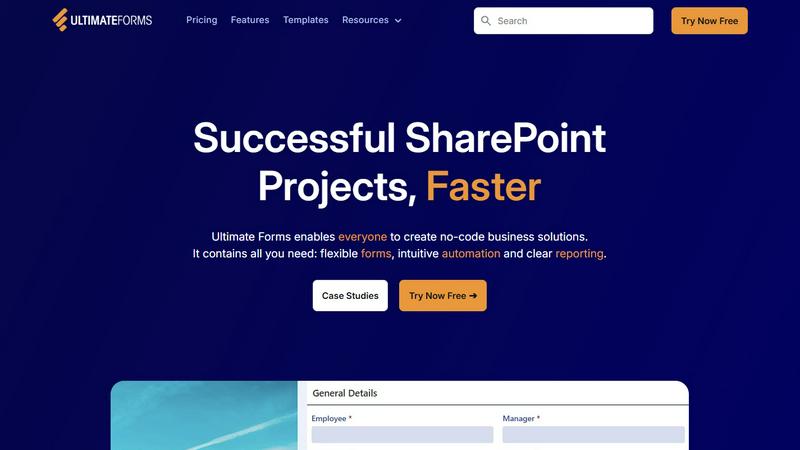
About Ultimate Forms
Infowise Ultimate Forms is a comprehensive, no-code platform engineered to transform Microsoft SharePoint into a powerful engine for business process automation and data management. Designed specifically for the Microsoft 365 ecosystem, it empowers organizations of all sizes to build sophisticated, custom business solutions without writing a single line of code. The platform is tailored for business analysts, department heads, and SharePoint administrators who need to streamline operations, enforce data integrity, and enhance collaboration but lack extensive technical resources. Its core value proposition lies in dramatically accelerating the delivery of SharePoint projects, reducing development time from weeks to hours, and eliminating the dependency on scarce developer talent. By centralizing flexible forms, intuitive workflow automation, and clear reporting within the familiar SharePoint environment, Ultimate Forms ensures all organizational data remains secure and governed while driving significant improvements in operational efficiency, data accuracy, and user adoption. Trusted by thousands of global enterprises, it delivers a measurable return on investment by turning SharePoint into a true application platform.
Features of Ultimate Forms
Flexible, Responsive Forms
Ultimate Forms provides a modern, drag-and-drop form designer that creates fully responsive forms for any device. Features include tabs for organization, repeating sections for dynamic data entry, conditional logic to show or hide fields, and robust input validation. Crucially, it supports granular permissions at the section and column level, enabling complex data capture scenarios while keeping all information securely stored within native SharePoint lists and libraries, ensuring compliance and governance are never compromised.
Intuitive Automation with Actions
This feature replaces the complexity of traditional SharePoint Designer or Power Automate workflows with a simple, visual "Actions" builder. Users can automate multi-step business processes to create, update, and manage data across SharePoint and integrated applications like Microsoft Teams, Exchange, SQL Server, and more. By reducing the technical learning curve, it democratizes automation, allowing business power users to design and maintain sophisticated workflows, thereby removing IT bottlenecks and accelerating process improvement initiatives.
Clear Reporting and Dashboards
Transform raw SharePoint data into actionable business intelligence with built-in reporting tools. Ultimate Forms enables the creation of detailed, shareable reports, interactive dashboards, key performance indicator (KPI) scorecards, calendars, and charts. This empowers stakeholders at all levels to visualize performance metrics, track process status in real-time, and make data-driven decisions, significantly improving organizational responsiveness and accountability without needing separate BI software.
Pre-built Solution Templates
Accelerate solution deployment with a vast library of pre-configured, industry-specific templates for common business scenarios like HR recruitment, project management, and leave requests. These templates provide a proven starting point that can be fully customized and then deployed across multiple sites or tenants with a single click. This "build once, deploy everywhere" capability standardizes best practices, ensures consistency, and saves substantial time and effort in rolling out enterprise-wide solutions.
Use Cases of Ultimate Forms
Streamlined HR Recruitment Portal
Organizations can implement a multi-stage recruitment portal to manage the entire candidate lifecycle. Ultimate Forms automates the process from application submission and resume parsing to interview scheduling, collaborative candidate evaluation, and final offer letter generation. This reduces time-to-hire, improves the candidate experience, and ensures all hiring managers and HR personnel follow a consistent, auditable process, leading to better hiring outcomes.
Comprehensive Project Management
Teams can build a centralized project management solution within SharePoint to track customers, projects, tasks, and work hours. Using dynamic forms and automation, the system can automatically assign tasks, send deadline alerts, update project statuses, and generate burndown charts or profitability reports. This enhances project visibility, improves resource allocation, and ensures all project data is synchronized and accessible from a single source of truth.
Automated Employee Leave Management
Replace manual email or paper-based leave requests with a fully automated approval workflow. Employees submit requests through a intuitive form, which then routes for manager approval based on dynamic rules, checks against team calendars, and updates integrated systems like payroll. This eliminates administrative overhead, reduces errors, provides clear audit trails, and gives employees real-time visibility into their leave balances and request status.
Integrated IT Asset Tracking
Create a robust system for tracking hardware and software assets throughout their lifecycle. Using forms with barcode scanning capabilities and automation actions, organizations can manage asset check-in/check-out, maintenance schedules, warranty expirations, and depreciation. This improves asset utilization, ensures compliance with software licenses, and provides accurate financial reporting, directly impacting cost control and operational efficiency.
Frequently Asked Questions
Is Ultimate Forms a no-code platform?
Yes, Ultimate Forms is designed as a true no-code solution. It provides an intuitive, visual interface for building forms, automating workflows, and creating reports. Users do not need any prior programming knowledge, JavaScript, or CSS expertise to create powerful business applications. This empowers business analysts and power users to develop solutions independently, dramatically reducing the burden on IT departments.
How does Ultimate Forms integrate with Microsoft 365?
Ultimate Forms is built natively for the Microsoft 365 and SharePoint ecosystem. It stores all data directly within SharePoint lists and libraries, leveraging existing security and permissions. Its automation "Actions" seamlessly connect with other Microsoft services like Teams (for notifications), Exchange Online (for emails), and Azure services. This deep integration ensures a cohesive user experience and simplifies administration within the familiar Microsoft 365 admin center.
Can I customize the pre-built templates?
Absolutely. The pre-built solution templates are fully customizable starting points. You can modify the forms, adjust the workflow logic, add or remove data fields, and tailor the reports to meet your organization's exact requirements. This flexibility allows you to benefit from industry best practices embedded in the templates while ensuring the final solution aligns perfectly with your unique business processes.
What kind of support and training is available?
Infowise provides comprehensive support, including detailed documentation, video tutorials, and a knowledge base. They are noted for their responsive, expert technical support team. Additionally, they offer regular live webinars on specific use cases and best practices. This commitment to customer enablement ensures teams can quickly become proficient and maximize their return on investment with the platform.