
Imgezy
Imgezy is an AI photo editor that enhances images and removes unwanted elements in seconds, empowering your creativity.
Visit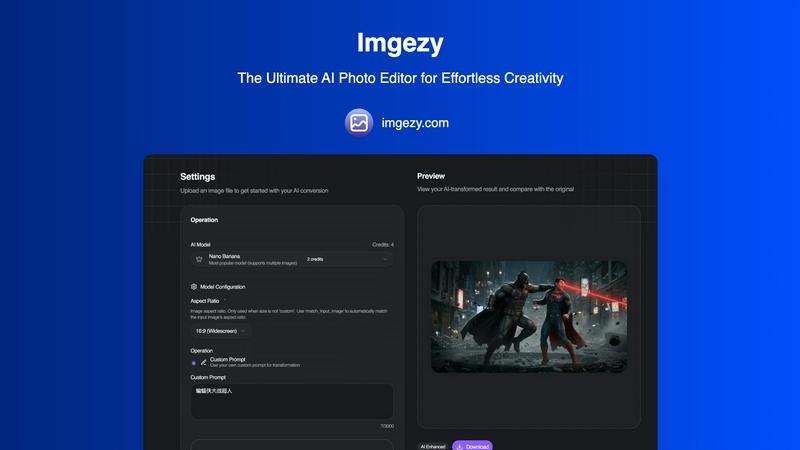
About Imgezy
Imgezy is a groundbreaking AI-powered photo editing software tailored to revolutionize the way individuals and businesses enhance their images. Designed for users with varying levels of expertise, Imgezy empowers everyone, from casual social media users to professional photographers, to achieve stunning visual results without the steep learning curve typically associated with traditional editing software. The platform allows users to edit their photos by simply describing the desired changes in plain language, eliminating the need for complex tools and intricate processes. With features such as object removal, background replacement, and automatic image enhancement, Imgezy delivers professional-grade results in a matter of seconds. This not only enhances the quality of visual content but also significantly boosts productivity, enabling users to focus on their creative vision rather than getting entangled in technical details. With over 200,000 satisfied users, Imgezy stands out as a versatile solution for anyone looking to elevate their image editing game.
Features of Imgezy
Object Removal
Imgezy's object removal feature utilizes advanced AI algorithms to intelligently identify and eliminate unwanted elements from photos. Whether it's a stray person in the background or distracting objects that ruin the composition, users can easily request the removal, resulting in a clean image that maintains its original context and integrity.
Background Replacement
With Imgezy, changing the background of a photo is as simple as typing a command. Users can replace backgrounds with stunning landscapes or solid colors, allowing for complete control over the visual narrative of their images. This feature is perfect for creating eye-catching graphics for marketing, social media, or personal use.
Photo Enhancement
Imgezy automatically enhances images for optimal vibrancy and clarity, adjusting colors, lighting, and sharpness to make photos truly pop. This feature is particularly beneficial for users who want to improve their pictures quickly, ensuring high-quality visuals that stand out in any context, from online portfolios to social media feeds.
Batch Processing
The batch processing capability of Imgezy allows users to edit multiple photos simultaneously, saving valuable time for large projects. This feature is essential for businesses and professionals who need to maintain a consistent visual style across a series of images, streamlining workflows and enhancing productivity.
Use Cases of Imgezy
Social Media Content Creation
Imgezy is an invaluable tool for social media managers and content creators who need to produce high-quality images quickly. By using Imgezy's features, they can enhance their photos, remove distractions, and change backgrounds to create compelling visuals that attract audience engagement.
E-commerce Product Photography
E-commerce businesses can leverage Imgezy to improve their product images by removing unwanted background elements and replacing them with clean, professional backdrops. This leads to more appealing product presentations, ultimately driving higher conversion rates and sales.
Event Photography
Photographers capturing events can benefit from Imgezy by effortlessly removing photobombers or unwanted objects from their shots. This ensures that the final images represent the event atmosphere beautifully, preserving memories without distractions.
Marketing and Advertising
Marketing teams can utilize Imgezy to create captivating visuals for promotional materials. The ability to quickly edit and enhance images allows teams to iterate faster on campaigns, ensuring that their marketing collateral resonates with their target audience while maintaining a professional appearance.
Frequently Asked Questions
How does Imgezy work?
Imgezy operates using advanced AI technology that interprets user commands in natural language. Users upload their images, describe the desired edits, and the AI processes the requests to deliver edited photos almost instantly.
Is any design experience necessary to use Imgezy?
No, Imgezy is designed for users of all skill levels. Its intuitive interface and plain language commands make it accessible for everyone, allowing even those without design experience to produce professional-quality edits.
What types of images can I edit with Imgezy?
Imgezy supports a wide range of image formats, including JPG, PNG, and WebP. Users can upload any of these formats to take advantage of the AI editing features.
Can I download my edited images in high resolution?
Yes, Imgezy allows users to download their edited images in full resolution, ensuring that quality is maintained without loss during the editing process. This is crucial for users who require high-quality visuals for print or digital use.
Similar to Imgezy

Prompt-based Qwen Image Edit Online for background changes, text edits, product images, posters, outpainting, and creative workflows.

Turn flat images into editable transparent layers with AI.

Create photorealistic images, bilingual posters, ecommerce visuals, and social content with Z Image Turbo, flexible prompts, aspect ratios, seeds, and

Create and edit production-ready images with Seedream 5.0 Pro and Lite for ecommerce, marketing, social media, infographics, and branded content.

NanoEditor is an AI-powered D&D portrait generator that turns character details like ancestry, class and gear into focused fantasy RPG art.

Free AI image editor that edits, retouches, and transforms photos with natural-language text prompts.

Private browser-based AI image generation and editing with text-to-image, targeted edits, and multi-image references.

An online AI image tool that enhances photos and illustrations at their original size or upscales them by 2x or 4x.