
Image to 3D AI vs Prompt Builder
Side-by-side comparison to help you choose the right AI tool.

Image to 3D AI
Transform 2D images into production-ready 3D models instantly and cost-effectively with our AI-powered generator.
Last updated: February 28, 2026

Prompt Builder
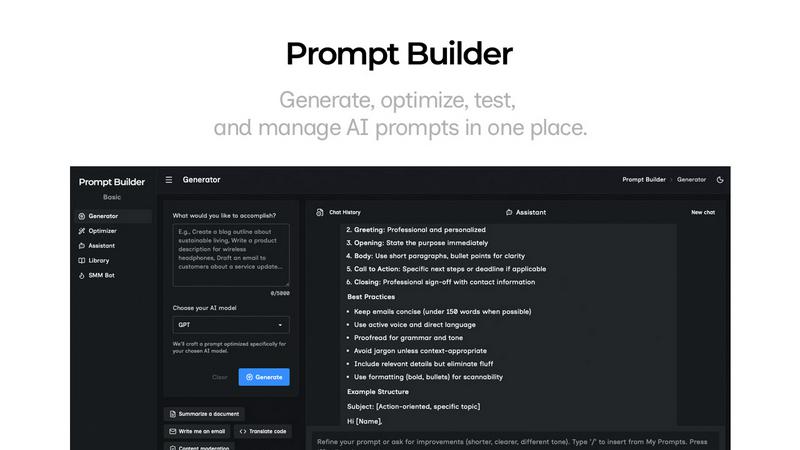
Generate, optimize, test, and manage AI prompts in one place. Turn an idea into a ready-to-use prompt in seconds.
Visual Comparison
Image to 3D AI

Prompt Builder
Overview
About Image to 3D AI
Image to 3D AI, powered by ImgTo3D.ai, is a revolutionary platform designed to transform 2D images and sketches into fully textured, production-ready 3D models in mere seconds. This technology is essential for professionals across various sectors, including game development, 3D printing, e-commerce, and XR/VR. By utilizing advanced deep learning algorithms, the platform can analyze depth and shape from a single image, resulting in optimized 3D geometries and textures. Businesses can significantly reduce prototyping costs by up to 90% and accelerate asset creation by as much as 8 times, especially beneficial for independent studios. The primary value proposition lies in delivering high-quality 3D model generation with immediate returns on investment through reduced costs, enhanced speed, and seamless integration into existing workflows via standard 3D file formats. With no software installation or credit card requirements, this tool democratizes access to 3D modeling, making it an invaluable asset for creators and enterprises alike.
About Prompt Builder
Prompt Builder is a prompt engineering workspace for writing, testing, and saving prompts. Describe the task in plain English, and it helps you create a prompt that matches the model you choose. Start with a draft, refine it in chat, save or pin versions, then run them when you are ready. It works with GPT, Claude, Gemini, Llama, Mistral, DeepSeek, Grok, Perplexity, and more. You also get an Optimizer, an assistant for quick tests, and a library of reusable prompts and templates from the community. Turn an idea into a ready-to-use prompt in seconds. Refine it in chat, save it to your Library, and run it anytime.